원본 문서
GPT Image 2 · en
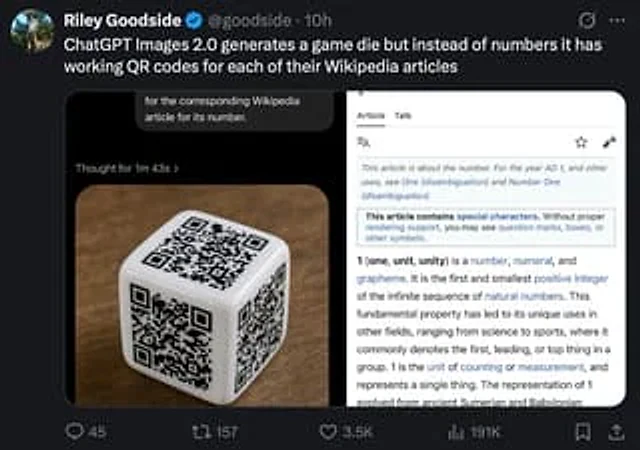
A screenshot of a social media tweet in realistic dark mode, viewed on a desktop interface. The top left corner features a circular profile picture with the name Riley Goodside, a blue verified badge, followed by the account @goodside and a 10h timestamp. The tweet reads: “ChatGPT Images 2.0 generated a game die, but instead of numbers, it provides a QR code for the corresponding Wikipedia article for each number.” Below the tweet is a large embedded image containing two side-by-side panels within a rounded rectangle. The left panel shows a glossy white six-sided die placed on a warm brown wooden tabletop, taken at a slight angle, revealing three faces, each with a different black QR code representing a number; the lighting is soft and realistic, with subtle reflections at the rounded corners of the die. Above the die image is a dark UI title area with the small text “Thought for 1 minute 43 seconds,” and near the top is a cropped speech bubble-like overlay that reads “For the Wikipedia article corresponding to its number.” The right panel is a screenshot of a mobile-style Wikipedia page for the number 1. The background is white with a thin gray border. At the top are the "Entry" and "Discussion" tabs, small interface icons, and the article text beginning with "This entry describes a number. For information on 1 AD and other uses, see One (disambiguation) and Number One (disambiguation)," followed by a box notification about special characters, and the bold opening line "1 (one, unit, uniform) is a number, value, and morpheme." The social media interface surrounding the embedded image uses a near-black background, with standard reply, retweet, like, analysis, bookmark, and share icons at the bottom, displaying 45 replies, 157 retweets, 3.5K likes, and 191K views. The UI layout is clean, resembling a desktop X/Twitter layout, with a realistic screenshot style, high readability, and a subtle sense of compression and screenshot appearance.사용 방법
- 매개변수를 포함한 전체 원본 프롬프트를 복사하세요.
- 주제, 문구, 구도를 자신의 요구에 맞게 바꾸세요.
- 호환되는 외부 도구에서 사용하고 이용 조건과 결과를 확인하세요.
시작 전 확인
- 참조 이미지가 필요한지 확인하세요. 호환 표시는 해당 모델로 이 예시를 생성했다는 뜻이 아닙니다.
- 이름, 수치, 이미지 속 문구를 확인하세요. 모델 버전에 따라 결과가 다를 수 있습니다.