
원본 문서
GPT Image 2 · en
Scene:
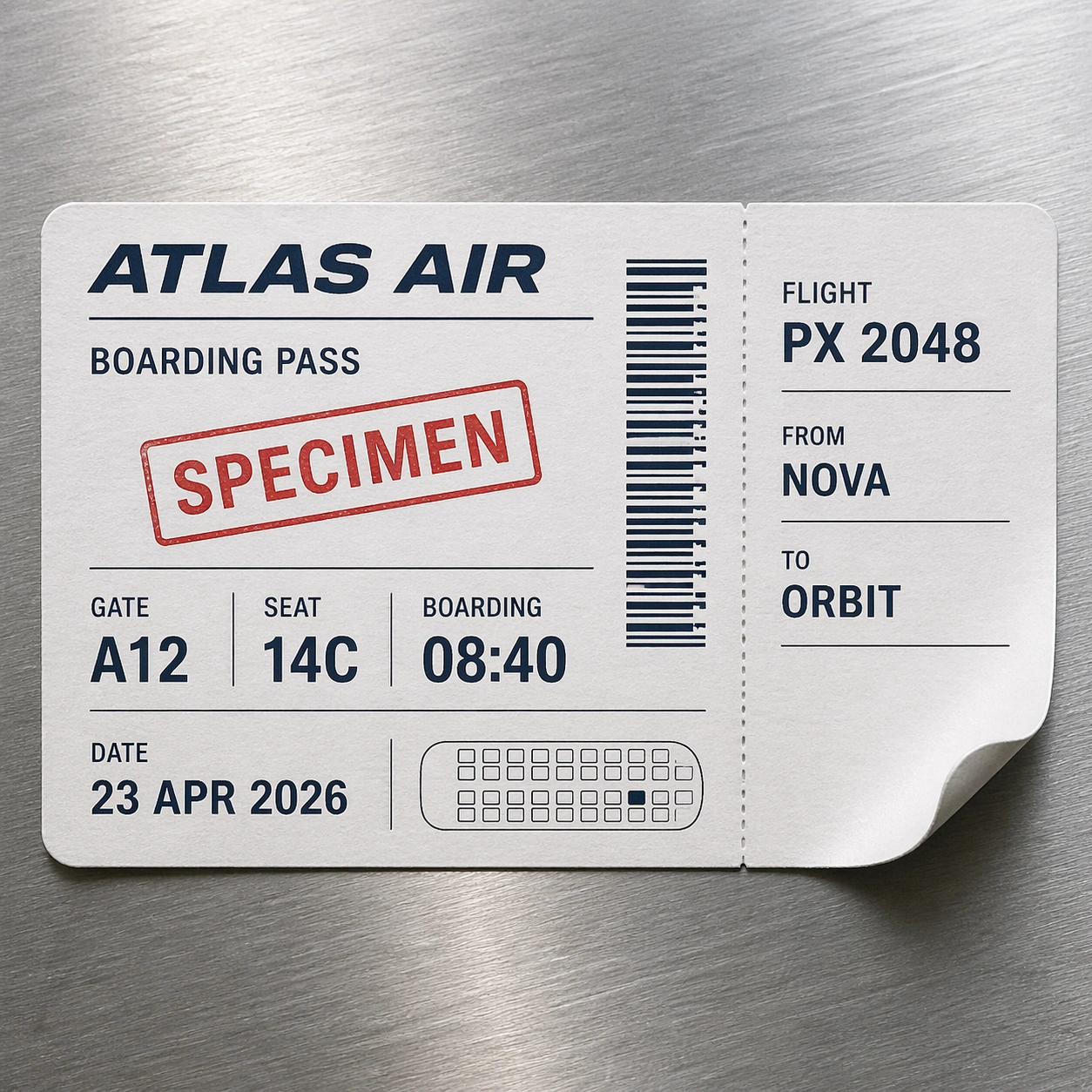
A square photorealistic commercial mockup of a fictional airline boarding pass resting on a brushed aluminum airport counter. The paper is slightly curled at one corner, with thermal-print sheen, tiny perforation marks, and soft overhead terminal light. The camera is straight-on with a slight natural shadow, close enough to inspect typography and material texture.

Subject:
Create a clearly fictional specimen boarding pass, not a usable ticket. The exact readable text should include: SPECIMEN, ATLAS AIR, BOARDING PASS, FLIGHT PX 2048, FROM NOVA, TO ORBIT, GATE A12, SEAT 14C, BOARDING 08:40, DATE 23 APR 2026. Include one barcode-like strip made of decorative non-scannable vertical marks and one seat-map miniature made of simple rectangles. Use no real airline logo, no QR code, and no real airport codes.

Important details:
The test is document realism: crisp hierarchy, airline-ticket spacing, microprint-like gray rules as unreadable texture, thermal ink density variation, ticket stub perforation, rounded punched corner, and believable paper fibers. Keep all specified text readable and correctly positioned. The barcode-like element must look visually convincing but intentionally nonfunctional. The specimen status should be obvious without destroying the premium ticket feel.

Use case:
Pseudo-Real Documents single study 1/8, testing readable ticket typography, fake barcode texture, and photoreal thermal paper material.

Constraints:
No readable text except the specified specimen boarding-pass strings, no watermark, no logos, preserve exact 1:1 aspect ratio, no real airline, no real airport code, no QR code, no scannable barcode, no personal name, no passport number, no extra flight data.
사용 방법
- 매개변수를 포함한 전체 원본 프롬프트를 복사하세요.
- 주제, 문구, 구도를 자신의 요구에 맞게 바꾸세요.
- 호환되는 외부 도구에서 사용하고 이용 조건과 결과를 확인하세요.
시작 전 확인
- 참조 이미지가 필요한지 확인하세요. 호환 표시는 해당 모델로 이 예시를 생성했다는 뜻이 아닙니다.
- 이름, 수치, 이미지 속 문구를 확인하세요. 모델 버전에 따라 결과가 다를 수 있습니다.