원본 문서
GPT Image 2 · en
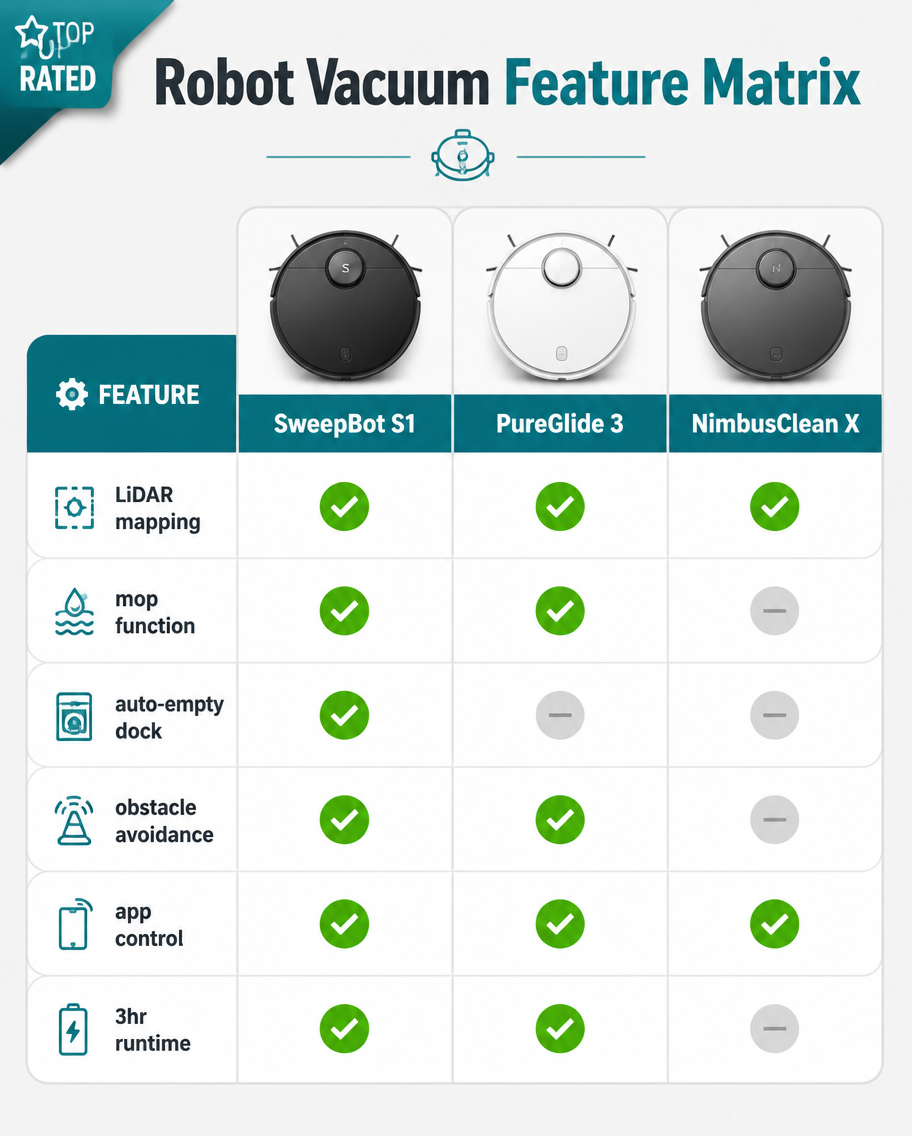
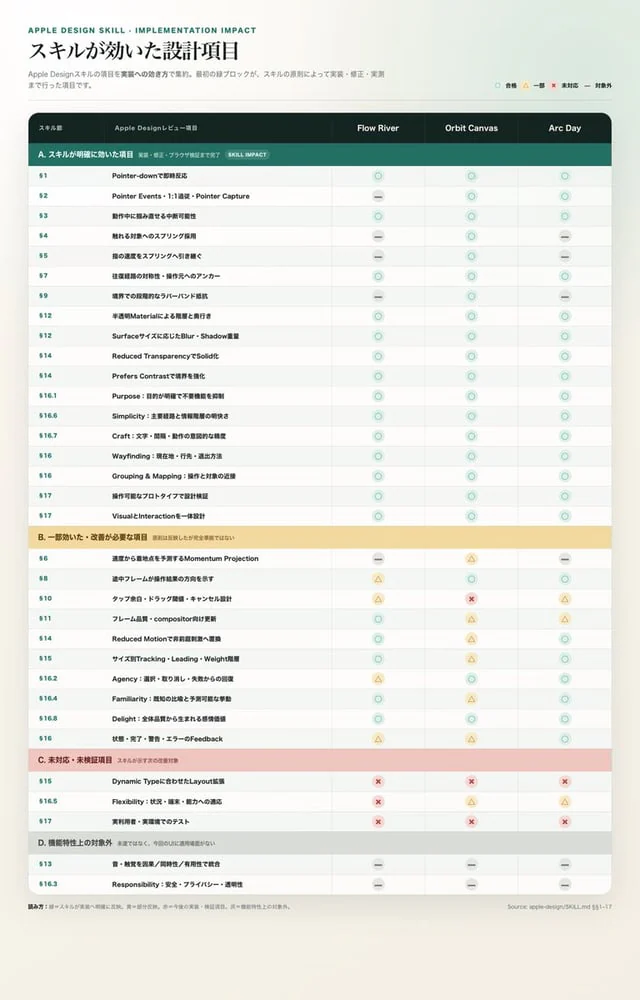
Goal: Create a polished Apple-style Japanese comparison matrix infographic showing which Apple Design Skill review items have implementation impact across three products: {argument name="product column names" default="Flow River, Orbit Canvas, Arc Day"}.

Canvas: Vertical portrait poster, 768 × 1152 px, warm off-white background with subtle paper grain and a faint mint gradient glow near the top right. Center a large rounded white table card with a soft shadow, leaving generous margins. Use a restrained Apple-like editorial style: clean grid, thin dividers, rounded status symbols, muted teal, pale yellow, dusty pink, and gray.

Header: At top left, small uppercase teal label “APPLE DESIGN SKILL · IMPLEMENTATION IMPACT”. Below it, large Japanese headline {argument name="headline text" default="スキルが効いた設計項目"}. Under the headline, add a small gray Japanese description explaining that these are Apple Design Skill items summarized by implementation impact and grouped by initial prototype, skill principles, and later correction/implementation work. At top right place a compact legend with exactly 4 status symbols: teal circle = 合格, yellow triangle = 一部, red X = 未対応, gray dash = 対象外.

Main layout: A wide table with exactly 5 columns: “スキル番”, “Apple Designレビュー項目”, and the 3 product columns named by {argument name="product column names" default="Flow River, Orbit Canvas, Arc Day"}. Use a dark charcoal header row with white text. First two columns are wider; three product columns are equal width. Align item numbers left in teal, item descriptions left in bold dark text, and status symbols centered.

Sections: Use exactly 4 grouped sections with colored band headers:
1. Teal band: “A. スキルが明確に効いた項目 実装・修正・ブラッシュアップ検証まで完了 SKILL IMPACT”. Contains exactly 17 rows: §1 Pointer-downで即時反応; §2 Pointer Events・1:1追従・Pointer Capture; §3 動作中に掴み直せる中断可能性; §4 離れる対象へのスプリング採用; §5 指の速度をスプリングへ引き継ぐ; §7 往復経路の対称性・操作元へのアンカー; §9 境界での段階的なラバーバンド抵抗; §12 半透明Materialによる階層と奥行き; §12 Surfaceサイズに応じたBlur・Shadow重量; §14 Reduced TransparencyでSolid化; §14 Prefers Contrastで境界を強化; §16.1 Purpose:目的が明確で不要機能を抑制; §16.6 Simplicity:主要機能と情報階層の明快さ; §16.7 Craft:文字・間隔・動作の意図的な精度; §16 Wayfinding:現在地・行先・退出方法; §16 Grouping & Mapping:操作と対象の近接; §17 VisualとInteractionを一体設計.
2. Pale yellow band: “B. 一部効いた・改善が必要な項目 原則は反映したが完全実装ではない”. Contains exactly 10 rows: §6 速度から開始する予測するMomentum Projection; §8 途中フレームが操作結果の方向を示す; §10 タップ余白・ドラッグ閾値・キャンセル設計; §11 フレーム品質・compositor向け更新; §14 Reduced Motionで意味的動きへ置換; §15 サイズ別Tracking・Leading・Weight階層; §16.2 Agency:選択・取り消し・失敗からの回復; §16.4 Familiarity:既知の比喩と予測可能な挙動; §16.8 Delight:余白品質から生まれる高揚感; §16 状態・完了・警告・エラーのFeedback.
3. Dusty pink band: “C. 未対応・未検証項目 スキルが示す次の改善対象”. Contains exactly 3 rows: §15 Dynamic Typeに合わせたLayout拡張; §16.5 Flexibility:状況・環境・能力への適応; §17 実利用時・実環境でのテスト.
4. Light gray band: “D. 機能特性上の対象外 未達ではなく、今回のUIに適用領域がない”. Contains exactly 2 rows: §13 音・触覚を同期/即時性/有用性で統合; §16.3 Responsibility:安全・プライバシー・透明性.

Status pattern: Populate all 32 item rows with centered symbols. Section A is mostly teal circles, with a few gray dashes in Flow River and Arc Day matching the look of partial non-applicable cases. Section B mixes teal circles, yellow triangles, and gray dashes, including one red X in the middle product column on the row for tap margin/drag threshold/cancel design. Section C is mostly red X marks, with yellow triangles in some right-side cells. Section D uses gray dashes across all three product columns. Make the symbols small, rounded, lightly tinted, and consistent with the legend.

Footer: Add a tiny gray Japanese note at bottom left beginning with “総括方針:” and a small source note at bottom right {argument name="source note" default="Source: apple-design SKILL.md §9–17"}. Keep the table crisp and readable, no decorative illustrations, no people, no logos besides the text label, no watermark.
사용 방법
- 매개변수를 포함한 전체 원본 프롬프트를 복사하세요.
- 주제, 문구, 구도를 자신의 요구에 맞게 바꾸세요.
- 호환되는 외부 도구에서 사용하고 이용 조건과 결과를 확인하세요.
시작 전 확인
- 참조 이미지가 필요한지 확인하세요. 호환 표시는 해당 모델로 이 예시를 생성했다는 뜻이 아닙니다.
- 이름, 수치, 이미지 속 문구를 확인하세요. 모델 버전에 따라 결과가 다를 수 있습니다.