원본 문서
GPT Image 2 · zh
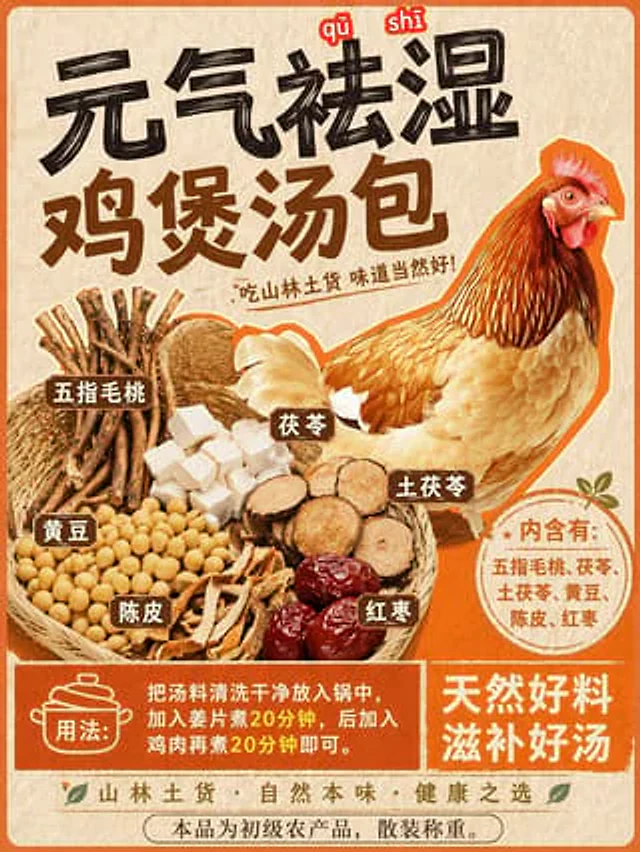
Using REFERENCE_0 as the base style and preserving the central chicken illustration, transform the image into a product packaging label for a herbal soup mix. Shift the chicken to the right side. Replace the top text with a large, bold black brush-stroke headline {argument name="main headline" default="元气祛湿 鸡煲汤包"} and a smaller subtitle {argument name="subtitle" default="吃山林土货 味道当然好!"}. On the left side, add a new woven basket containing exactly 6 distinct piles of ingredients: woody root sticks, white square cubes, round sliced brown roots, yellow soybeans, dried orange peel strips, and dark red dates. Attach 6 small brown rectangular labels with white text to these ingredients. Below the chicken, add a circular orange badge containing the text {argument name="ingredients list" default="内含有:五指毛桃、茯苓、土茯苓、黄豆、陈皮、红枣"}. At the bottom, create a solid orange rectangular banner featuring a cooking pot icon, the text {argument name="usage instructions" default="用法:把汤料清洗干净放入锅中,加入姜片煮20分钟,后加入鸡肉再煮20分钟即可。"}, and a secondary slogan {argument name="bottom slogan" default="天然好料 滋补好汤"}.사용 방법
- 매개변수를 포함한 전체 원본 프롬프트를 복사하세요.
- 주제, 문구, 구도를 자신의 요구에 맞게 바꾸세요.
- 호환되는 외부 도구에서 사용하고 이용 조건과 결과를 확인하세요.
시작 전 확인
- 참조 이미지가 필요한지 확인하세요. 호환 표시는 해당 모델로 이 예시를 생성했다는 뜻이 아닙니다.
- 이름, 수치, 이미지 속 문구를 확인하세요. 모델 버전에 따라 결과가 다를 수 있습니다.