
원본 문서
GPT Image 2 · en
Scene:
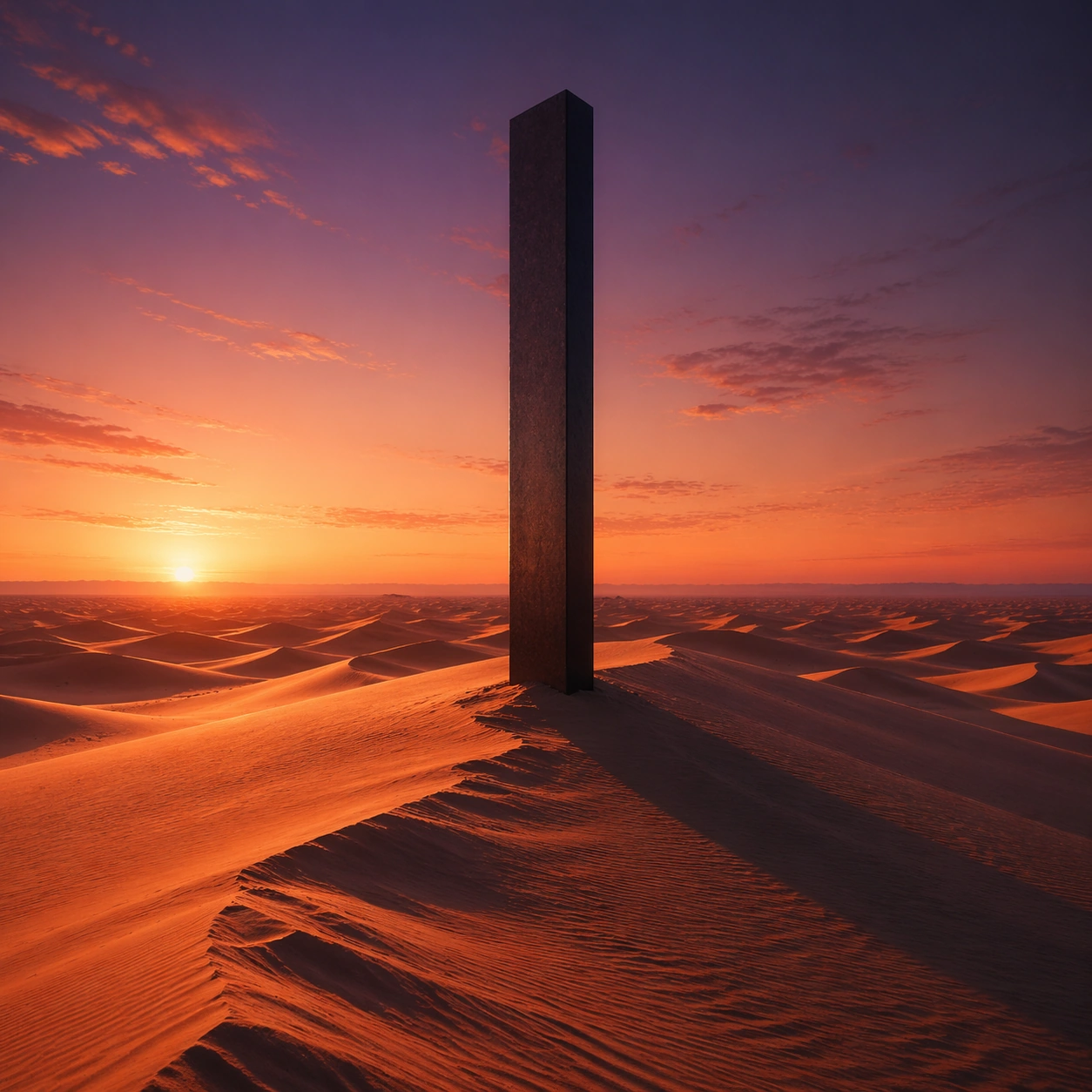
Create a square cinematic still for Desert Dusk Monolith. Use production-grade photoreal lighting, disciplined lens behavior, and a composition that feels like a finished key frame from an original film rather than a casual snapshot. A severe desert dune field stretches to the horizon at sunset, where the last light turns the crests copper and rose, the far sky cools toward violet, and one dark monolith stands with absolute stillness above the wind-shaped sand. Keep the camera in a disciplined anchor position so the full lighting event and the main spatial structure are immediately legible from edge to edge.

Subject:
Build a coherent original scene whose emotional center comes from atmosphere, light physics, and spatial clarity. Avoid relying on celebrity likeness, franchise iconography, or stylized illustration shortcuts. The monolith, long shadow, dune ridges, and the empty horizon line should dominate, with no unnecessary props, because the image depends on scale tension between one silent object and an immense landscape. This frame should lock the canonical arrangement, scale relationship, and emotional tone that the later dependent images inherit.

Important details:
Preserve a believable physical world with strong depth layering, careful color separation, and premium image discipline. Keep the geometry minimal but not sterile, using precise shadow direction, tactile sand micro-relief, clean sky gradient, and disciplined negative space so the frame feels monumental rather than decorative. Use this image to establish the authoritative direction of light, atmospheric density, and structural silhouette for the package.

Use case:
Desert Monolith series study 1/9.

Constraints:
No readable text, no watermark, no logos, preserve exact 1:1 aspect ratio, no ruins, no spaceships, no readable markings on the monolith, no crowds, no surreal floating objects.
사용 방법
- 매개변수를 포함한 전체 원본 프롬프트를 복사하세요.
- 주제, 문구, 구도를 자신의 요구에 맞게 바꾸세요.
- 호환되는 외부 도구에서 사용하고 이용 조건과 결과를 확인하세요.
시작 전 확인
- 참조 이미지가 필요한지 확인하세요. 호환 표시는 해당 모델로 이 예시를 생성했다는 뜻이 아닙니다.
- 이름, 수치, 이미지 속 문구를 확인하세요. 모델 버전에 따라 결과가 다를 수 있습니다.