원본 문서
GPT Image 2 · en
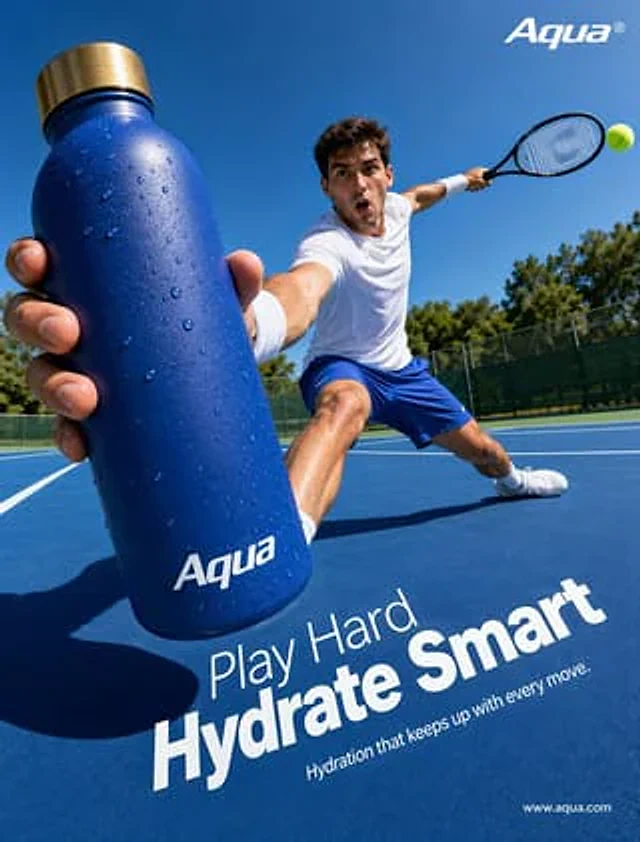
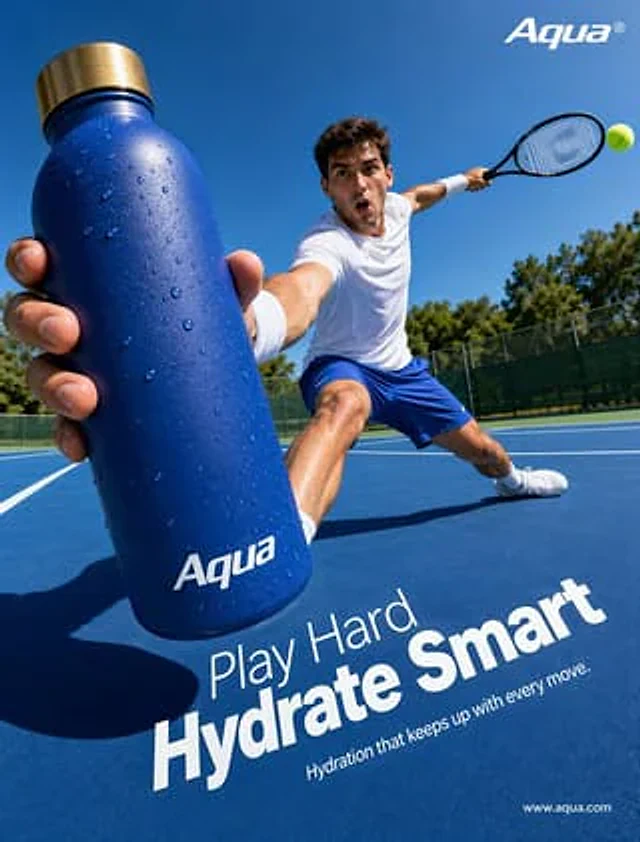
Create a hyperrealistic sports advertisement poster using an extremely wide-angle, low-angle courtside perspective with a sunny outdoor tennis court as the background. In the foreground, a male tennis player makes a dramatic stride towards the camera while simultaneously pushing a large, matte cobalt blue insulated water bottle toward the viewer, making the bottle the main subject of the image. The bottle is covered with clearly visible condensation droplets, features a brushed gold metallic cap, and has a white brand logo printed on the bottom.{argument name="brand name" default="Aqua"} The athlete wears a clean white athletic T-shirt, bright blue tennis shorts, white wristbands, white athletic socks, and tennis shoes. His other arm is extended behind him, holding a black tennis racket; a bright yellow-green tennis ball is visible near the racket on the right side of the frame. The pose should be dynamic and powerful, with one leg in a deep squat and the other extended across the blue hard court. Utilize the strong midday sunlight, clear shadows, vibrant and saturated blue, and a cloudless sky, with green trees and a dark fence in the background. The composition should convey the quality of a high-end hydration brand advertisement, focusing on the water bottle and the athlete, using dramatic perspective to create a sophisticated and energetic commercial feel. Incorporate simple white advertising typography into the lower half of the court surface: a smaller line of text {argument name="headline intro" default="Play Hard"} The very eye-catching large bold text is{argument name="headline main" default="Hydrate Smart"} and smaller subtitles{argument name="tagline" default="Hydration that keeps up with every move."} Place it again in the upper right corner.{argument name="brand name" default="Aqua"} The logo is white, and a small white website URL is placed in the lower right corner.{argument name="website" default="www.aqua.com"} .사용 방법
- 매개변수를 포함한 전체 원본 프롬프트를 복사하세요.
- 주제, 문구, 구도를 자신의 요구에 맞게 바꾸세요.
- 호환되는 외부 도구에서 사용하고 이용 조건과 결과를 확인하세요.
시작 전 확인
- 참조 이미지가 필요한지 확인하세요. 호환 표시는 해당 모델로 이 예시를 생성했다는 뜻이 아닙니다.
- 이름, 수치, 이미지 속 문구를 확인하세요. 모델 버전에 따라 결과가 다를 수 있습니다.