원본 문서
GPT Image 2 · en
{
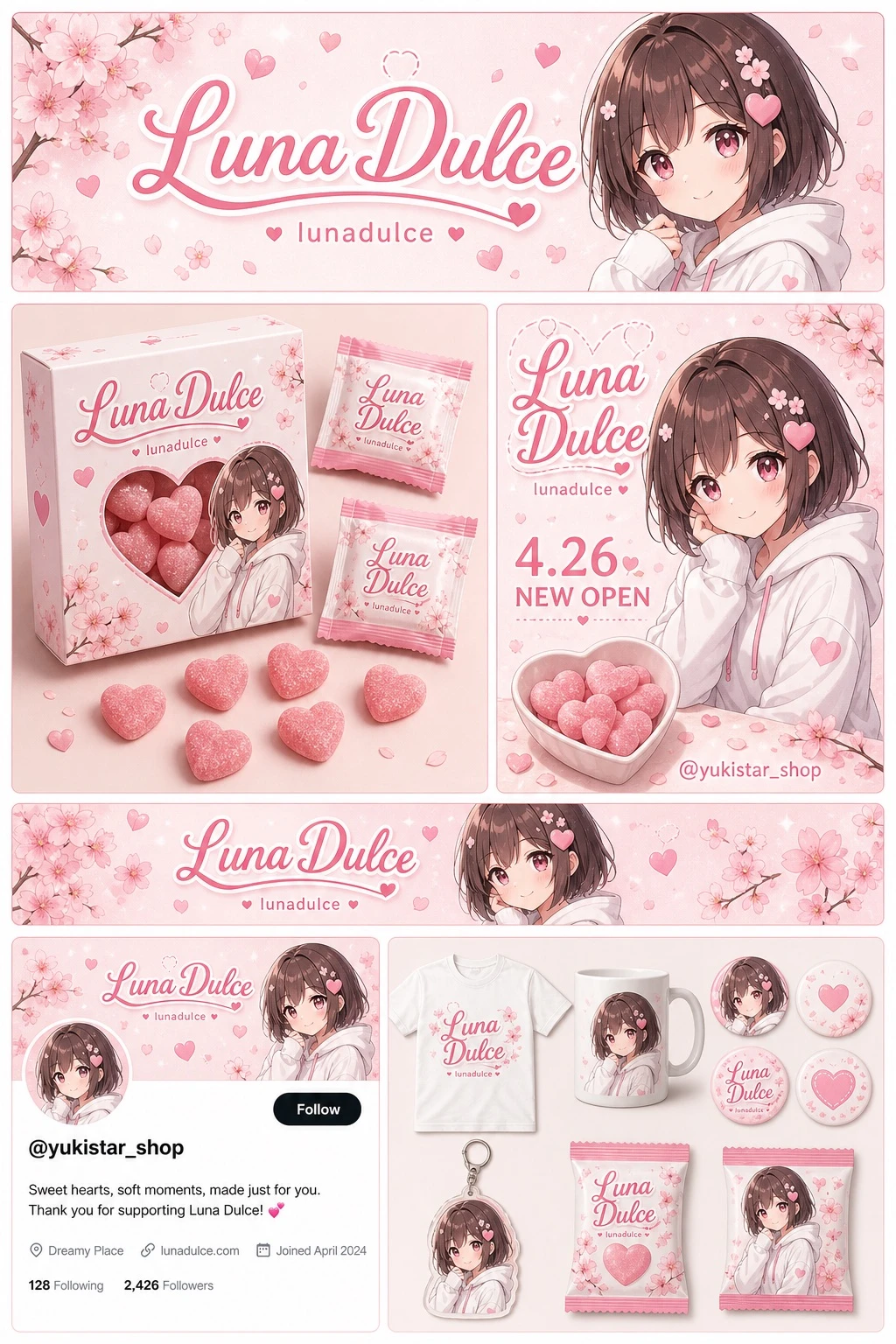
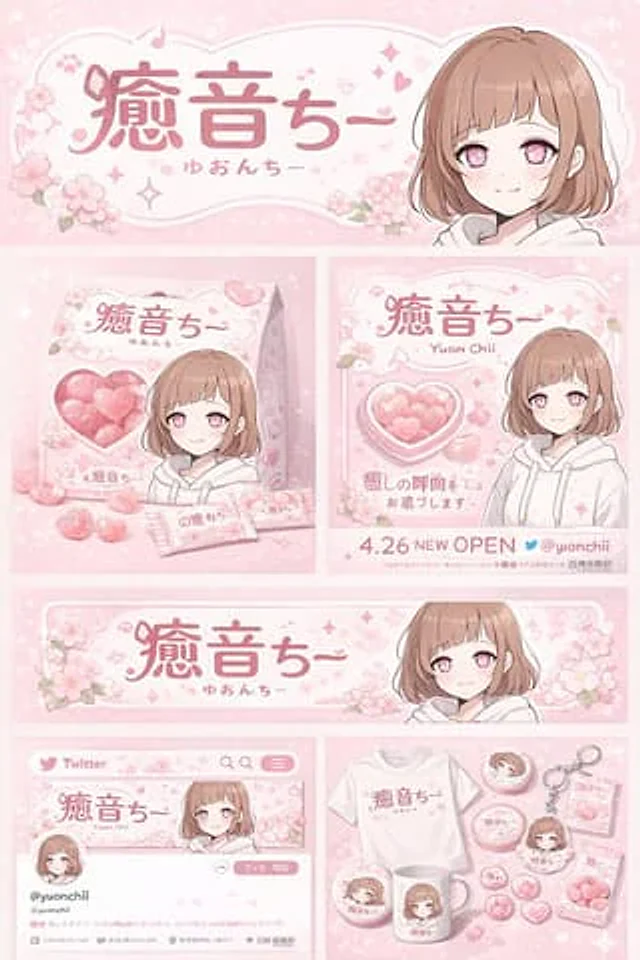
  "type": "Brand image and peripheral design projects",
  "theme": {
    "color_palette": "{argument name=\"theme color\" default=\"Soft pink\"} With white",
    "motif": "{argument name=\"motif\" default=\"Cherry blossoms\"} With pink hearts"
  },
  "character": {
    "description": "An anime girl with a short brown bob haircut, pink eyes, wearing a white hoodie, and a gentle smile."
  },
  "branding": {
    "main_logo": "{argument name=\"character name\" default=\"Yune Chi\"}",
    "sub_logo": "{argument name=\"character subtext\" default=\"ゆおんちー\"}"
  },
  "layout": {
    "sections": [
      {
        "type": "Header Banner",
        "position": "top",
        "elements": [
          "Large main logo",
          "Secondary Logo",
          "Cherry blossom pattern",
          "Portrait of the character on the right"
        ]
      },
      {
        "type": "Product Packaging",
        "position": "center left",
        "elements": [
          "A square box with a heart-shaped transparent window, displaying pink heart-shaped candies.",
          "Box body character illustration",
          "2 individual candy wrappers",
          "5 scattered heart-shaped candies"
        ]
      },
      {
        "type": "Promotional poster",
        "position": "center right",
        "elements": [
          "Character portrait",
          "Heart-shaped candy bowl",
          "Main Logo",
          "Text: '4.26 NEW OPEN'",
          "The character '{argument name=\"social handle\" default=\"@yuonchii\"} '"
        ]
      },
      {
        "type": "Horizontal webpage banner",
        "position": "Middle to lower",
        "elements": [
          "Main Logo",
          "Cherry blossoms",
          "Portrait of the character on the right"
        ]
      },
      {
        "type": "Social media profile mockup",
        "position": "Bottom left",
        "elements": [
          "Header image with logo",
          "1 round avatar",
          "Account Name{argument name=\"social handle\" default=\"@yuonchii\"} '",
          "1 Follow button",
          "Simulated introduction text"
        ]
      },
      {
        "type": "Merchandise Series",
        "position": "Bottom right",
        "count": 9,
        "items": [
          "A white T-shirt with a logo printed on it.",
          "A white mug with a character design printed on it.",
          "4 round badges",
          "1 acrylic keychain",
          "2 packs of candy"
        ]
      }
    ]
  }
}
사용 방법
- 매개변수를 포함한 전체 원본 프롬프트를 복사하세요.
- 주제, 문구, 구도를 자신의 요구에 맞게 바꾸세요.
- 호환되는 외부 도구에서 사용하고 이용 조건과 결과를 확인하세요.
시작 전 확인
- 참조 이미지가 필요한지 확인하세요. 호환 표시는 해당 모델로 이 예시를 생성했다는 뜻이 아닙니다.
- 이름, 수치, 이미지 속 문구를 확인하세요. 모델 버전에 따라 결과가 다를 수 있습니다.