
원본 문서
GPT Image 2 · en
Scene:
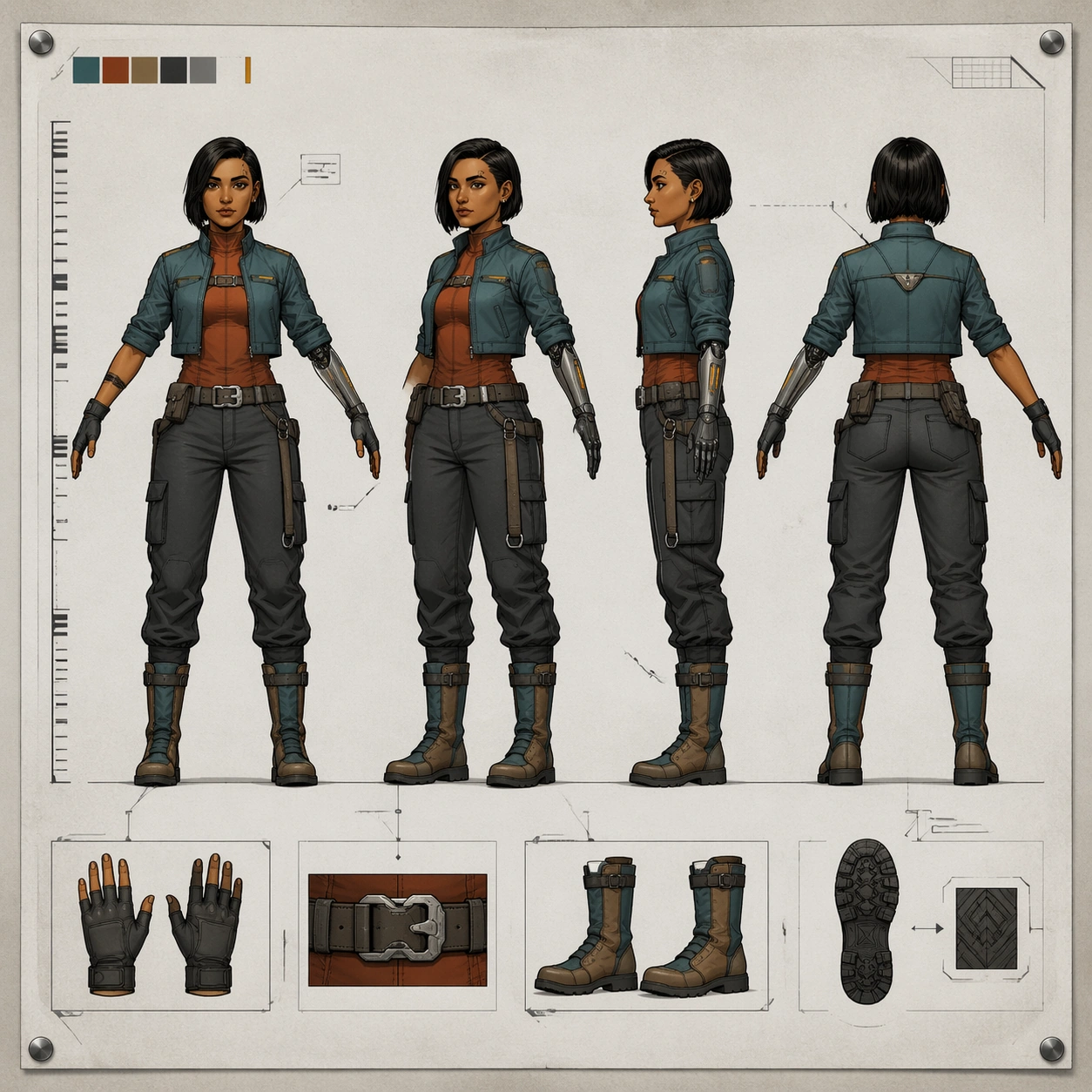
A square concept-art turnaround sheet pinned against a soft neutral studio board, shown perfectly front-facing like a clean production document. The composition is bright, controlled, and diagrammatic rather than cinematic: pale gray paper field, restrained charcoal guide lines, soft overhead light, and enough margin for the sheet to breathe. The frame must feel like a polished animation or game studio deliverable with balanced spacing and clear silhouette readability.

Subject:
Design one original courier heroine presented in four aligned full-body views on the same sheet: front, three-quarter forty-five-degree view, ninety-degree side view, and back view. She stands in a relaxed T-pose with matching proportions in every view. Her identity is specific and repeatable: compact athletic build, copper-brown skin, narrow oval face, right-eyebrow notch scar, short dark bob tucked behind one ear, teal cropped jacket over a rust utility underlayer, matte graphite cargo trousers, split-tone knee boots, and a slim mechanical left forearm with amber indicator slits. Add a few small accessory insets such as gloves, belt buckle, and boot sole tread, but keep them secondary.

Important details:
The sheet must read as industrial character design, not poster art. Keep consistent anatomy, head size, limb length, clothing seams, hardware placement, and facial structure across all four views. Include a non-readable height ruler made only of ticks and blocks, a faint floor baseline, and thin callout boxes with abstract marks instead of text. Preserve clean negative space, controlled line hierarchy, and a professional concept-sheet rhythm.

Use case:
Character Turnaround series study 1/8, establishing the canonical identity and sheet grammar for a reference-driven production lineup.

Constraints:
No readable text, no watermark, no logos, preserve exact 1:1 aspect ratio, no extra fifth pose, no dramatic action stance, no weapon, no floating UI overlay, no malformed hands, no inconsistent face between views.
사용 방법
- 매개변수를 포함한 전체 원본 프롬프트를 복사하세요.
- 주제, 문구, 구도를 자신의 요구에 맞게 바꾸세요.
- 호환되는 외부 도구에서 사용하고 이용 조건과 결과를 확인하세요.
시작 전 확인
- 참조 이미지가 필요한지 확인하세요. 호환 표시는 해당 모델로 이 예시를 생성했다는 뜻이 아닙니다.
- 이름, 수치, 이미지 속 문구를 확인하세요. 모델 버전에 따라 결과가 다를 수 있습니다.