원본 문서
GPT Image 2 · en
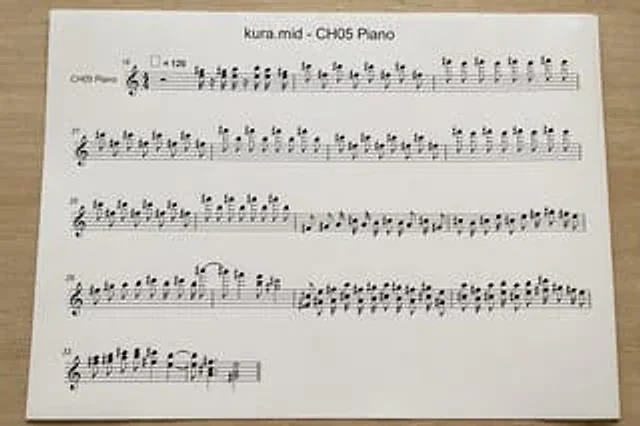
A top-down, realistic photograph of a white printed sheet of paper placed on a light-colored wooden desk showcases a computer-generated musical score. The page is horizontally centered with a slight sense of perspective, illuminated by soft natural indoor light with minimal shadows, resulting in a clean, printed document. At the top center of the page, the title is printed in a simple sans-serif font.{argument name="file name" default="kura.mid"} -{argument name="track name" default="CH05 Piano"} Below is a standard black staff system with a treble clef and 4/4 time signature, designed to resemble an automatically converted MIDI score rather than a finely typed score. On the far left of the first line of staff is the instrument name "CH05 Piano". The page should display five lines of horizontal staff, with the starting measure numbers on the left of each line being 18, 21, 25, 29, and 33 respectively. Near the first line of staff is a tempo marker indicating a quarter note equal to 120. The staff is filled with dense, somewhat stiff but logical black notes, accidentals, stems, slurs, and rests. The treble register contains numerous sharps and repeated short note combinations, visually resembling a MIDI-converted piano score. The first three lines of staff should be relatively long and almost fill the entire width; the fourth line should also be relatively long; the fifth... The lines should be short, occupying only the left side of the page. The sheet music must remain legible, but the spacing should have a mechanically generated appearance. Use clean white paper with wide margins, no handwriting, no colored elements, no extra graphics, and simply present a printed sheet music photographed on a desk.사용 방법
- 매개변수를 포함한 전체 원본 프롬프트를 복사하세요.
- 주제, 문구, 구도를 자신의 요구에 맞게 바꾸세요.
- 호환되는 외부 도구에서 사용하고 이용 조건과 결과를 확인하세요.
시작 전 확인
- 참조 이미지가 필요한지 확인하세요. 호환 표시는 해당 모델로 이 예시를 생성했다는 뜻이 아닙니다.
- 이름, 수치, 이미지 속 문구를 확인하세요. 모델 버전에 따라 결과가 다를 수 있습니다.