원본 문서
Nano Banana · en
{
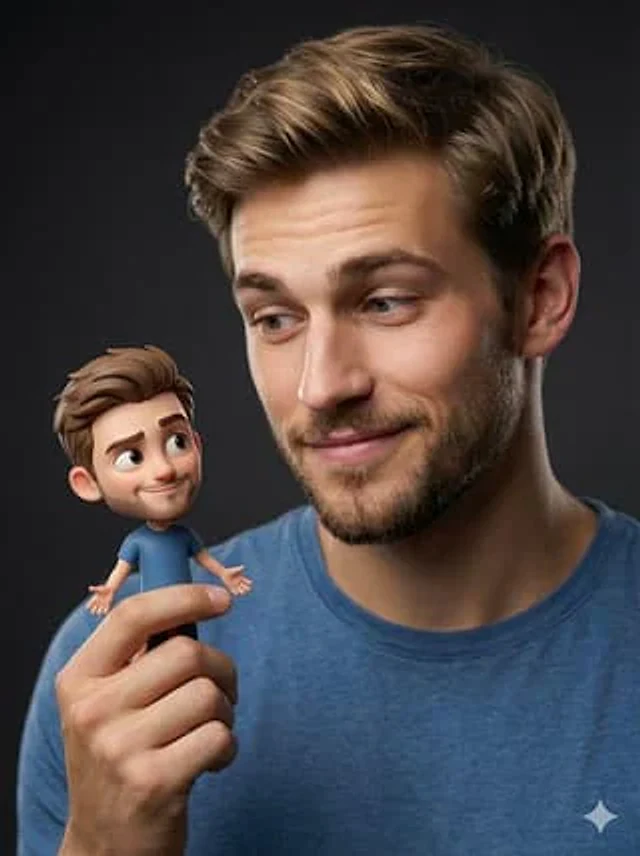
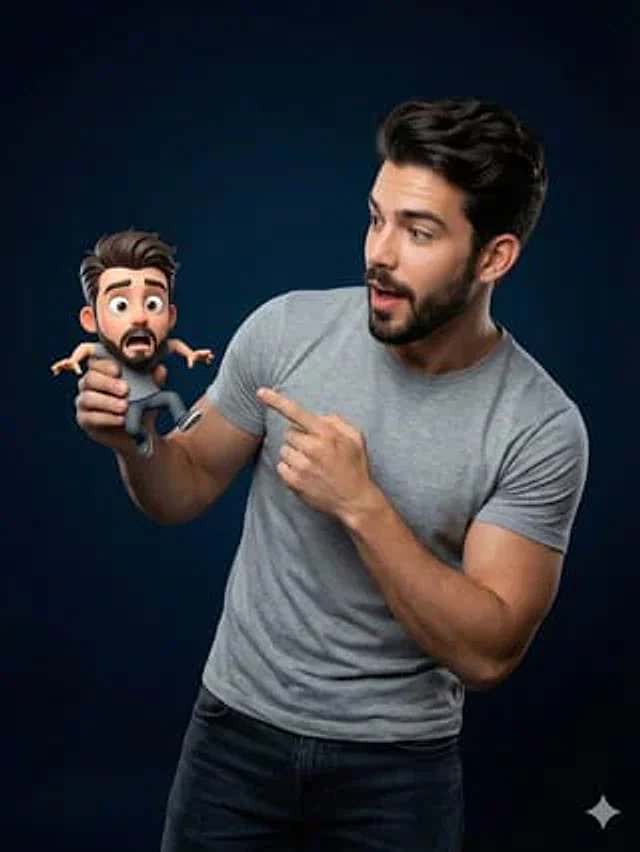
  "Objective": "Create a studio portrait blending a real human with a tiny Pixar-style 3D cartoon version of themselves in a playful, whimsical interaction",
  "PersonaDetails": {
    "PrimarySubject": {
      "Type": "Real human",
      "Wardrobe": "Casual grey sweater or t-shirt",
      "Expression": "Surprised and delighted",
      "Pose": "Holding a tiny character in one hand and pointing at it with the other",
      "Skin": "Photorealistic skin texture with natural detail"
    },
    "SecondarySubject": {
      "Type": "Tiny 3D cartoon version of the human",
      "Scale": "Miniature, resting in the human’s hand",
      "Style": "Pixar-style 3D character",
      "Proportions": "Exaggerated cute proportions with rounded features",
      "FacialFeatures": {
        "Eyes": "Large, expressive",
        "Expression": "Friendly, playful"
      },
      "Consistency": "Matching hairstyle and outfit of the real human"
    }
  },
  "Composition": {
    "Framing": "Medium close-up studio portrait",
    "InteractionFocus": "Clear visual relationship between human and miniature character",
    "DepthOfField": "Shallow depth of field",
    "Focus": "Ultra-sharp focus on both faces"
  },
  "LightingAndBackground": {
    "LightingStyle": "Soft cinematic studio lighting",
    "LightQuality": "Smooth highlights with gentle shadow falloff",
    "Background": "Dark blue gradient studio backdrop",
    "Separation": "Subtle rim light for subject-background separation"
  },
  "ArtDirection": {
    "StyleFusion": [
      "Photorealistic human portrait photography",
      "High-quality Pixar-style 3D character rendering"
    ],
    "Integration": "Seamless blending between real and 3D elements",
    "DetailLevel": "Ultra-detailed textures on skin, fabric, and 3D materials"
  },
  "MoodAndTone": {
    "Mood": "Whimsical, fun, lighthearted",
    "Energy": "Playful surprise and delight"
  },
  "PhotographyStyle": {
    "Genre": "Professional studio portrait photography",
    "CameraLook": "High-end cinematic realism",
    "ImageQuality": "High resolution, clean and sharp"
  },
  "NegativePrompt": [
    "uncanny valley",
    "cartoon human",
    "low-quality 3D",
    "harsh lighting",
    "oversaturated colors",
    "blurry focus",
    "flat composition"
  ],
  "ResponseFormat": {
    "Type": "Single image",
    "Orientation": "Portrait",
    "AspectRatio": "2:3"
  }
}
사용 방법
- 매개변수를 포함한 전체 원본 프롬프트를 복사하세요.
- 주제, 문구, 구도를 자신의 요구에 맞게 바꾸세요.
- 호환되는 외부 도구에서 사용하고 이용 조건과 결과를 확인하세요.
시작 전 확인
- 참조 이미지가 필요한지 확인하세요. 호환 표시는 해당 모델로 이 예시를 생성했다는 뜻이 아닙니다.
- 이름, 수치, 이미지 속 문구를 확인하세요. 모델 버전에 따라 결과가 다를 수 있습니다.