
원본 문서
GPT Image 2 · en
Country: [INSERT COUNTRY NAME]

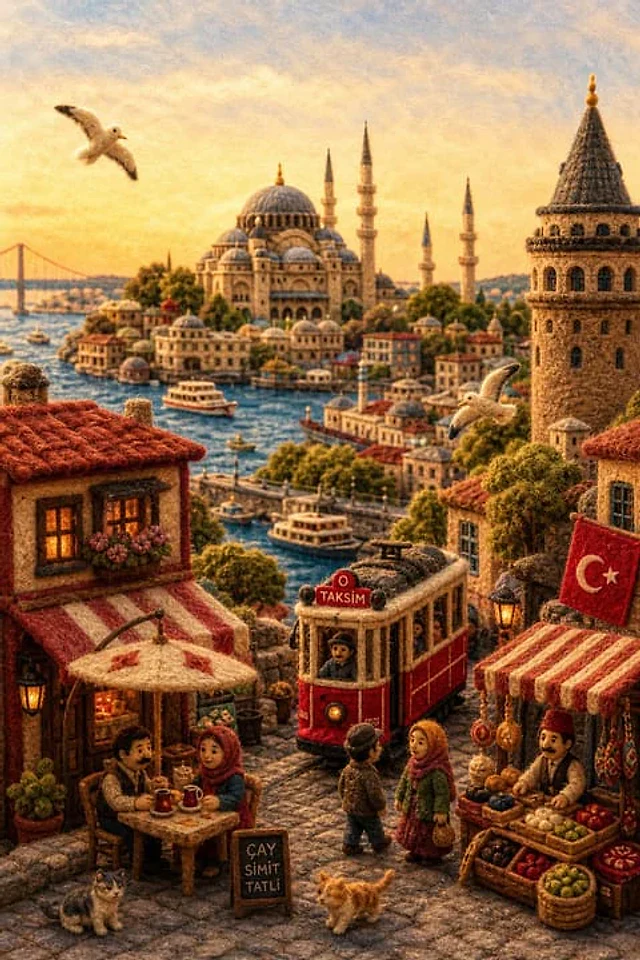
A miniature felt diorama made of fluffy yarn, wool, and needlework, designed as a single cohesive small world (not a collage), reflecting the real landscape, culture, and daily life of the country.

Structure:
- Select 4–7 naturally integrated elements (landscape, architecture, transport, street life, culture)
- Everything must flow together as one environment

Foreground:
Everyday life — small shops, cafes, markets, people interacting, local clothing, street details, subtle movement, warm human presence

Midground:
Connecting flow — streets, bridges, rivers, paths, transport, cultural spaces that guide the eye naturally from front to back

Background:
One strong identity anchor — landmark, skyline, mountain, or symbolic landscape clearly representing the country (keep it clean, not overcrowded)

Style:
Handmade wool felt, yarn, needle-felt textures, visible fibers, soft edges, miniature craftsmanship, premium diorama realism

Lighting:
Warm golden hour or bright noon, soft shadows, clear visibility, gentle glow enhancing depth

Color:
Soft but saturated palette reflecting the country’s natural tones (greens, sky blues, architectural hues, cultural accents), warm and balanced

Composition:
Vertical frame, balanced or centered perspective, slight top-down or immersive angle, clear foreground–midground–background depth

Mood:
Warm, emotional, calm, refined — like a handcrafted fairy-tale version of real life (not childish)

Rules:
- No logos or text overlays
- No collage-style composition
- No random symbolic clutter
- Keep it realistic but stylized as a handmade miniature world

Quality:
16K, ultra-detailed, hyper-realistic miniature textures, cinematic depth, sharp focus

output_goal:
A single, cohesive felt diorama world that instantly conveys the identity and atmosphere of the chosen country through integrated landscape, culture, and daily life
사용 방법
- 매개변수를 포함한 전체 원본 프롬프트를 복사하세요.
- 주제, 문구, 구도를 자신의 요구에 맞게 바꾸세요.
- 호환되는 외부 도구에서 사용하고 이용 조건과 결과를 확인하세요.
시작 전 확인
- 참조 이미지가 필요한지 확인하세요. 호환 표시는 해당 모델로 이 예시를 생성했다는 뜻이 아닙니다.
- 이름, 수치, 이미지 속 문구를 확인하세요. 모델 버전에 따라 결과가 다를 수 있습니다.