원본 문서
GPT Image 2 · en
{
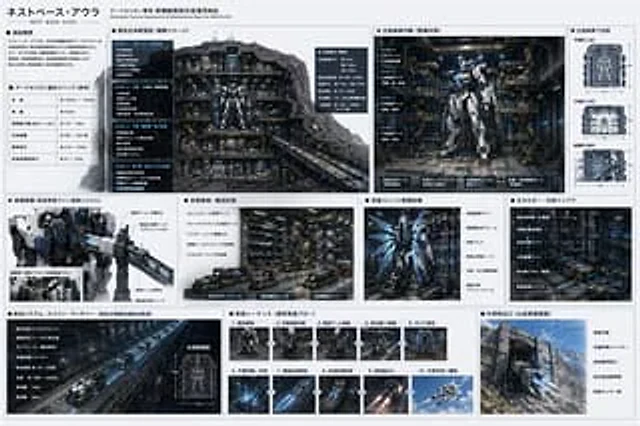
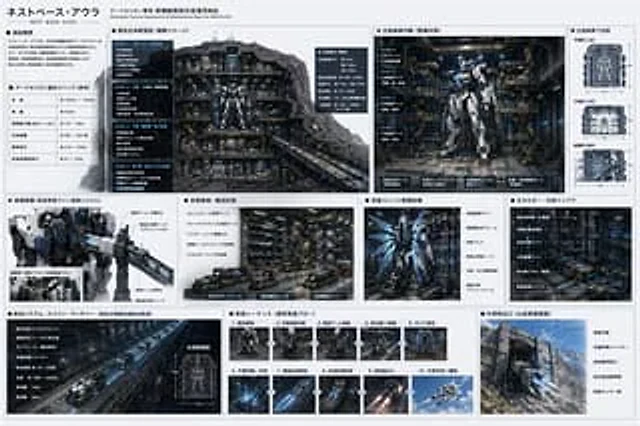
  "type": "sci-fi mecha base technical specification sheet",
  "style": "{argument name=\"ui theme\" default=\"technical schematic with dark grey panels and white text\"}",
  "header": {
    "title": "{argument name=\"base name\" default=\"ネストベース・アウラ\"}",
    "subtitle": "Dedicated Tactical Deployment & Maintenance Base for {argument name=\"mecha name\" default=\"アークセリオン\"}"
  },
  "layout": {
    "structure": "grid-based infographic with 3 main horizontal rows",
    "row_1": [
      {
        "title": "Facility Overview & Basic Specs",
        "content": "2 text blocks including a specification table with 5 rows"
      },
      {
        "title": "Base Overall Cross-section",
        "content": "Large cutaway view of the underground base showing 4 distinct levels (LEVEL 1 to LEVEL 4)"
      },
      {
        "title": "Main Hangar Interior",
        "content": "Front view of a {argument name=\"mecha color scheme\" default=\"white and blue\"} mecha in a maintenance bay, with 4 deck levels labeled on the left"
      },
      {
        "title": "Hangar Dimensions",
        "content": "3 orthographic wireframe-style views (Top, Front, Side) with dimension lines"
      }
    ],
    "row_2": [
      {
        "title": "Boarding Equipment",
        "content": "Close-up of the mecha's upper body and cockpit boarding arm"
      },
      {
        "title": "Weapon Transport Area",
        "content": "Detailed view of automated transport vehicles and magnetic rails"
      },
      {
        "title": "Rear Unit Maintenance",
        "content": "Back view of the mecha showing glowing blue thrusters and maintenance frames"
      },
      {
        "title": "Energy & Cooling Infrastructure",
        "content": "Dense machinery wall with pipes and super-conducting equipment"
      }
    ],
    "row_3": [
      {
        "title": "Launch System: Spine Launcher",
        "content": "Long perspective view of an electromagnetic catapult tunnel, plus 1 small cross-section diagram"
      },
      {
        "title": "Launch Sequence",
        "content": "Grid of 10 sequential images showing the mecha's launch process step-by-step"
      },
      {
        "title": "External Launch Port",
        "content": "Exterior view of the base built into a {argument name=\"base location\" default=\"Mountain fortress\"} wall, showing camouflage armor and blast doors"
      }
    ]
  }
}
사용 방법
- 매개변수를 포함한 전체 원본 프롬프트를 복사하세요.
- 주제, 문구, 구도를 자신의 요구에 맞게 바꾸세요.
- 호환되는 외부 도구에서 사용하고 이용 조건과 결과를 확인하세요.
시작 전 확인
- 참조 이미지가 필요한지 확인하세요. 호환 표시는 해당 모델로 이 예시를 생성했다는 뜻이 아닙니다.
- 이름, 수치, 이미지 속 문구를 확인하세요. 모델 버전에 따라 결과가 다를 수 있습니다.