원본 문서
GPT Image 2 · en
{
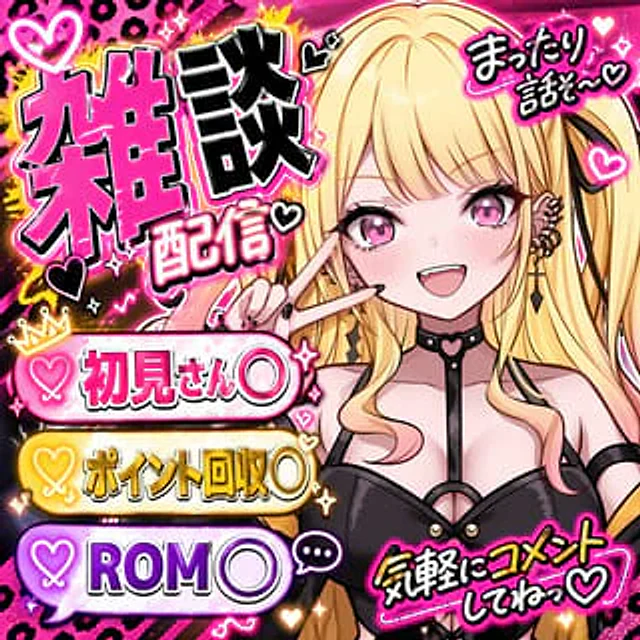
  "type": "YouTube thumbnails",
  "style": "Anime style, avant-garde, neon pink and black color scheme, with a decadent feel and splatter decorations.",
  "character": {
    "appearance": "Anime girl,{argument name=\"hair color\" default=\"silver\"} Hair, cat ears, purple eyes",
    "expression": "{argument name=\"expression\" default=\"Shocked and sweating\"} Open your mouth",
    "accessories": "A black cat hair clip with a pink cross, and a black choker with a heart-shaped ring.",
    "action": "Holding a pink smartphone with a swirl logo."
  },
  "layout": {
    "main_title": {
      "position": "Centered at the bottom",
      "style": "Huge, bold, 3D font with a decadent feel.",
      "lines": [
        {
          "text": "{argument name=\"main title top\" default=\"Controversial topic\"}",
          "color": "Neon Pink"
        },
        {
          "text": "{argument name=\"main title bottom\" default=\"Read online;\"}",
          "color": "White"
        }
      ]
    },
    "ui_elements": [
      {
        "type": "Social media information flow simulation",
        "position": "center left",
        "header": "← Topic",
        "post_count": 3,
        "details": "Profile picture, Chinese text, and interactive icons for likes, comments, and shares."
      },
      {
        "type": "Real-time chat simulation",
        "position": "right edge",
        "message_count": 4,
        "details": "Pink user icon, Chinese text"
      }
    ],
    "text_callouts": [
      {
        "type": "Spiky speech bubbles",
        "position": "Centered at the top",
        "text": "{argument name=\"speech bubble text\" default=\"Is this really true?\"}"
      },
      {
        "type": "Neon light boxes",
        "position": "Top right corner",
        "text": "Real-time response"
      },
      {
        "type": "Floating decadent text",
        "position": "Leftmost",
        "line_count": 3,
        "text": [
          "OO controversy",
          "Shocking Truth",
          "Epic event"
        ]
      },
      {
        "type": "Handwritten text with arrows",
        "position": "bottom right corner",
        "text": "What do you think?"
      }
    ],
    "logos": [
      {
        "type": "App icon",
        "position": "Top left corner",
        "description": "White swirl symbol on black rounded square"
      }
    ]
  }
}
사용 방법
- 매개변수를 포함한 전체 원본 프롬프트를 복사하세요.
- 주제, 문구, 구도를 자신의 요구에 맞게 바꾸세요.
- 호환되는 외부 도구에서 사용하고 이용 조건과 결과를 확인하세요.
시작 전 확인
- 참조 이미지가 필요한지 확인하세요. 호환 표시는 해당 모델로 이 예시를 생성했다는 뜻이 아닙니다.
- 이름, 수치, 이미지 속 문구를 확인하세요. 모델 버전에 따라 결과가 다를 수 있습니다.