
원본 문서
GPT Image 2 · en
Scene:
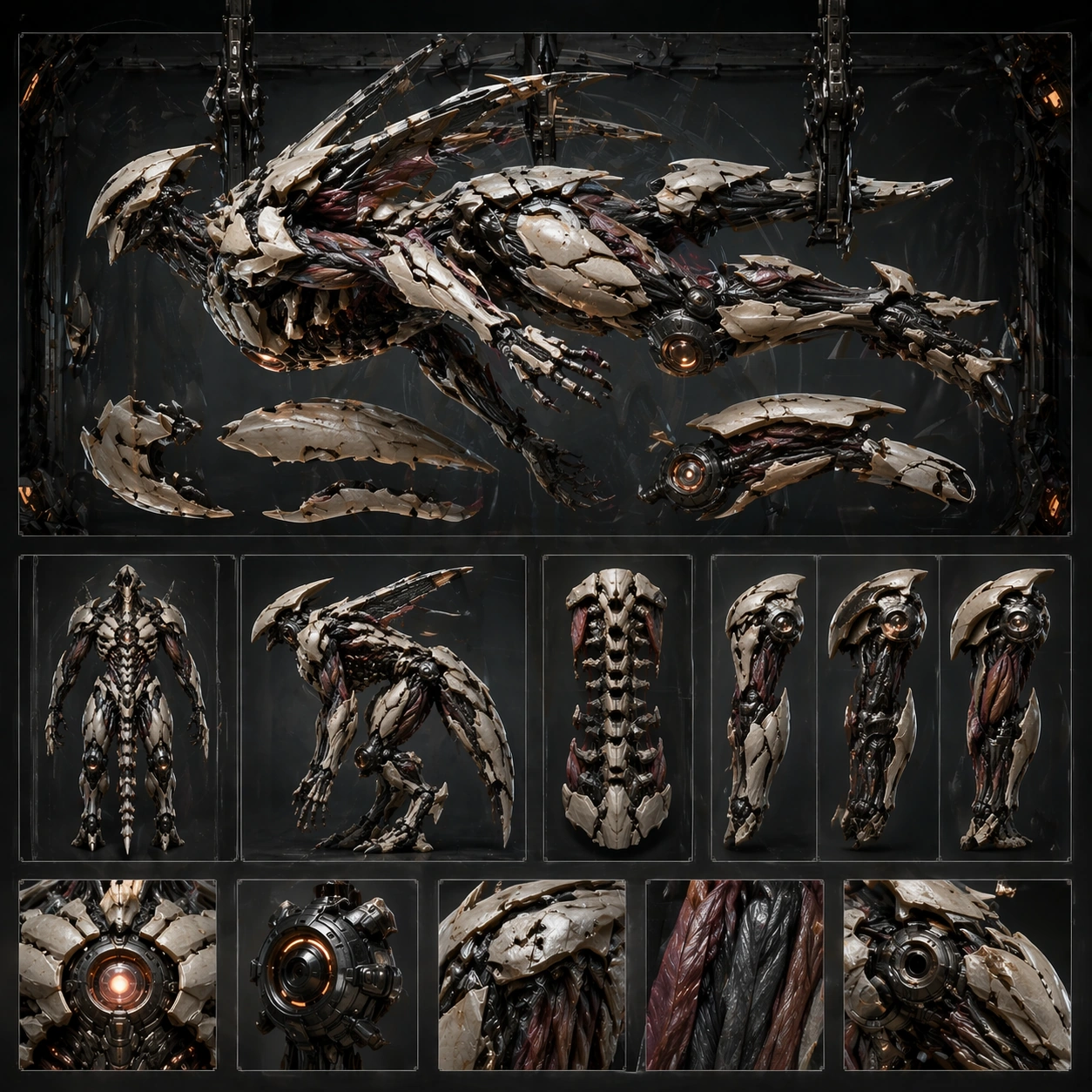
Create a square concept board for one biomechanical entity, balancing orthographic clarity, material close-ups, and enough dramatic lighting to feel like a finished poster. The layout should feel structured, with a dominant hero view supported by sections, parts, or alternate poses rather than scattered fragments. Stage the board around a horizontal or suspended dormant pose with a few major panels and limbs offset for study.

Subject:
Center the image on a coherent organism-machine fusion where anatomy, exoskeletal plating, powered joints, sensors, and functional appendages belong to one design family. The being should feel purposeful, with visible load paths, movement logic, and enough biological cues to avoid looking like a plain robot. Preserve the anchor structure while emphasizing fastening logic, modular armor shells, and internal actuator placement.

Important details:
Control noise aggressively. Use clear mass hierarchy, disciplined materials, and selective cross-section or inset views to explain how organic tissue and mechanical systems cooperate. The board should remain commercially useful for design review, poster, or worldbuilding deck surfaces. Disassembly must feel methodical and informative, never exploded into chaos or detached from the body plan. Preserve the exact structural language established by the reference image, especially the torso silhouette, joint language, plated musculature, and board hierarchy.

Use case:
Biomech Board series study 4/4, designed as a reusable core-system image for this topic.

Constraints:
No readable text, no watermark, no logos, preserve exact 1:1 aspect ratio, no gore splatter, no random wires everywhere, no superhero costume cues, no readable labels, no floating random fragments.
사용 방법
- 매개변수를 포함한 전체 원본 프롬프트를 복사하세요.
- 주제, 문구, 구도를 자신의 요구에 맞게 바꾸세요.
- 호환되는 외부 도구에서 사용하고 이용 조건과 결과를 확인하세요.
시작 전 확인
- 참조 이미지가 필요한지 확인하세요. 호환 표시는 해당 모델로 이 예시를 생성했다는 뜻이 아닙니다.
- 이름, 수치, 이미지 속 문구를 확인하세요. 모델 버전에 따라 결과가 다를 수 있습니다.