원본 문서
GPT Image 2 · en
{
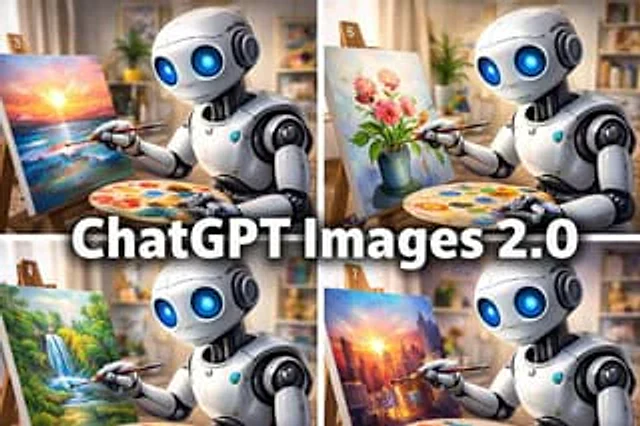
  "type": "Promotional collage illustrations",
  "subject": {
    "main": "A cute white humanoid robot artist with huge, glowing blue eyes.",
    "design": "Smooth, rounded white casing, black mechanical joints, a gentle smile, child-friendly proportions, and a glossy texture.",
    "activity": "Holding a palette, paint on the canvas with a fine brush."
  },
  "layout": {
    "composition": "2x2 grid collage with a large, centered title overlay across the middle.",
    "sections": [
      {
        "position": "Top left",
        "count": 1,
        "label": "3",
        "scene": "The robot is painting a vibrant ocean sunset scene, with a bright sun on the horizon, a pinkish-orange sky, and blue seawater, all rendered with vivid brushstrokes."
      },
      {
        "position": "Top right",
        "count": 1,
        "label": "6",
        "scene": "The robot is painting a still life of pink flowers in a blue vase, a soft pastel style."
      },
      {
        "position": "Bottom left",
        "count": 1,
        "label": "4",
        "scene": "The robot is drawing a lush green waterfall landscape, complete with forest vegetation and streams."
      },
      {
        "position": "Bottom right",
        "count": 1,
        "label": "7",
        "scene": "The robot is drawing a picture of a modern city skyline glowing at sunset, with towering skyscrapers and warm reflections."
      }
    ],
    "title_overlay": {
      "text": "{argument name=\"headline text\" default=\"ChatGPT Images 2.0\"}",
      "style": "A striking, bold white sans-serif font with a dark shadow, horizontally centered on the collage."
    }
  },
  "environment": {
    "setting": "The interior of a cozy art studio",
    "background": "Soft-focus shelves, framed paintings, warm ambient light, neutral-colored curtains, and the occasional potted plant.",
    "easel": "Each panel contains a wooden tabletop easel.",
    "palette": "Each panel contains a circular palette with many brightly colored dots."
  },
  "style": {
    "rendering": "Highly detailed 3D cartoon-realistic style",
    "mood": "Playful, creative, and captivating, a fusion of technology and art.",
    "camera": "The composition is a medium close-up, with the robot positioned on the right side of each panel, facing the canvas to the left.",
    "lighting": "Warm indoor lighting with soft highlights and a shallow depth of field effect."
  }
}
사용 방법
- 매개변수를 포함한 전체 원본 프롬프트를 복사하세요.
- 주제, 문구, 구도를 자신의 요구에 맞게 바꾸세요.
- 호환되는 외부 도구에서 사용하고 이용 조건과 결과를 확인하세요.
시작 전 확인
- 참조 이미지가 필요한지 확인하세요. 호환 표시는 해당 모델로 이 예시를 생성했다는 뜻이 아닙니다.
- 이름, 수치, 이미지 속 문구를 확인하세요. 모델 버전에 따라 결과가 다를 수 있습니다.