원본 문서
Nano Banana · en
[BRAND NAME]. Act as a World-Class Editorial Designer.

PHASE 1: DYNAMIC SUBJECT LOGIC.

- Subject Selection: Autonomously analyze [BRAND NAME].

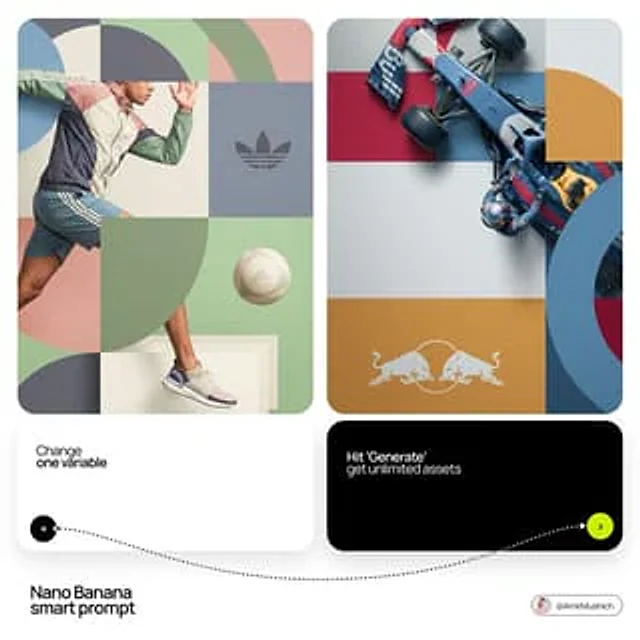
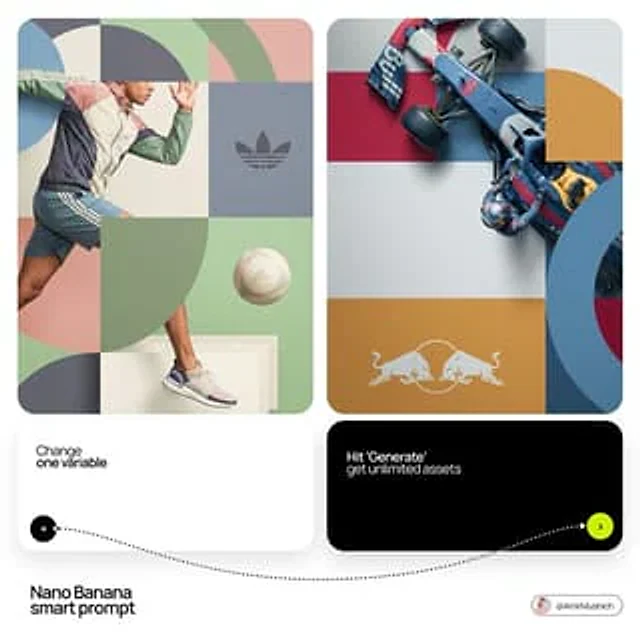
- Layering (The Sandwich Effect): Interweave the subject with background shapes. Some parts of the car/person must be hidden behind geometric blocks, while other parts (wheels, limbs, props) must overlap them to create 3D depth.

PHASE 2: GRID & GEOMETRY.

- Layout: A clean 2x2 grid composition.

- Overlays: Superimpose large, bold geometric arcs and circles over the grid.

- Visual Balance: Place one iconic product prop (e.g., a floating key fob for cars or a ball for sports) in a separate quadrant to balance the subject.

PHASE 3: SOPHISTICATED MUTED PALETTE.

- Color Direction: DO NOT use aggressive neon or oversaturated colors.

- Palette: Identify the core colors of [BRAND NAME] and shift them to a "Sophisticated Muted" spectrum.

- Tones: Use desaturated, earthy, or "dusty" versions of the brand colors (e.g., instead of hot pink, use dusty rose; instead of bright mint, use sage green; instead of royal blue, use slate blue).

- Finish: Matte, flat color blocks with zero gradients.

PHASE 4: PHOTOGRAPHY & LIGHTING.

- Subject Style: High-end commercial studio photography.

- Lighting: Soft, diffused studio lighting with gentle highlights. No harsh shadows.

- Integration: The subject must feel physically embedded into the graphic grid.

PHASE 5: MINIMALIST BRANDING.

- Logo: Place a clean, single-color [BRAND NAME] logo in the center of one background block. No taglines, just the iconic symbol.
사용 방법
- 매개변수를 포함한 전체 원본 프롬프트를 복사하세요.
- 주제, 문구, 구도를 자신의 요구에 맞게 바꾸세요.
- 호환되는 외부 도구에서 사용하고 이용 조건과 결과를 확인하세요.
시작 전 확인
- 참조 이미지가 필요한지 확인하세요. 호환 표시는 해당 모델로 이 예시를 생성했다는 뜻이 아닙니다.
- 이름, 수치, 이미지 속 문구를 확인하세요. 모델 버전에 따라 결과가 다를 수 있습니다.