
원본 문서
GPT Image 2 · en
Scene:
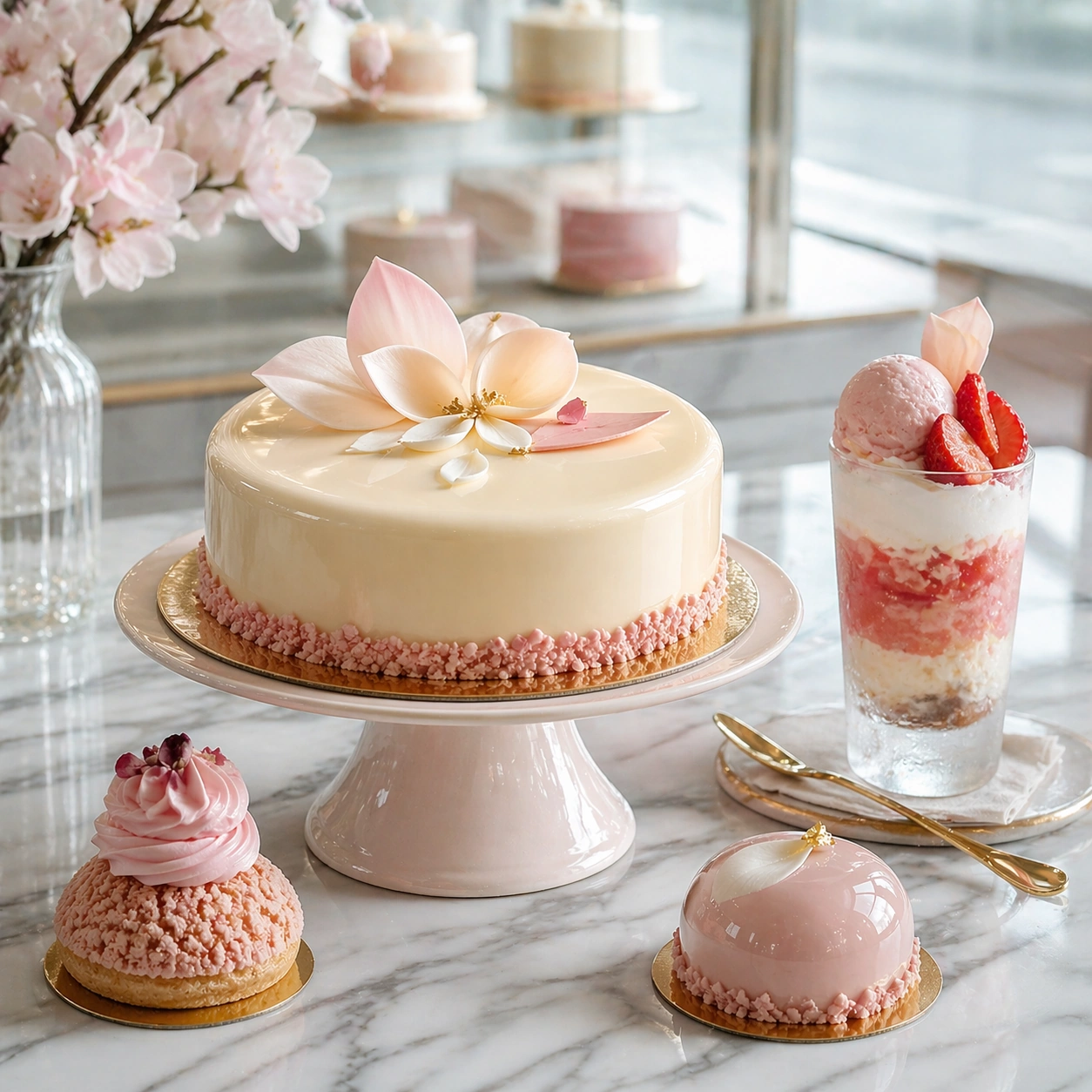
Compose a square premium patisserie image with polished but believable boutique lighting, elegant marble or lacquer surfaces, and a sweet-shop atmosphere that feels brand-authored rather than generic. The camera should preserve product clarity, shape definition, and shelf or counter context while leaving enough breathing room for campaign placement. Maintain the same dessert-brand framing and counter logic, but cool the light slightly to support frosted glass, pale cream tones, and a window-side shimmer.

Subject:
The desserts must look crafted by a high-end pastry kitchen: clean lamination, glossy glaze, stable cream structure, crisp edges, and packaging or display surfaces that reinforce a coherent dessert identity. Show a premium gelato or parfait cup with layered textures, fruit accent, and refined packaging cues integrated into the patisserie environment.

Important details:
Sweetness should come from color control, finish quality, and material nuance, not from visual clutter. Preserve believable pastry engineering, boutique display logic, and refined merchandising cues so the images can support brand storytelling across retail, packaging, and editorial use. Preserve the exact camera height, lens feel, prop family, tabletop scale, palette discipline, and brand logic established by 01-salon-display-anchor. Keep the reference display discipline and material hierarchy intact while making cold condensation, spoon reflections, and layered dessert structure fully believable.

Use case:
Dessert Brand series study 4/9, built for Prompt Atlas coverage of a food and beverage commercial visual system.

Constraints:
No readable text, no watermark, no logos, preserve exact 1:1 aspect ratio, no candy-color overload, no plastic frosting, no supermarket clutter, no cartoon decorations, no melted textures that break realism, no childish party props, no plastic spoon, no amusement-park styling, no oversized sundae build.
사용 방법
- 매개변수를 포함한 전체 원본 프롬프트를 복사하세요.
- 주제, 문구, 구도를 자신의 요구에 맞게 바꾸세요.
- 호환되는 외부 도구에서 사용하고 이용 조건과 결과를 확인하세요.
시작 전 확인
- 참조 이미지가 필요한지 확인하세요. 호환 표시는 해당 모델로 이 예시를 생성했다는 뜻이 아닙니다.
- 이름, 수치, 이미지 속 문구를 확인하세요. 모델 버전에 따라 결과가 다를 수 있습니다.