Documento original
GPT Image 2 · en
{
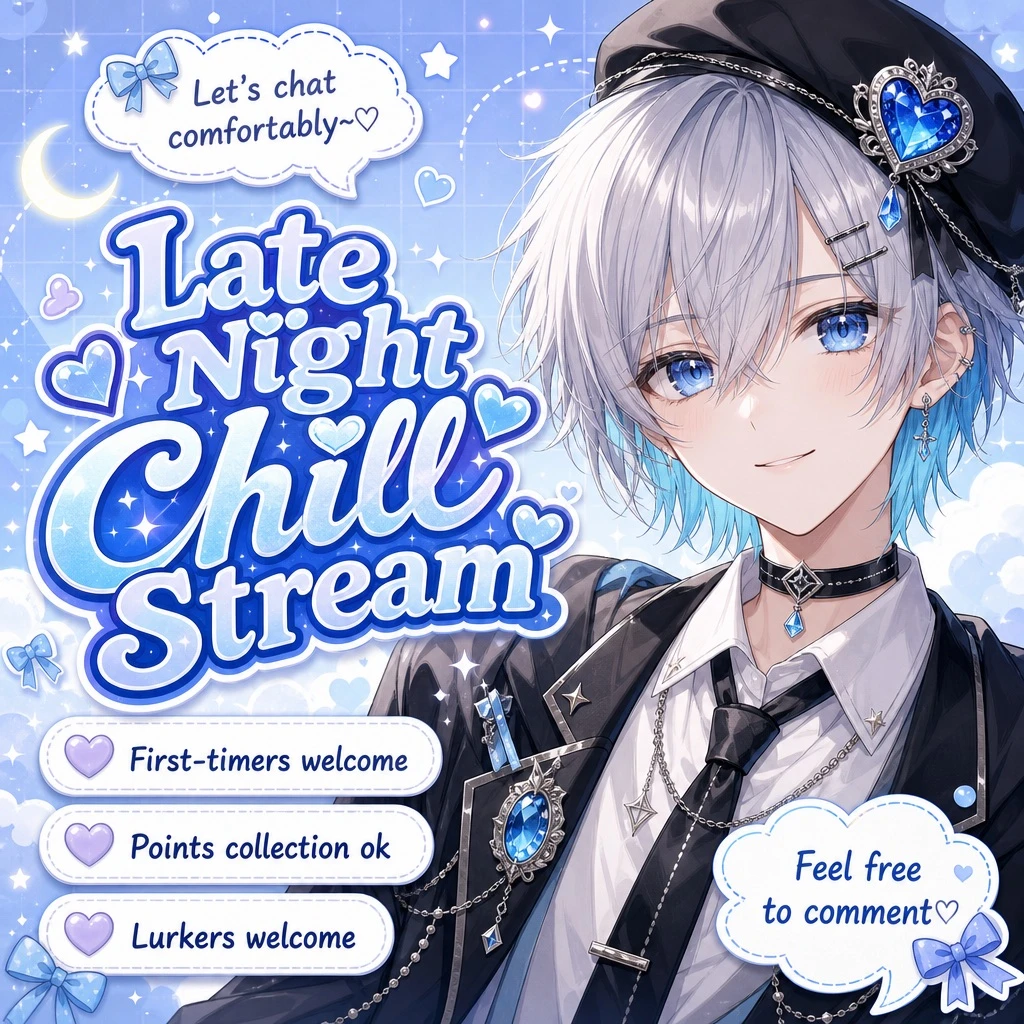
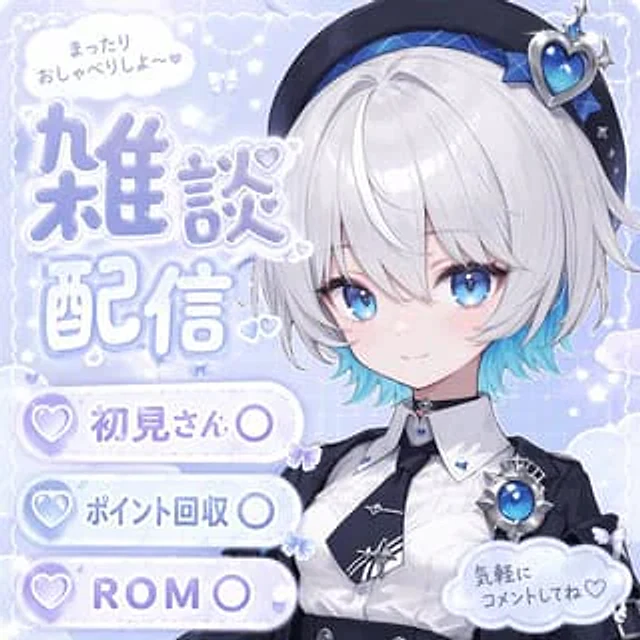
  "type": "Anime-style live stream cover",
  "character": {
    "hair": "{argument name=\"hair color\" default=\"Short silver hair with blue highlights\"}",
    "eyes": "Bright big blue eyes",
    "outfit": "White shirt, black tie with silver trim, black coat, black beret with a large blue heart-shaped gemstone, blue gemstone brooch, black choker.",
    "pose": "A gentle smile, gazing at the audience, positioned on the right side of the screen."
  },
  "background": "Macaron blue background with white clouds, glitter, stars, small bows and delicate grid patterns.",
  "typography_and_ui": {
    "top_left_speech_bubble": "まったりおしゃべりしよ〜♡",
    "main_title": {
      "text": "{argument name=\"main title\" default=\"Random Talk Live\"}",
      "style": "Large font, soft blue gradient, white outline, decorated with small hearts, located on the left side of the image."
    },
    "bottom_left_badges": {
      "count": 3,
      "style": "White capsule-shaped button with a purple heart icon on the left.",
      "labels": [
        "{argument name=\"badge 1 text\" default=\"Welcome to our first meeting.\"}",
        "{argument name=\"badge 2 text\" default=\"Points collection\"}",
        "{argument name=\"badge 3 text\" default=\"Welcome to diving\"}"
      ]
    },
    "bottom_right_cloud_bubble": "Feel free to leave a comment ♡"
  }
}
Como usar
- Copie o prompt original completo, incluindo os parâmetros.
- Adapte o tema, o texto e a composição aos seus requisitos.
- Use uma ferramenta externa compatível; confira o acesso e o resultado.
Antes de começar
- Verifique se é necessária uma imagem de referência. Compatibilidade não comprova qual modelo gerou o exemplo.
- Confira nomes, números e textos; os resultados variam entre versões do modelo.