Documento original
GPT Image 2 · zh
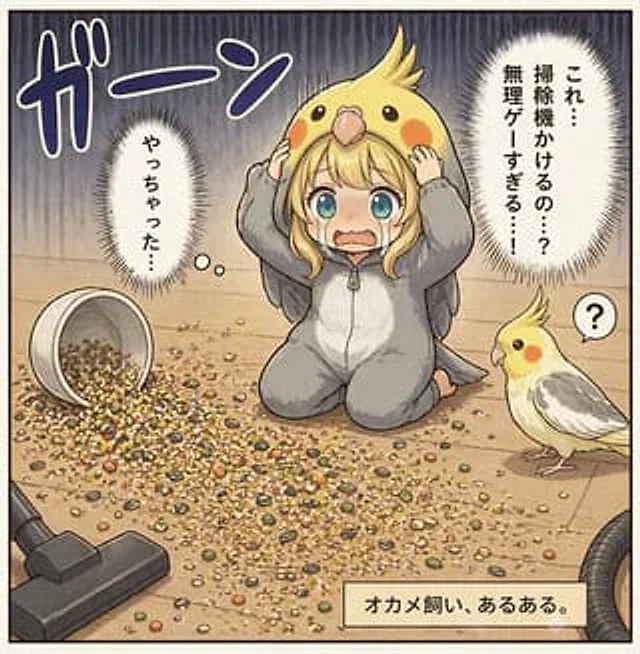
This is a Japanese-style single-panel illustration against a light-colored wooden floor background. The illustration employs a soft, delicate, and slightly retro manga/anime style with clear lines and warm, gentle colors. In the center of the image, a young woman kneels on the ground, wearing a grey cockatiel onesie with a white belly and small grey wings. She wears an oversized yellow cockatiel headdress with crest feathers, round black eyes, orange cheek spots, and a beak above her forehead. She clutches the sides of the headdress tightly, her expression shocked, stiff, and filled with guilt. A large rectangular visor covers the center of her face. On the floor in front of her lies a mess of scattered birdseed: a haphazard pile of mixed grains, kernels, husks, and seeds. To the left, an overturned white seed cup overflows; in the lower left corner, a vacuum cleaner head points towards the mess, with part of the hose visible at the lower right edge. Standing on the right is a real cockatiel, small in size, with a curious expression, a yellow face, orange cheeks, a light-colored body, gray wings, and an upright crest, staring at the kneeling woman; next to the bird is a small speech bubble with a question mark. The background is a simple indoor floor, the upper half filled with exaggerated dark vertical pressure lines to enhance the sense of panic. Four Japanese elements incorporating manga fonts are added: a large onomatopoeic word "garn" in the upper left corner, a vertical inner monologue speech bubble on the left that reads "Yacchatta…", a large vertical spike-shaped speech bubble in the upper right corner that reads "Kore…shokuji kakeru no…?無理ゲーすぎる…!", and a beige description box in the lower right corner that reads "Okame-sui, aru aru." The overall atmosphere conveys a comedic awkwardness and family disaster, as if depicting a real mistake that a bird owner often makes.Como usar
- Copie o prompt original completo, incluindo os parâmetros.
- Adapte o tema, o texto e a composição aos seus requisitos.
- Use uma ferramenta externa compatível; confira o acesso e o resultado.
Antes de começar
- Verifique se é necessária uma imagem de referência. Compatibilidade não comprova qual modelo gerou o exemplo.
- Confira nomes, números e textos; os resultados variam entre versões do modelo.