
Documento original
GPT Image 2 · en
Scene:
A square overhead photograph of the same warm off-white drawing paper and controlled upper-left daylight used in the reference image. The camera remains perpendicular, the background remains minimal, and the paper fibers remain visible enough to prove the object is sitting in the same real environment. The mood is playful but physically precise, with restrained color and no surrounding clutter.

Subject:
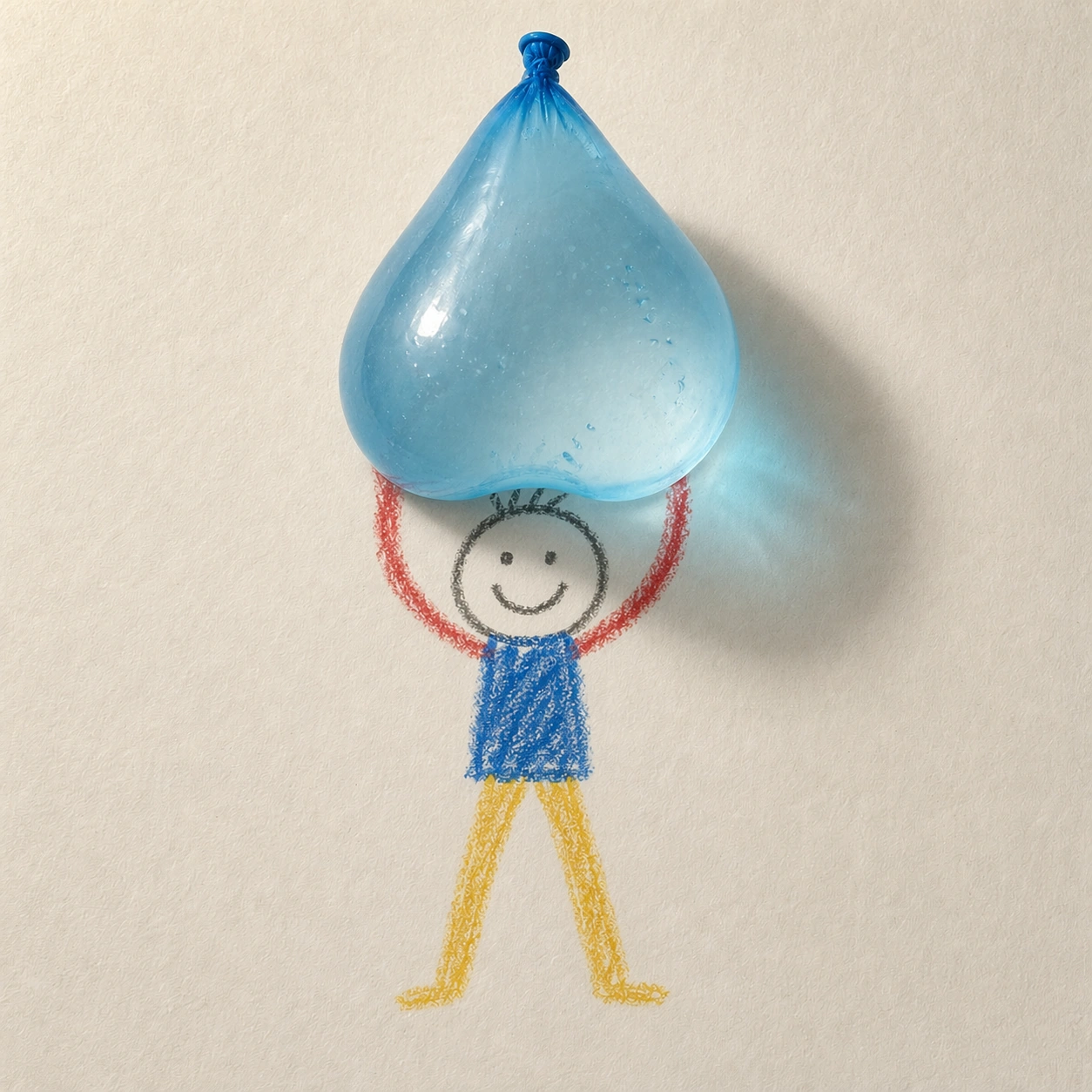
Use the same childlike crayon stick figure from the reference, preserving its round head, simple smile, blue torso, red arms, yellow legs, waxy uneven line quality, size, and central lifted pose. Replace the apple with a translucent blue water balloon drooping between the drawn hands. The balloon is a photoreal 3D object with stretched latex, a tied knot, small trapped air bubbles, glossy highlights, and visible water mass pulling it downward.

Important details:
The balloon must demonstrate gravity and material softness while the figure stays flat. Its lower curve should sag over the crayon arms, slightly occluding them, and its shadow should be soft-edged with a faint blue tint on the paper. The crayon hands may appear to touch the balloon, but they must remain simple lines drawn underneath the real object. Keep the original lighting, paper texture, and character identity; do not redraw the figure in a different style.

Use case:
2D and 3D Medium Collision series study 4/8, testing a consistent 2D reference character against a soft transparent 3D object with believable weight.

Constraints:
No readable text, no watermark, no logos, preserve exact 1:1 aspect ratio, no splash, no burst balloon, no extra toys, no realistic child body, no floating object, no change to the reference crayon figure.
Como usar
- Copie o prompt original completo, incluindo os parâmetros.
- Adapte o tema, o texto e a composição aos seus requisitos.
- Use uma ferramenta externa compatível; confira o acesso e o resultado.
Antes de começar
- Verifique se é necessária uma imagem de referência. Compatibilidade não comprova qual modelo gerou o exemplo.
- Confira nomes, números e textos; os resultados variam entre versões do modelo.