Documento original
GPT Image 2 · en
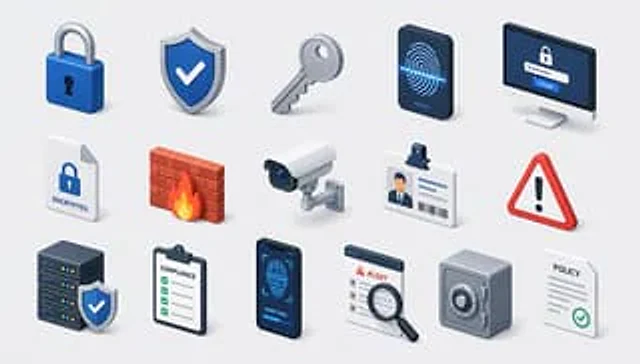
Create a modern isometric illustration sheet on a clean light gray background, showing a seamless grid of cybersecurity, privacy, and compliance icons with soft shadows, glossy 3D materials, rounded edges, and a blue, white, gray, red, and orange accent palette. Use a wide horizontal canvas, evenly spaced rows and columns, with no border or watermark. Include exactly 15 discrete icons arranged in a 3-row by 5-column grid: top row: 1) a blue padlock with silver shackle and black keyhole, 2) a blue shield badge with a white check mark and metallic rim, 3) a silver key angled diagonally, 4) a dark smartphone-like biometric panel showing a glowing blue fingerprint scan line, 5) a desktop monitor login screen with a lock icon, password dots, and a blue button labeled “LOGIN”; middle row: 6) a white document page with folded corner, blue lock icon, and label “ENCRYPTED”, 7) a red brick firewall with an orange flame in front, 8) a white surveillance camera with blue lens mounted on a small wall bracket, 9) an ID badge with clip, portrait thumbnail, text lines, and barcode, 10) a red triangular warning sign with black exclamation mark; bottom row: 11) a dark server stack with colored status lights and a blue shield check badge in front, 12) a clipboard checklist labeled “COMPLIANCE” with green checkboxes, 13) a dark smartphone facial-recognition screen showing a wireframe face, scan brackets, and “VERIFYING...” text, 14) an alert dashboard card labeled “ALERT” with a magnifying glass inspecting the list, 15) a gray safe/vault box with round combination dial beside a white policy document labeled “POLICY” with gray lines and green check mark. Keep all icons consistent in isometric perspective, miniature object scale, polished SaaS/security branding style, crisp edges, ambient occlusion, and subtle contact shadows. Text should be minimal and legible only where specified. Theme customization: {argument name="theme" default="security and compliance"}; primary color customization: {argument name="primary color" default="deep blue"}; background customization: {argument name="background color" default="light gray"}.Como usar
- Copie o prompt original completo, incluindo os parâmetros.
- Adapte o tema, o texto e a composição aos seus requisitos.
- Use uma ferramenta externa compatível; confira o acesso e o resultado.
Antes de começar
- Verifique se é necessária uma imagem de referência. Compatibilidade não comprova qual modelo gerou o exemplo.
- Confira nomes, números e textos; os resultados variam entre versões do modelo.