Documento original
GPT Image 2 · en
{
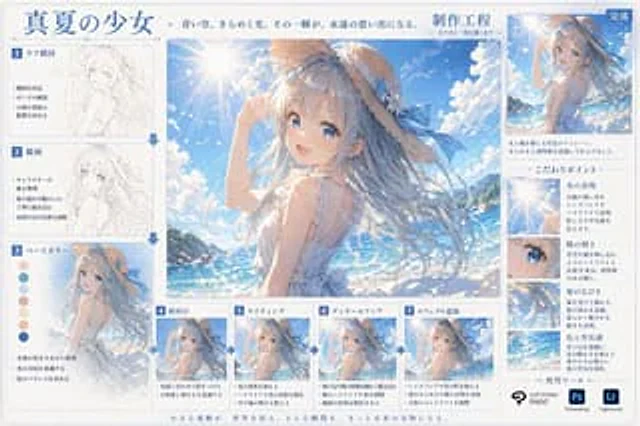
  "type": "Digital Art Creation Process Infographic",
  "header": {
    "title": "{argument name=\"main title\" default=\"Summer Girl\"}",
    "subtitle": "The azure sky shimmered with light and shadow. That moment became an eternal memory.",
    "process_label": "{argument name=\"process title\" default=\"Production Engineering\"}"
  },
  "centerpiece": {
    "description": "High-quality large-scale anime illustrations depicting{argument name=\"character appearance\" default=\"An anime girl with flowing blue hair, wearing a straw hat with a blue ribbon and a white sleeveless summer outfit.\"} Standing{argument name=\"setting\" default=\"Sunny beaches, sparkling blue ocean, and clear skies with lens flare.\"} forward."
  },
  "layout": {
    "left_column": {
      "count": 3,
      "steps": [
        {
          "label": "1. Sketch composition",
          "image_type": "Rough pencil sketch",
          "bullet_points": 3
        },
        {
          "label": "2. Line drawing",
          "image_type": "Clean monochrome line art",
          "bullet_points": 3
        },
        {
          "label": "3. Base color",
          "image_type": "Flat color",
          "extra_elements": "7 round color swatches",
          "bullet_points": 3
        }
      ]
    },
    "bottom_row": {
      "count": 4,
      "steps": [
        {
          "label": "4. Shadows",
          "image_type": "Basic cel shadow",
          "bullet_points": 2
        },
        {
          "label": "5. Light and Shadow",
          "image_type": "Add lighting effects and highlights",
          "bullet_points": 2
        },
        {
          "label": "6. Detailed portrayal",
          "image_type": "Fine detail rendering",
          "bullet_points": 2
        },
        {
          "label": "7. Add special effects",
          "image_type": "Final post-processing effect",
          "bullet_points": 3
        }
      ]
    },
    "right_column": {
      "top_section": {
        "label": "Finish",
        "image_type": "The final illustration in smaller size",
        "description_text": "Two-line text"
      },
      "focus_points": {
        "title": "Key points",
        "count": 4,
        "items": [
          {
            "label": "Light and shadow performance",
            "image_crop": "Lens flare and the sun",
            "description_text": "Short paragraph"
          },
          {
            "label": "Pupil luster",
            "image_crop": "Close-up of the girl's blue eyes",
            "description_text": "Short paragraph"
          },
          {
            "label": "Hair flowing",
            "image_crop": "Close-up of flowing hair",
            "description_text": "Short paragraph"
          },
          {
            "label": "Color and Atmosphere",
            "image_crop": "Ocean and Sky Background",
            "description_text": "Short paragraph"
          }
        ]
      },
      "tools_used": {
        "title": "Use tools",
        "count": 3,
        "logos": [
          "{argument name=\"primary software\" default=\"CLIP STUDIO PAINT\"}",
          "Photoshop (Ps)",
          "Lightroom (Lr)"
        ]
      }
    },
    "footer": {
      "text": "Small moments of inspiration adorn the world. Every instant will become a treasure for the future."
    }
  }
}
Como usar
- Copie o prompt original completo, incluindo os parâmetros.
- Adapte o tema, o texto e a composição aos seus requisitos.
- Use uma ferramenta externa compatível; confira o acesso e o resultado.
Antes de começar
- Verifique se é necessária uma imagem de referência. Compatibilidade não comprova qual modelo gerou o exemplo.
- Confira nomes, números e textos; os resultados variam entre versões do modelo.