Documento original
GPT Image 2 · en
{
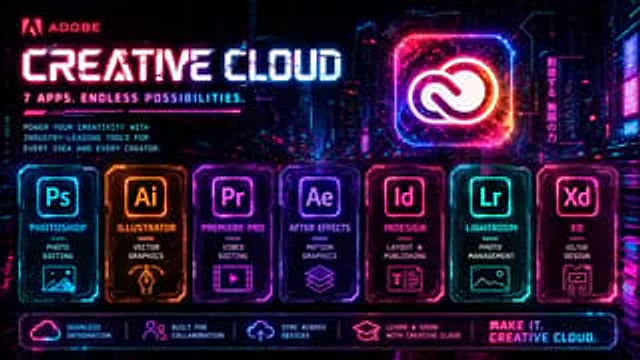
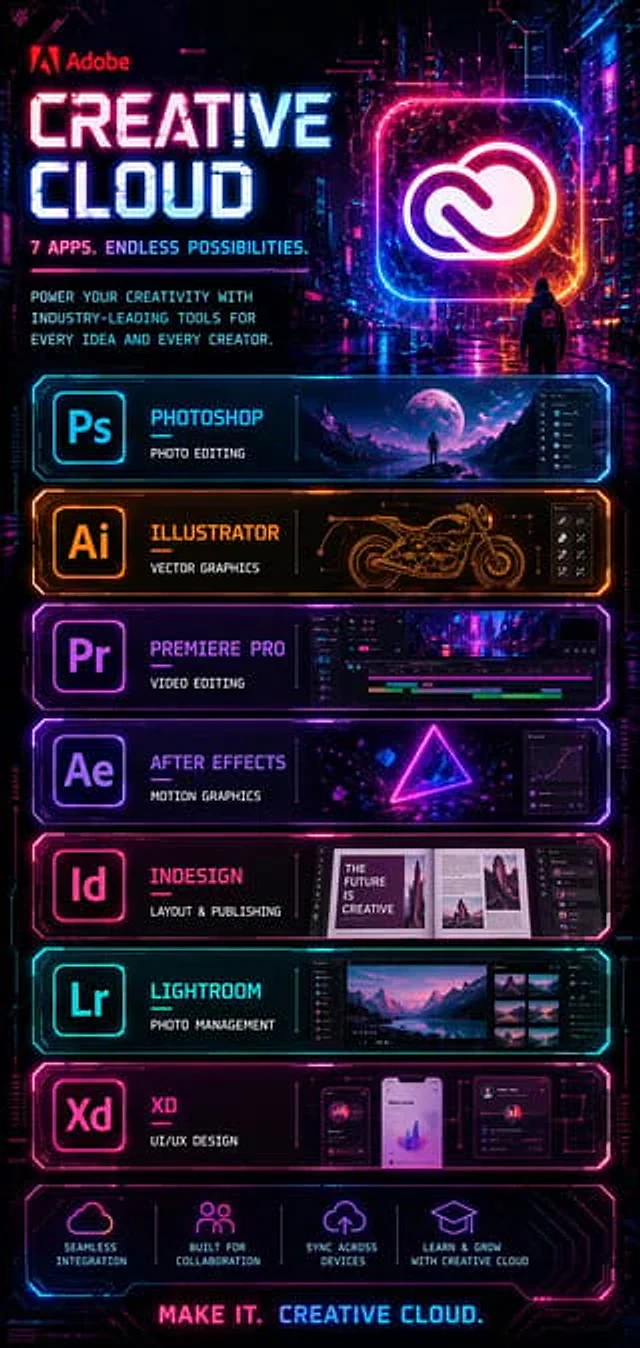
  "type": "Cyberpunk software advertisement poster",
  "brand": "Adobe",
  "product": "Creative Cloud",
  "style": "The futuristic neon sci-fi marketing poster features a dark, rainy cyberpunk city background with glossy reflections, using magenta, cyan, purple, and electric orange lighting for high contrast, ultra-fine UI-style borders, holographic lighting effects, and a sleek tech panel design.",
  "format": "Tall vertical poster",
  "background": {
    "scene": "The neon-lit city alleys at night, towering buildings, digital signs, and the wet ground reflecting pink and blue lights create a cinematic atmosphere.",
    "figure": "In the mid-ground background, there is a small hooded figure standing on the street, facing a huge, glowing Creative Cloud logo."
  },
  "header": {
    "logo": "Adobe",
    "headline": "{argument name=\"headline text\" default=\"CREATIVE CLOUD\"}",
    "subheadline": "7 apps, endless possibilities.",
    "body_text": "Empower every idea and every creator with industry-leading tools.",
    "hero_icon": "A large, illuminated, rounded square frame contains the white Creative Cloud logo, surrounded by pink, blue, and orange neon lights."
  },
  "layout": {
    "sections": [
      {
        "title": "Photoshop",
        "position": "Top Application Panel",
        "count": 1,
        "labels": [
          "Ps"
        ],
        "description": "The panel features a cyan neon border, with the application icon on the left, titled \"Photoshop\" with the subtitle \"PHOTO EDITING,\" and a wide preview image of a surreal moonlit landscape on the right, including a solitary figure and a dark editing interface sidebar."
      },
      {
        "title": "Illustrator",
        "position": "Second application panel",
        "count": 1,
        "labels": [
          "Ai"
        ],
        "description": "The panel features an orange neon border, with the application icon on the left, titled \"Illustrator\" with the subtitle \"VECTOR GRAPHICS,\" a technical line art style motorcycle drawing in the center, and small vector tool icons on the right."
      },
      {
        "title": "Premiere Pro",
        "position": "Third application panel",
        "count": 1,
        "labels": [
          "Pr"
        ],
        "description": "The panel features a purple neon border, with the application icon on the left, titled \"Premiere Pro\" and subtitled \"VIDEO EDITING,\" showcasing a timeline video editing interface containing cyberpunk city clips."
      },
      {
        "title": "After Effects",
        "position": "Fourth application panel",
        "count": 1,
        "labels": [
          "Ae"
        ],
        "description": "The panel features a violet neon border, with the application icon on the left, titled \"After Effects\" with the subtitle \"MOTION GRAPHICS,\" containing a glowing triangle composition with floating geometric elements, and the graphics editor panel on the right."
      },
      {
        "title": "InDesign",
        "position": "Fifth application panel",
        "count": 1,
        "labels": [
          "Id"
        ],
        "description": "The panel features a pink neon border, with the application icon on the left, the title \"InDesign,\" and the subtitle \"LAYOUT & PUBLISHING,\" showcasing a preview of an editorial magazine layout. The cover text \"THE FUTURE IS CREATIVE\" is visible. The layout panel is on the right."
      },
      {
        "title": "Lightroom",
        "position": "Sixth Application Panel",
        "count": 1,
        "labels": [
          "Lr"
        ],
        "description": "The panel features a cyan neon border, with the application icon on the left, titled \"Lightroom\" with the subtitle \"PHOTO MANAGEMENT,\" showcasing a photo browser interface featuring mountain and lake landscapes. Thumbnails are displayed on the right."
      },
      {
        "title": "XD",
        "position": "The seventh application panel",
        "count": 1,
        "labels": [
          "Xd"
        ],
        "description": "The panel, with a magenta neon border, features the app icon on the left, the title \"XD,\" and the subtitle \"UI/UX DESIGN,\" showcasing three mobile app prototype interfaces, including charts, profile cards, and dashboard widgets."
      },
      {
        "title": "Function icons",
        "position": "Bottom bar",
        "count": 4,
        "labels": [
          "Seamless integration",
          "Built for collaboration",
          "Cross-device synchronization",
          "Learn and grow with Creative Cloud"
        ],
        "description": "Four glowing line icons, each with brief descriptive text, are evenly distributed across the dark neon panel."
      }
    ],
    "footer": {
      "tagline": "MAKE IT. CREATIVE CLOUD."
    }
  },
  "color_palette": {
    "primary": [
      "Electric Blue",
      "Hot Pink",
      "Purple",
      "Dark black"
    ],
    "accent": [
      "orange color",
      "White"
    ]
  },
  "rendering": "The poster features a clean, crisp graphic design, a sophisticated main visual image, a symmetrical stacked panel layout, strong lighting effects, clear and legible typography, and high-end technological advertising aesthetics."
}
Como usar
- Copie o prompt original completo, incluindo os parâmetros.
- Adapte o tema, o texto e a composição aos seus requisitos.
- Use uma ferramenta externa compatível; confira o acesso e o resultado.
Antes de começar
- Verifique se é necessária uma imagem de referência. Compatibilidade não comprova qual modelo gerou o exemplo.
- Confira nomes, números e textos; os resultados variam entre versões do modelo.