Documento original
GPT Image 2 · en
{
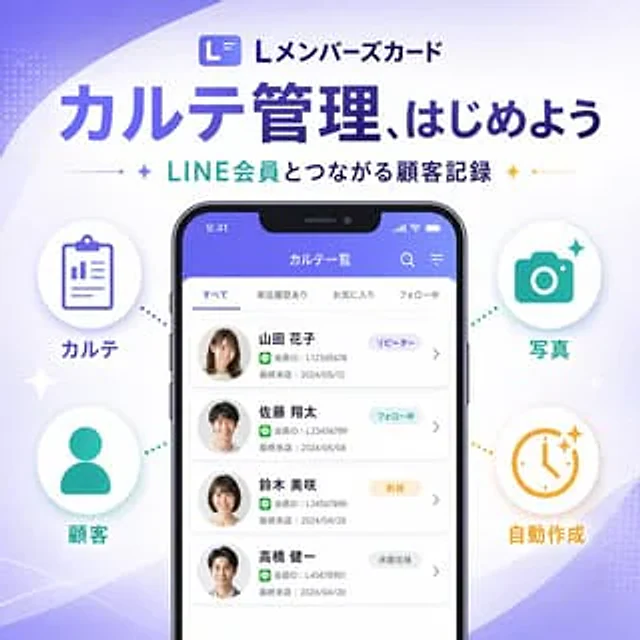
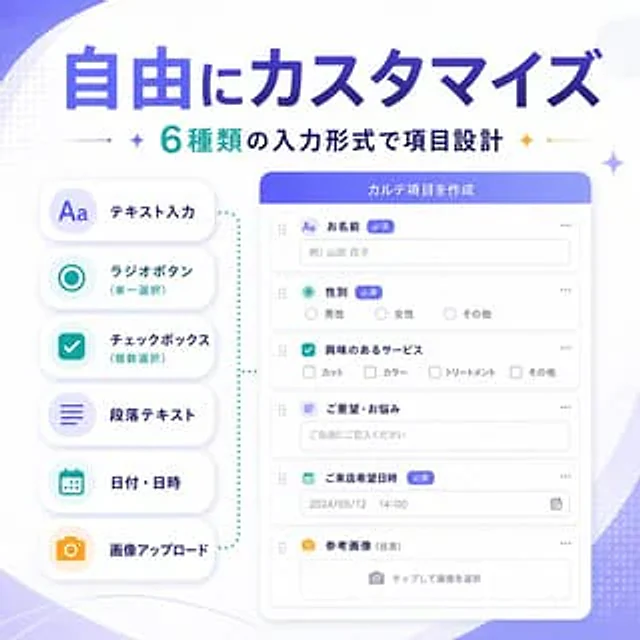
  "type": "SaaS Feature Update Banner Info",
  "style": "The visuals for Japanese tech marketing are clean and modern, featuring soft gradient abstract backgrounds, advanced UI, minimalist flat illustrations, rounded cards, subtle shadows, and clear typography.",
  "language": "Chinese",
  "canvas": {
    "aspect_ratio": "1:1",
    "background": "A white background is accented with soft purple gradient ripples, delicate dotted halftone decorations, and subtle geometric shimmering effects in the corners."
  },
  "headline": {
    "main": "{argument name=\"headline text\" default=\"Free customization\"}",
    "sub": "{argument name=\"subheadline text\" default=\"Six input formats allow for flexible form item design.\"}",
    "main_style": "Extra-large, bold Japanese-style sans-serif font with a gradient fill from dark blue to violet.",
    "sub_style": "Medium-bold Japanese sans-serif font, cyan and dark navy blue text, with small decorative flashing icons and thin dividing lines on both sides."
  },
  "layout": {
    "composition": "Double-column product function banner",
    "sections": [
      {
        "title": "Input type list",
        "position": "left",
        "count": 6,
        "labels": [
          "Text input",
          "Radio button (single selection)",
          "Checkboxes (multiple selections)",
          "Paragraph text",
          "Date/Time",
          "Image upload"
        ],
        "container": "Six rounded white capsule cards are stacked vertically with soft shadows.",
        "icon_style": "Large, minimalist, colorful icon inside a light-colored circular badge",
        "colors": [
          "purple",
          "teal",
          "teal",
          "purple",
          "teal",
          "orange"
        ]
      },
      {
        "title": "Form Builder UI",
        "position": "right",
        "count": 6,
        "labels": [
          "Name",
          "gender",
          "Services of interest",
          "Needs/Problems",
          "Expected arrival date",
          "Reference image (optional)"
        ],
        "container": "Large, rounded white application window with a purple-blue title bar",
        "header_text": "{argument name=\"panel title\" default=\"Create form items\"}",
        "field_types": [
          "Single-line text input",
          "radio buttons",
          "checkbox group",
          "Multiline text area",
          "Date and Time Picker",
          "Image upload drag-and-drop area"
        ]
      }
    ],
    "connector": "The light blue dotted bracket-style guide lines visually connect the left-side function list with the right-side form builder panel."
  },
  "ui_details": {
    "badges_count": 3,
    "badges": [
      "Required",
      "Required",
      "Required"
    ],
    "sample_values": {
      "name_placeholder": "Example: Hanako Yamada",
      "radio_options": [
        "male",
        "female",
        "other"
      ],
      "checkbox_options": [
        "Haircut",
        "hair dye",
        "Nursing",
        "other"
      ],
      "textarea_placeholder": "Please fill in the blank freely.",
      "date_value": "2024/05/12",
      "time_value": "14:00",
      "upload_hint": "Click to select image"
    },
    "window_controls": "Minimalist polka dots and drag handles, clean form rows with thin light gray borders"
  },
  "color_palette": {
    "primary": "Violet Supreme Blue Gradient",
    "secondary": "blue",
    "accent": "orange color",
    "surface": "White",
    "text": "Navy blue and gray"
  },
  "quality": "High-resolution, sophisticated startup marketing graphics with balanced spacing; elegant SaaS promotional banners for announcing customizable form input types."
}
Como usar
- Copie o prompt original completo, incluindo os parâmetros.
- Adapte o tema, o texto e a composição aos seus requisitos.
- Use uma ferramenta externa compatível; confira o acesso e o resultado.
Antes de começar
- Verifique se é necessária uma imagem de referência. Compatibilidade não comprova qual modelo gerou o exemplo.
- Confira nomes, números e textos; os resultados variam entre versões do modelo.