Documento original
GPT Image 2 · en
Scene:
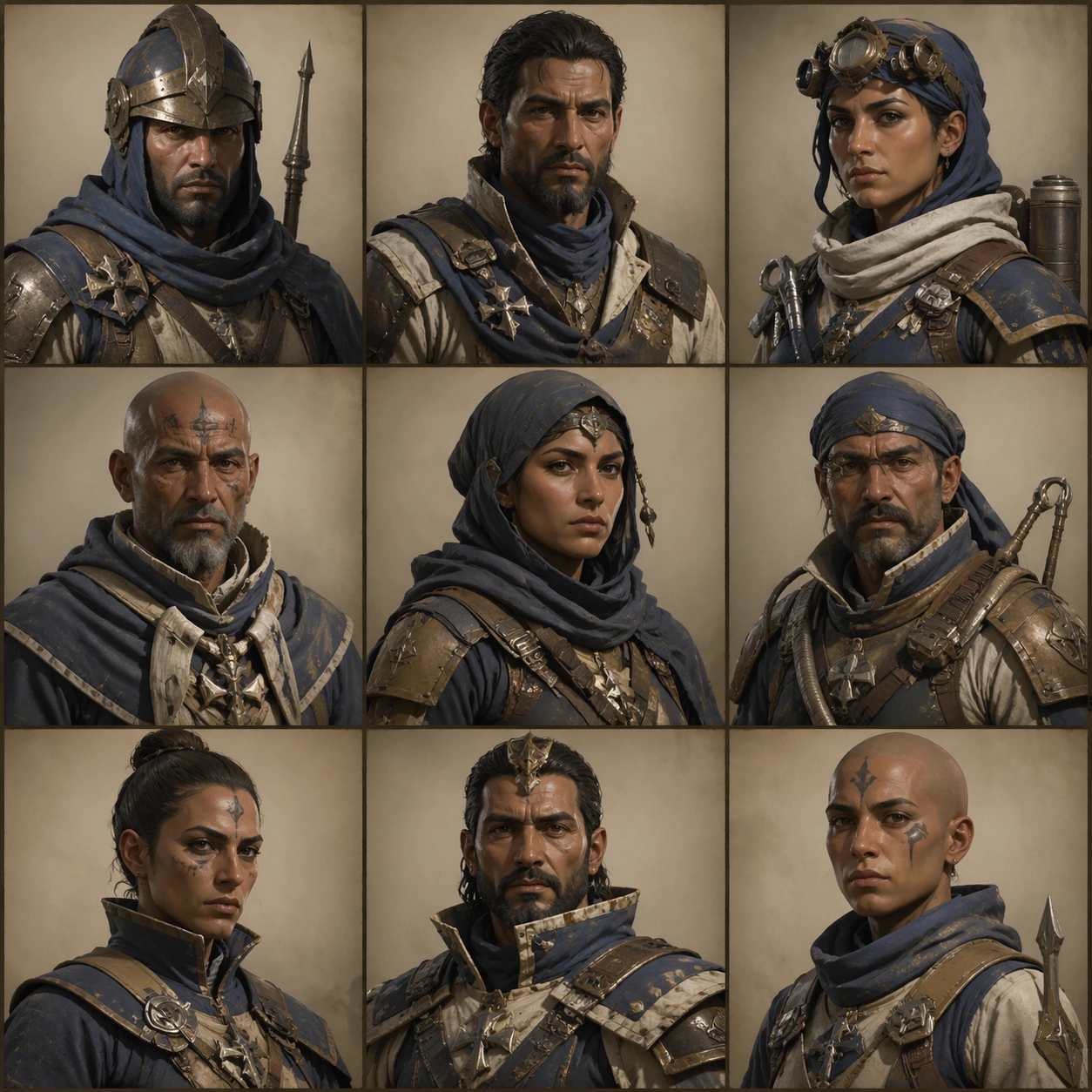
Create a square portrait-grid sheet with nine bust crops arranged in precise rows, each cell lit consistently like in-game dialogue art capture. Keep the overall frame square, polished, and production-ready game art bible presentation with crisp panel rhythm, believable costume construction, and enough visual hierarchy for downstream UI or documentation reuse. Let materials, lighting, and spacing feel intentional enough for gallery, research, campaign, or approval-board reuse without depending on readable text.

Subject:
Use multiple NPC types from the same faction and prove that faces, collars, insignia strips, and emotional range all stay regionally coherent. Ground the image inside a wind-carved desert citadel faction with oxidized bronze, indigo cloth, pale bone accents, practical leather, and a sun-faded military-monastic attitude. Use multiple adult NPC archetypes such as guard, quartermaster, medic, machinist, scout, priest, and captain, but keep them visually linked through the same regional craft language and social hierarchy.

Important details:
Keep insignia geometry, rank markers, cloth layering, tool silhouettes, and color hierarchy coherent across every role so the cast reads like one population rather than unrelated hero concepts. Cells should feel made for dialogue UI export, not random moodboard collage. Vary age read and role, but hold the faction language steady. Treat this frame as an independent study that still honors the same overall theme and production logic. Favor believable production craft, clean hierarchy, and reusable visual logic over empty spectacle or random decoration.

Use case:
NPC Faction Casting Sheet single study 5/9, dialogue portrait coverage for one coherent NPC population.

Constraints:
No readable text, no watermark, no logos, preserve exact 1:1 aspect ratio, no readable names, no floating UI chrome, no celebrity likeness, no modern casualwear.
Como usar
- Copie o prompt original completo, incluindo os parâmetros.
- Adapte o tema, o texto e a composição aos seus requisitos.
- Use uma ferramenta externa compatível; confira o acesso e o resultado.
Antes de começar
- Verifique se é necessária uma imagem de referência. Compatibilidade não comprova qual modelo gerou o exemplo.
- Confira nomes, números e textos; os resultados variam entre versões do modelo.