原始文档
GPT Image 2 · en
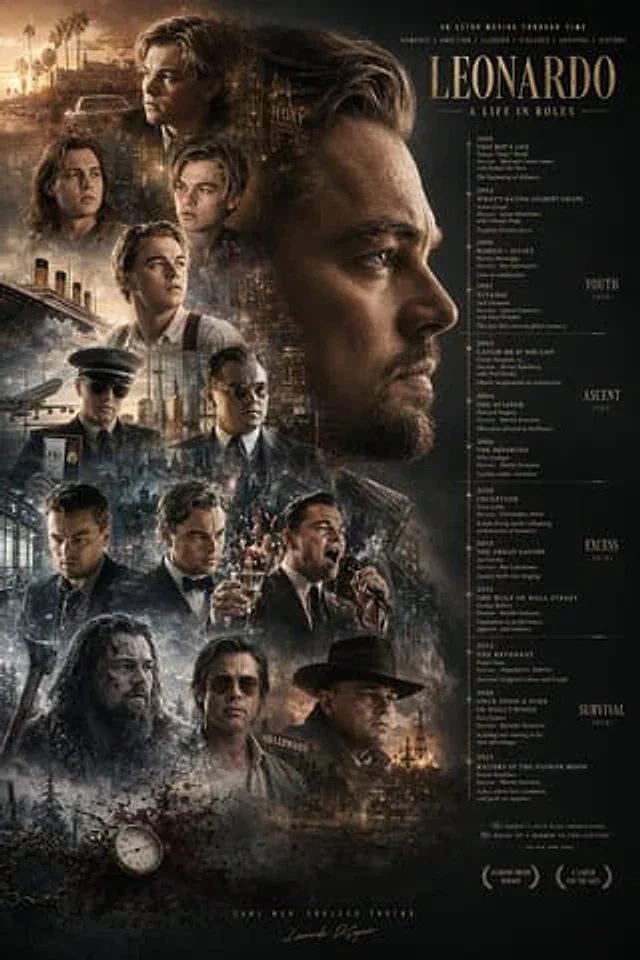
Reorganize the poster layout using the provided reference image. Adjust the main title {argument name="main title" default="LEONARDO A LIFE IN ROLES"} Move it to the top right corner. Move the large profile portrait in the center to the top right quadrant and flip it horizontally to face right. Reposition the timeline text to the right and add four new era categories on the far right:{argument name="era categories" default="YOUTH 1990s, ASCENT 2000s, EXCESS 2010s, SURVIVAL 2020s"} Thirteen smaller character portraits are grouped together on the left and at the bottom. New background elements are integrated behind these portraits.{argument name="background elements" default="Titanic ship, airplane, cityscapes, Hollywood sign, oil derrick"} Add one in the bottom left corner.{argument name="added objects" default="pocket watch with chain and blood splatters"} Update the bottom text, adding two laurel wreath icons and a slogan.{argument name="bottom tagline" default="SAME MAN. ENDLESS TRUTHS."} .使用方法
- 复制完整原始提示词,并保留其中的参数。
- 按需求替换主体、文字和构图要求。
- 在兼容的外部工具中使用,核对当前使用条件并检查结果。
开始前需了解
- 先确认是否需要参考图。标注兼容模型,不代表该示例由这个模型生成。
- 核对名称、数字与画面文字;不同模型版本的结果可能不同。