原始文档
Nano Banana Pro · en
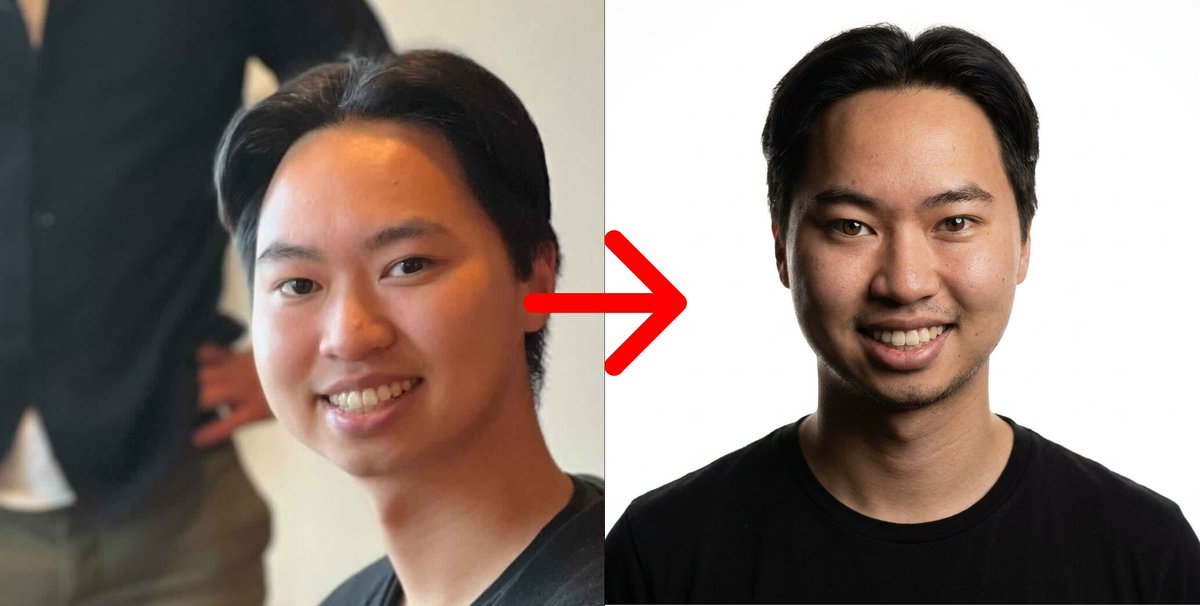
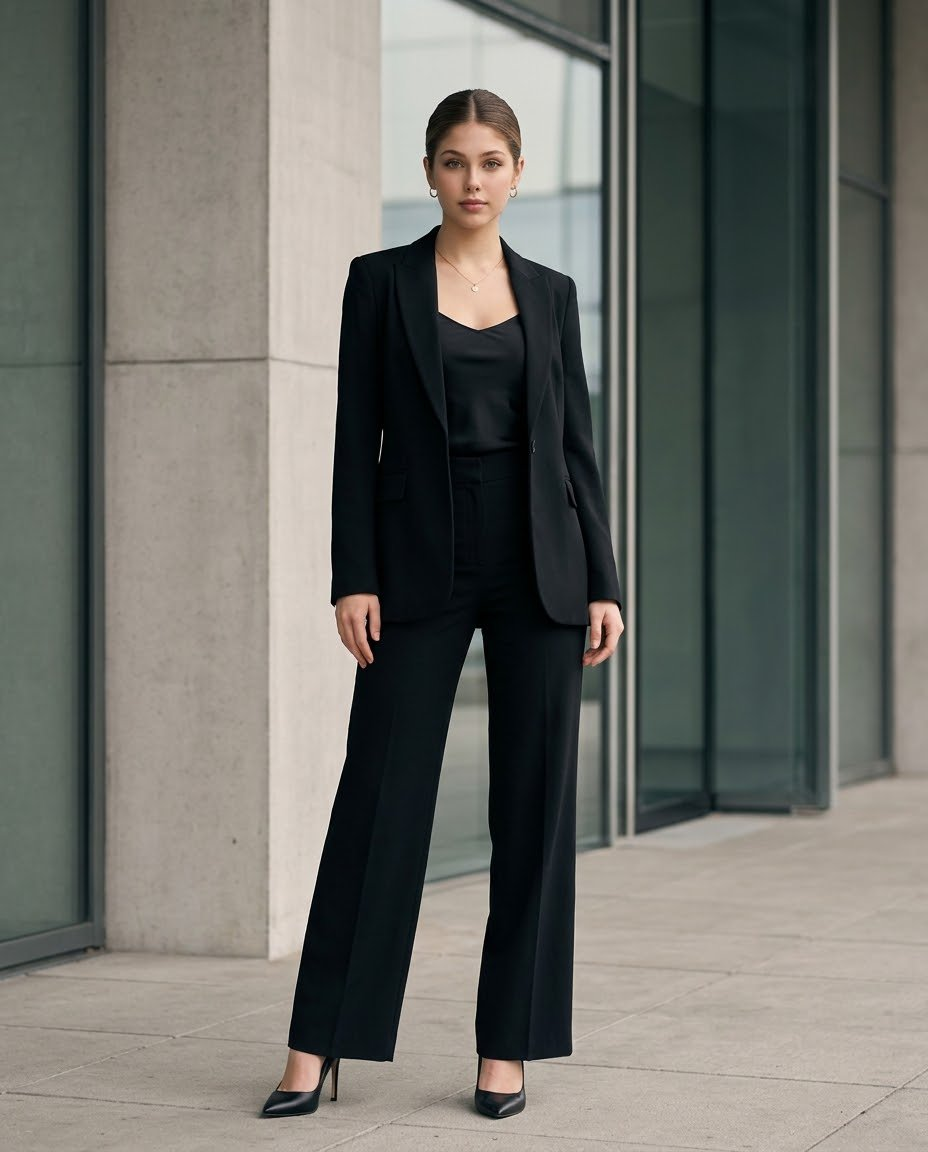
Create an ultra-photorealistic luxury corporate fashion portrait using the uploaded reference image for the exact face and identity. A confident young woman standing full-body outside a modern glass-and-concrete office building, wearing an elegant all-black tailored pantsuit with a structured blazer, black satin camisole, high-waisted wide-leg trousers, and pointed-toe black stiletto heels.

Her hair is neatly styled in a sleek, center-parted low bun. Minimal gold hoop earrings, a delicate gold necklace, and natural sophisticated makeup. She stands confidently with relaxed arms, shoulders straight, and one leg slightly forward, looking directly at the camera with a calm, professional expression.

Identity preservation: Maintain the exact facial identity from the uploaded reference image, including face shape, eyes, eyebrows, nose, lips, skin tone, facial proportions, and natural skin texture. Do not change or beautify the face. Keep the same recognizable person throughout.

Photography and environment: Full-body vertical fashion photograph, modern corporate architecture, large glass windows, pale concrete columns, clean stone pavement, soft natural daylight, subtle shadows, realistic fabric folds, premium black tailoring, natural skin pores, sharp facial details, sophisticated neutral color grading, shot on an 85mm portrait lens, professional editorial photography, realistic proportions, high dynamic range, 8K-quality detail.

Composition: 4:5 vertical aspect ratio, entire body visible from head to shoes, both feet completely inside the frame, subject centered, realistic camera perspective, background slightly blurred while architectural details remain visible.

Negative prompt: Different face, identity drift, altered facial features, artificial skin, plastic texture, excessive retouching, cartoon, CGI, distorted hands, extra fingers, incorrect anatomy, unnatural legs, warped clothing, cropped feet, blurry face, oversaturated colors, text, logo, watermark.
使用方法
- 复制完整原始提示词,并保留其中的参数。
- 按需求替换主体、文字和构图要求。
- 在兼容的外部工具中使用,核对当前使用条件并检查结果。
开始前需了解
- 先确认是否需要参考图。标注兼容模型,不代表该示例由这个模型生成。
- 核对名称、数字与画面文字;不同模型版本的结果可能不同。