
原始文档
GPT Image 2 · en
Scene:
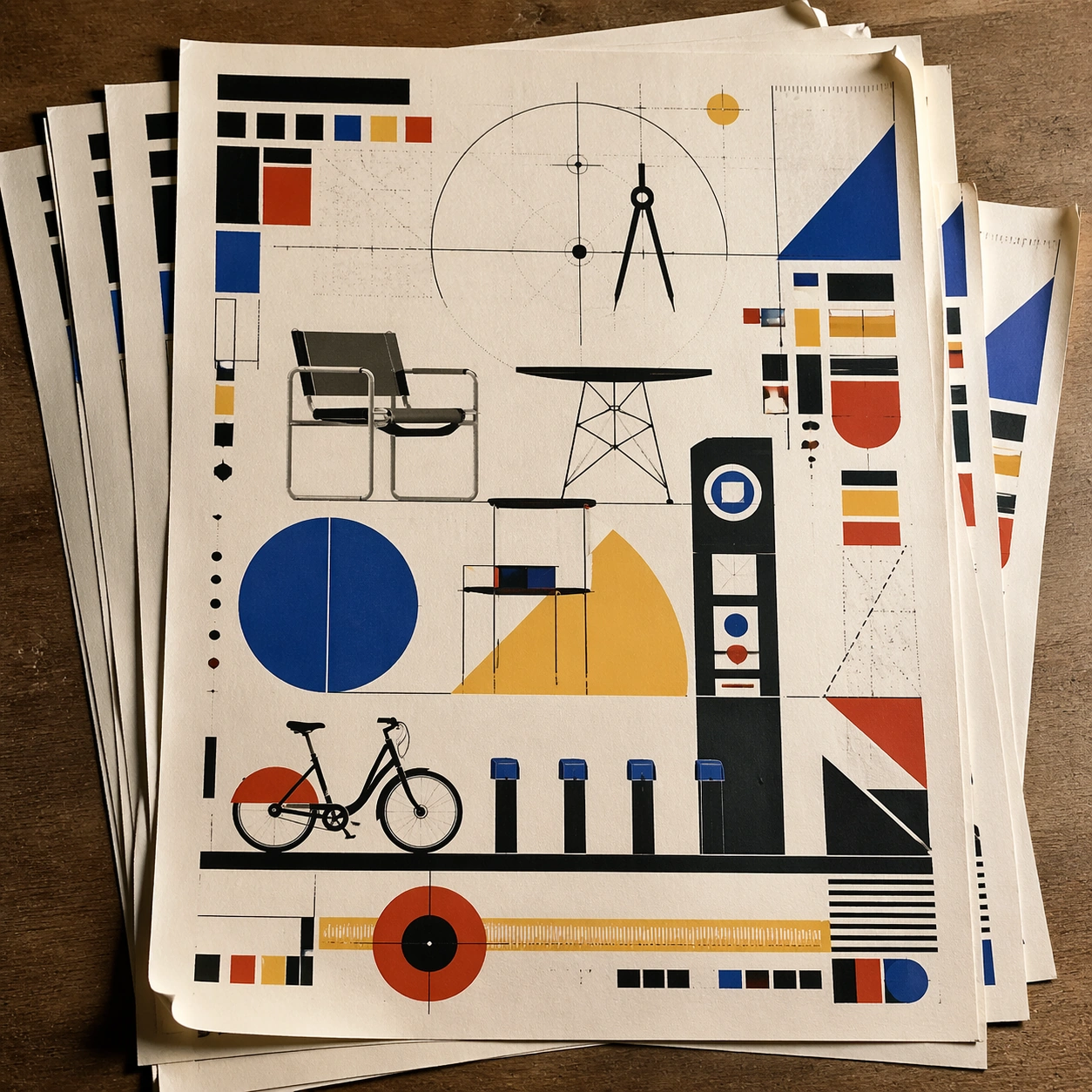
A square tabletop shot of several poster prints stacked and slightly fanned, with curled corners, offset edges, and soft directional light revealing paper thickness and ink behavior. The poster should express strict geometric modernism built from circles, bars, triangles, squares, and measured negative space, using cobalt blue, mustard yellow, cadmium red, black, and warm paper white and a tactile surface appropriate to the medium.

Subject:
Design the top poster to dominate while nearby duplicate sheets echo the same composition, creating a tactile print-run scene rather than a single isolated sheet. Use modular furniture silhouettes, workshop tools, compass arcs, ruler lines, and architecture-school diagrams as the main visual ingredients, and organize them with geometric sans-serif blocks and numerals treated purely as non-readable forms. For the contemporary-subject axis, thread in a bike-share docking station and urban wayfinding elements reduced into pure geometry. The poster must feel like an original design object rather than a reproduction of any known work.

Important details:
Use the stack to emphasize production character: edge shadows, repeated motifs peeking from beneath, and subtle misalignment should enrich the material reading without changing the core design. Preserve mathematical spacing, flat planes, hard edges, exact weight distribution, and clean asymmetry. Keep every letterform abstract and non-readable, as if it were a typographic texture rather than language. Make the style unmistakable through composition, palette, surface behavior, and symbolic compression. no decorative flourishes, no gradients, no photoreal portraits, no soft painterly blending.

Use case:
Bauhaus Poster single study 7/9, testing print-run tactility and repeat presence.

Constraints:
No readable text, no watermark, no logos, preserve exact 1:1 aspect ratio, no copyrighted characters, no real brand marks, no QR codes, no interface chrome, no accidental gibberish lettering.
使用方法
- 复制完整原始提示词,并保留其中的参数。
- 按需求替换主体、文字和构图要求。
- 在兼容的外部工具中使用,核对当前使用条件并检查结果。
开始前需了解
- 先确认是否需要参考图。标注兼容模型,不代表该示例由这个模型生成。
- 核对名称、数字与画面文字;不同模型版本的结果可能不同。