原始文档
GPT Image 2 · en
Scene:
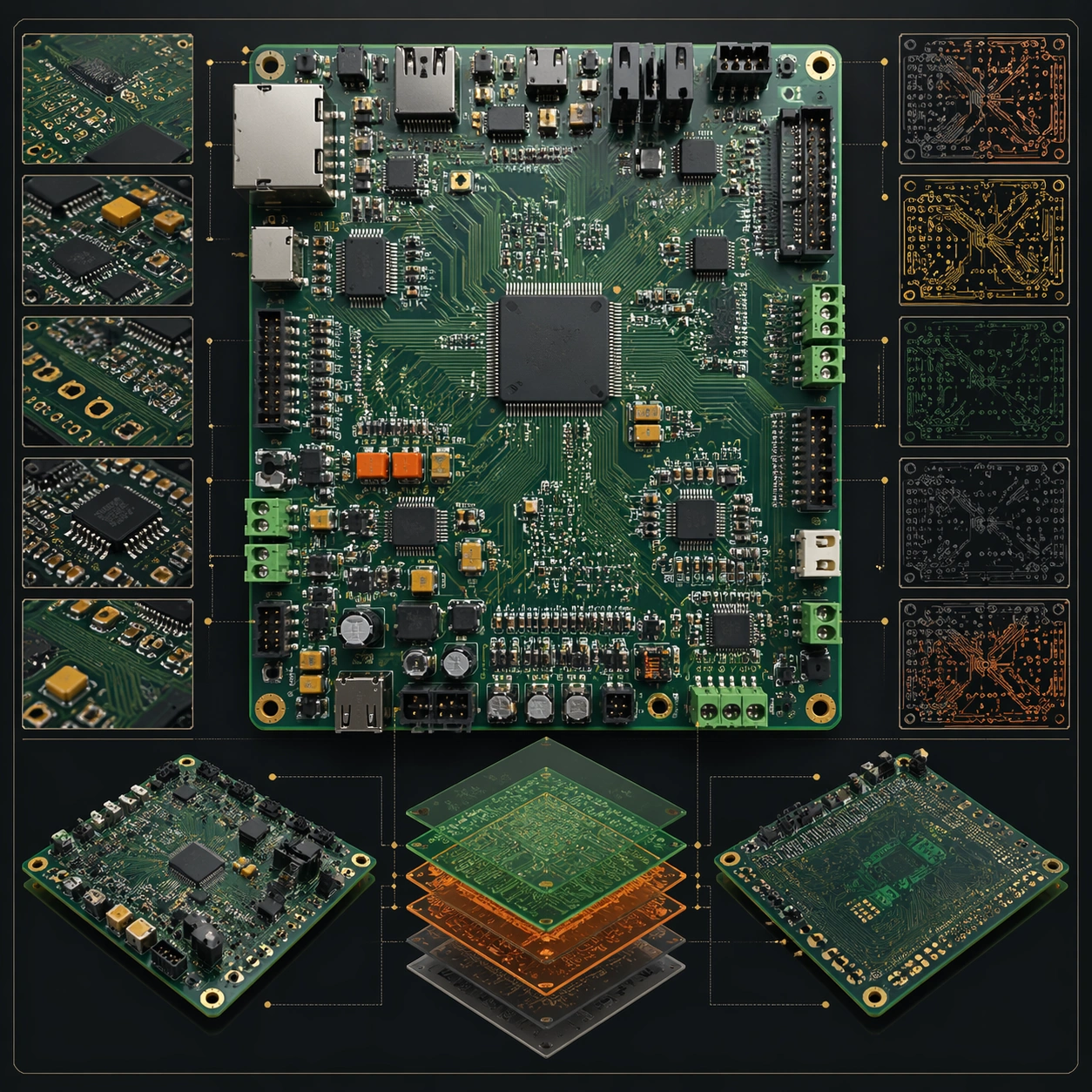
A square plate or board viewed straight-on, with crisp organization, disciplined spacing, and premium print clarity. Build the frame around a complete overview that establishes the system, subject boundaries, and visual hierarchy. Keep the lighting, camera distance, and spatial organization tuned for a high-signal research image rather than a casual snapshot. The image belongs to the PCB Board Layout theme and should feel immediately legible as a prompt atlas theme for pcb board layout, testing structured-layout, photorealism, style-transfer, commercial-mockup with gpt image 2..

Subject:
Center the study on a complete overview that establishes the system, subject boundaries, and visual hierarchy. Translate the theme into a concrete visual statement instead of an abstract mood board: the viewer should understand what kind of image this is, what is being tested, and why the composition is difficult. Use the slug idea of pcb board layout as a literal guide for subject matter, materials, and staging. If helpful, borrow the broad visual cues suggested by PCB, schematic, Arduino, but keep the result original and specific to this study.

Important details:
The image should communicate logic through grouping, hierarchy, callouts, insets, and believable professional layout discipline rather than decorative noise. Preserve a disciplined square composition, clear focal hierarchy, and enough secondary information to make the image feel complete rather than underspecified. The image should look polished, novel, and exhibition-ready, with topic-specific credibility coming from the way surfaces, structure, and visual language reinforce PCB Board Layout. Avoid generic filler elements that do not serve the main concept.

Use case:
PCB Board Layout single study 1/8, testing structured-layout, photorealism, style-transfer, commercial-mockup through the overview plate variation.

Constraints:
No readable text, no watermark, no logos, preserve exact 1:1 aspect ratio, no readable labels, no messy arrows, no random infographic decoration, no fake UI chrome unless the topic calls for it, no broken alignment, no meaningless clutter.
使用方法
- 复制完整原始提示词,并保留其中的参数。
- 按需求替换主体、文字和构图要求。
- 在兼容的外部工具中使用,核对当前使用条件并检查结果。
开始前需了解
- 先确认是否需要参考图。标注兼容模型,不代表该示例由这个模型生成。
- 核对名称、数字与画面文字;不同模型版本的结果可能不同。