原始文档
GPT Image 2 · en
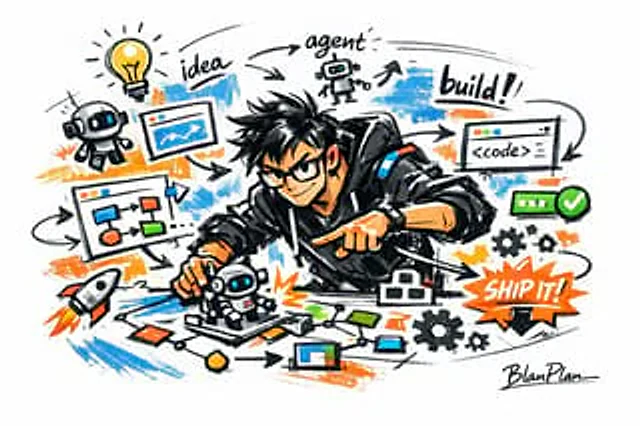
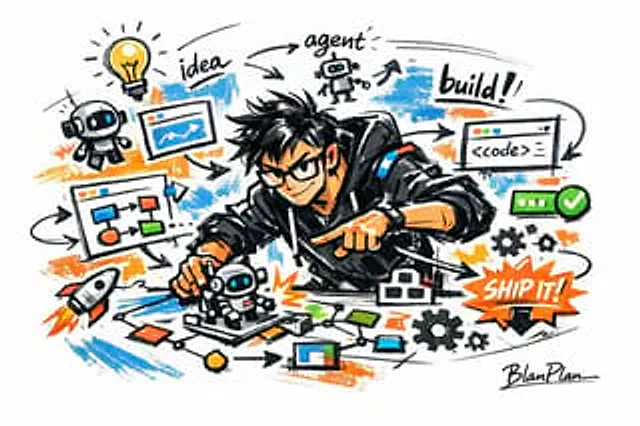
Expressed in a doodle sketch style [{argument name="subject" default="a powerful AI builder"} The overall visual effect is that of a quick sketch, free deformation, improvisation, and draft. Lines are casual, exaggerated, and vary in thickness, appearing slightly chaotic yet rhythmic and expressive, emphasizing generalization, exaggeration, fun, and spontaneity rather than rigorous realism or fine detail. Colors are rendered with bold, dry brushstrokes, retaining uneven application, brushstrokes, dry brush, and overlapping. Colors automatically adapt to the theme/subject, but the overall style remains graffiti, sketch, and generalization. There is no transparent watercolor wash, no delicate watercolor transitions, no paper texture, no soft mist, and no dreamlike quality. The background is predominantly white, maintaining simplicity, ease, a sense of unfinishedness, and design. A small number of auxiliary symbols, arrows, marks, circles, repeating lines, handwritten text, or other graffiti elements can be added to enhance the visual language of the sketchbook or doodle, but these should not be overly crowded or disrupt the white space and atmosphere. Image content does not need to be pre-defined;{argument name="subject" default="a powerful AI builder"} It will automatically deduce and generate the most suitable main image, action, related elements, symbols, or simplified scene. It maintains a consistent doodle/sketch style and exaggerated, generalized expression, avoiding complex realistic backgrounds and excessive detail. It naturally incorporates a unique signature.{argument name="signature" default="BlanPlan"} As part of the image, place it discreetly and clearly in the lower left corner, lower right corner, or near the title. The style should be consistent with the overall layout, like an artist's signature or design inscription; the signature font should be exquisite, restrained, and sophisticated, not too large, not disrupting the main composition, and not appearing abrupt or cheap.使用方法
- 复制完整原始提示词,并保留其中的参数。
- 按需求替换主体、文字和构图要求。
- 在兼容的外部工具中使用,核对当前使用条件并检查结果。
开始前需了解
- 先确认是否需要参考图。标注兼容模型,不代表该示例由这个模型生成。
- 核对名称、数字与画面文字;不同模型版本的结果可能不同。