原始文档
GPT Image 2 · en
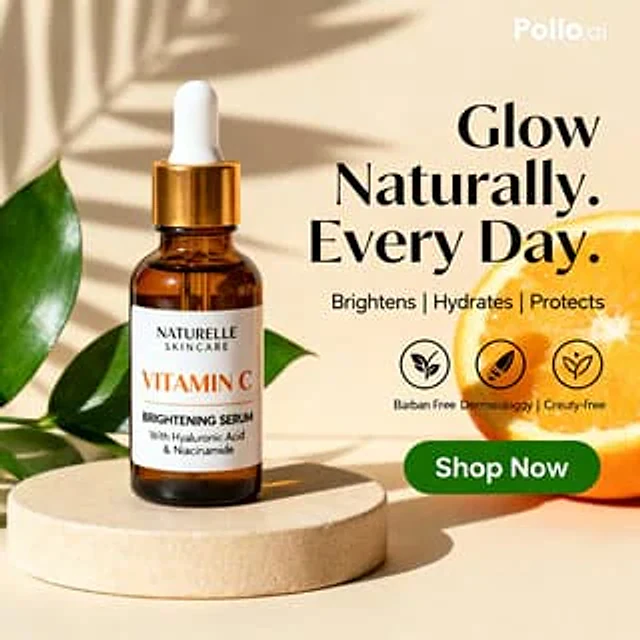
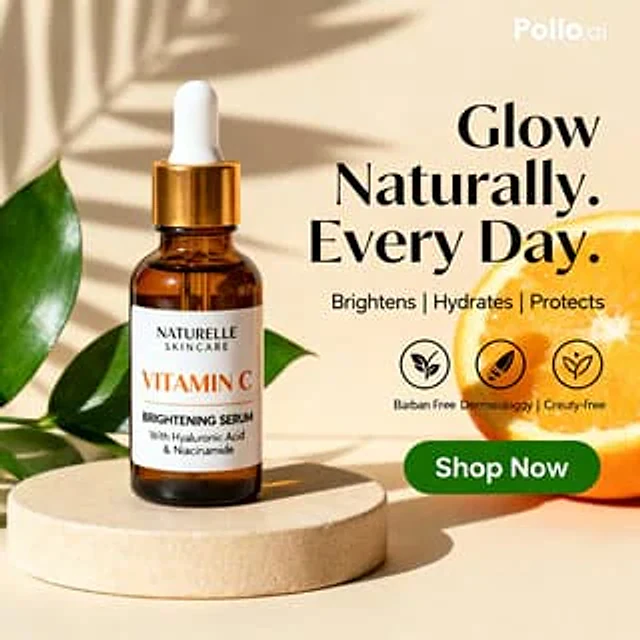
Create a clean luxury skincare product advertisement in a square 1:1 layout with a warm beige studio background and strong natural sunlight casting soft palm-leaf shadows across the wall. Place 1 amber glass dropper bottle on the left-center, standing upright on a round cream stone pedestal. The bottle has a glossy gold collar and a matte white rubber dropper top. Add a white rectangular label with elegant minimal typography: brand name "{argument name="brand name" default="NATURELLE SKINCARE"}" at the top, a large orange product name "{argument name="product name" default="VITAMIN C"}", then black text reading "BRIGHTENING SERUM" and smaller subtext "With Hyaluronic Acid & Niacinamide". Surround the pedestal with 3 visible glossy green tropical leaves, arranged from the left edge and behind the bottle for a fresh botanical look. On the right side, place a large bold black serif headline in 3 stacked lines reading "{argument name="headline text" default="Glow Naturally. Every Day."}". Beneath it, add a smaller clean sans-serif benefits line reading "{argument name="benefits text" default="Brightens | Hydrates | Protects"}". Below that, include 3 circular black outline ingredient or values icons in a horizontal row, each with a simple leaf-style symbol inside; add tiny caption text beneath them with the same slightly imperfect ad-like wording seen in the original, including "Barban Free", "Dermicologyg", and "Creuty-free". At the lower right, place a glossy rounded green call-to-action button with white bold text "{argument name="button text" default="Shop Now"}". Add 1 sliced orange on the far right edge, partially cropped, with vivid juicy texture to reinforce the vitamin C theme. Include a small white "Pollo.ai" watermark in the top-right corner. Style the whole image as a polished commercial product mockup, photorealistic, high-end beauty branding, soft warm highlights, subtle shadows, balanced composition, sharp label detail, premium ecommerce social ad aesthetic.使用方法
- 复制完整原始提示词,并保留其中的参数。
- 按需求替换主体、文字和构图要求。
- 在兼容的外部工具中使用,核对当前使用条件并检查结果。
开始前需了解
- 先确认是否需要参考图。标注兼容模型,不代表该示例由这个模型生成。
- 核对名称、数字与画面文字;不同模型版本的结果可能不同。