
原始文档
GPT Image 2 · en
Scene:
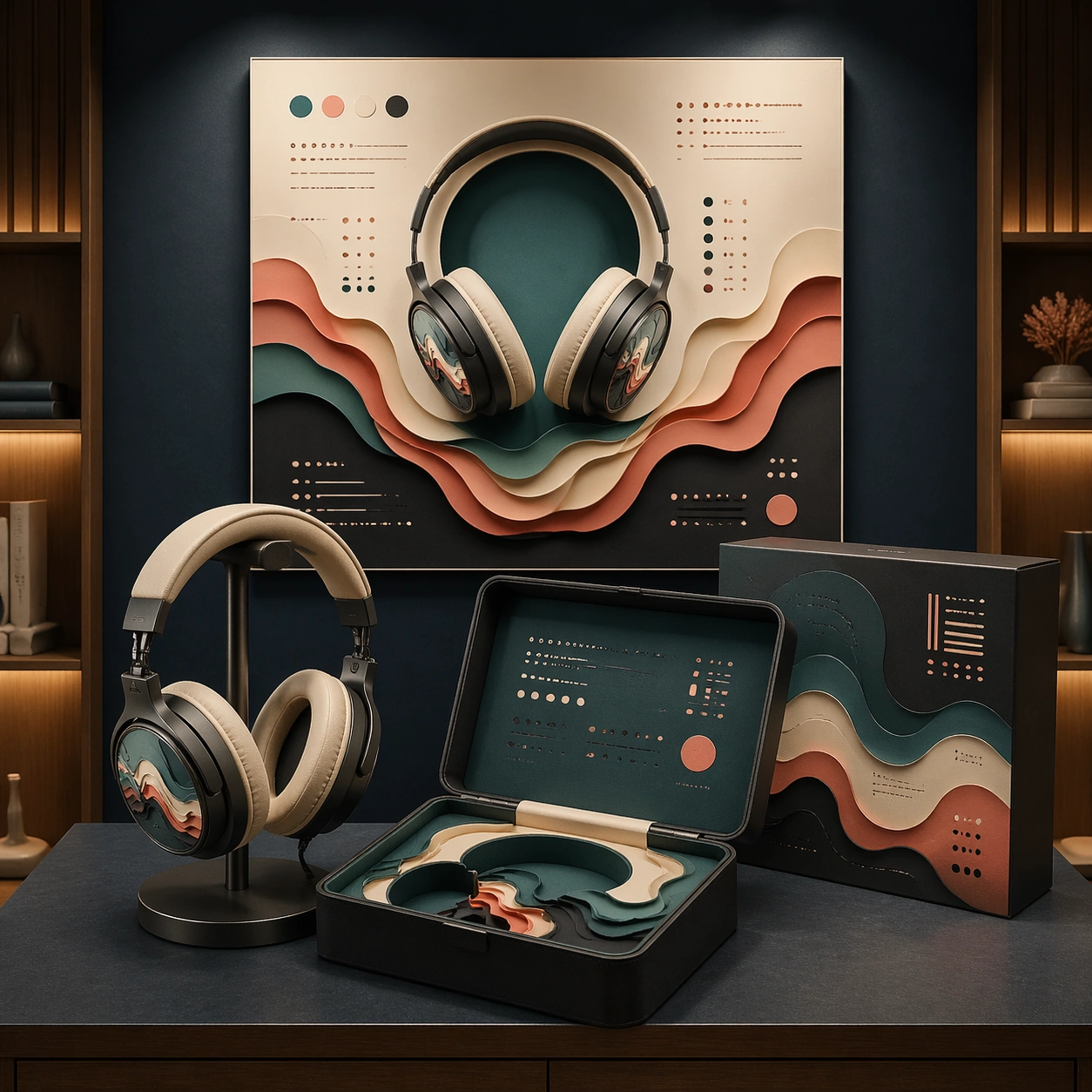
A square audio retail display mockup inside a softly lit listening-room alcove. The camera faces a centered tabletop display with over-ear headphones on a low stand, a premium rigid case opened in front, and a square campaign poster mounted on the back wall. The lighting is moody but clear, with warm side highlights, matte navy shadows, and enough brightness to inspect textures and layout.

Subject:
A fictional headphone brand collaboration with a layered paper-cut installation artist language. The headphones have brushed graphite cups, warm ivory cushions, and delicate layered paper relief patterns under translucent outer discs. The rigid case contains nested paper-cut inserts shaped like sound waves, while the sleeve uses stacked color planes in teal, coral, cream, and charcoal. The poster shows sound waves as architectural paper layers around the product silhouette, with non-readable launch-copy blocks arranged like a high-end audio ad.

Important details:
The design must read as a complete collaboration system, not separate props. Preserve accurate headphone anatomy: headband curve, hinges, ear cup thickness, cushion softness, cable-free wireless design, and stable stand contact. Paper layers should cast tiny shadows and reveal thickness, while the case should show premium molded construction. The commercial layout must be structured and calm, with the poster, case, and product sharing one visual language. Use placeholder glyph systems only.

Use case:
Brand Artist Collab Mockup single study 8/8, focused on an audio product display where tactile paper-cut art becomes premium packaging and advertising.

Constraints:
No readable text, no watermark, no logos, preserve exact 1:1 aspect ratio, no real audio brand, no real artist signature, no tangled wires, no floating headphones, no excessive darkness, no illegible poster clutter, no extra retail signage.
使用方法
- 复制完整原始提示词,并保留其中的参数。
- 按需求替换主体、文字和构图要求。
- 在兼容的外部工具中使用,核对当前使用条件并检查结果。
开始前需了解
- 先确认是否需要参考图。标注兼容模型,不代表该示例由这个模型生成。
- 核对名称、数字与画面文字;不同模型版本的结果可能不同。