

先看实际效果
Pinokio: inspect the source before installing an application
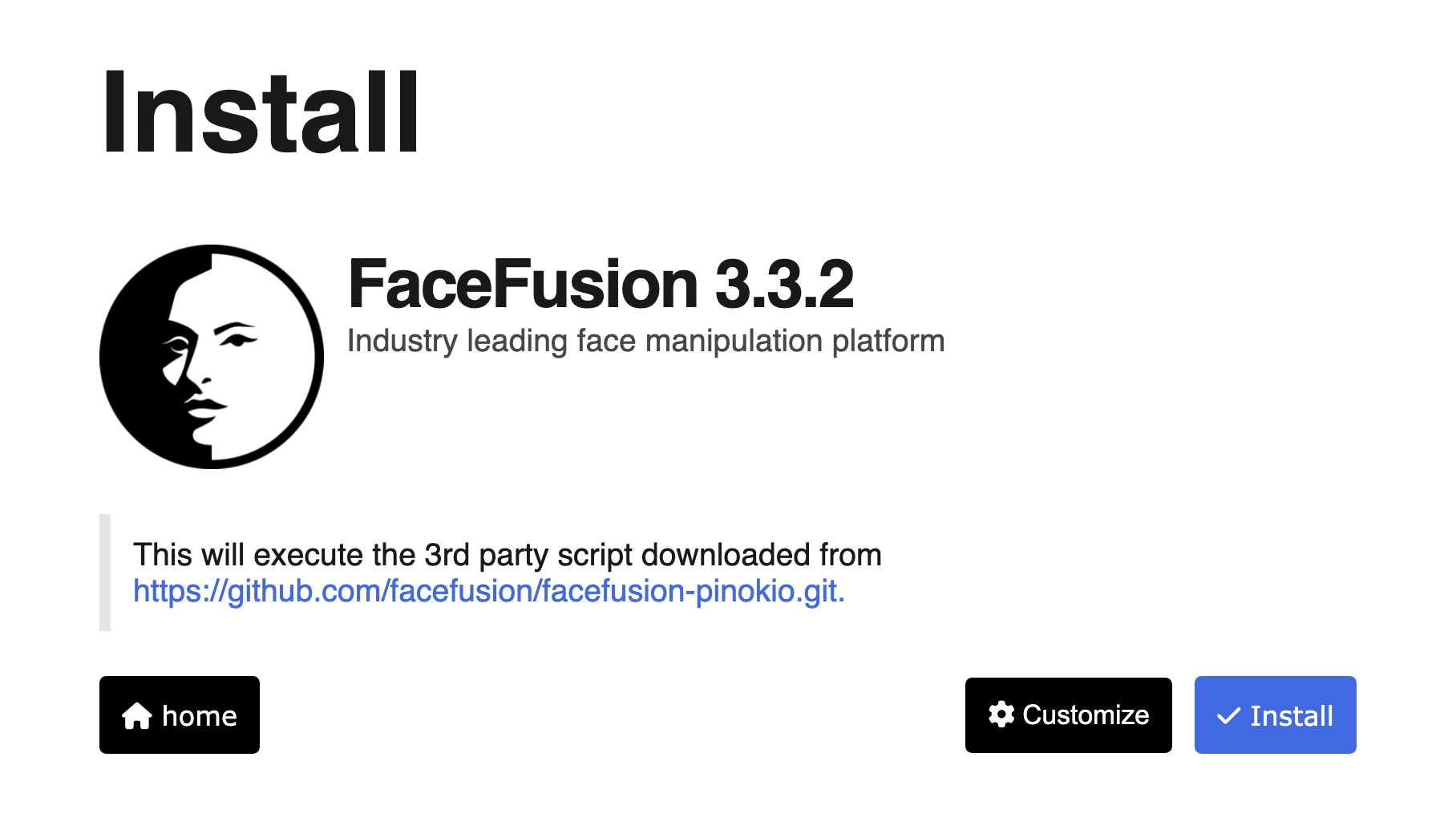
The official installation-screen example names FaceFusion 3.3.2, displays the third-party script repository and offers Customize and Install controls. It shows what to inspect before proceeding, not a completed installation or generated media. The displayed FaceFusion logo and project name belong to their respective owner.
许可
Original author documentation and full applicable license retained. Inputs preserve the complete cited request or JSON block. No model run, code execution, application installation or independently reproduced result. PNG converted to lossless WebP with identical decoded RGBA pixels. No crop, retouch or upscaling. The original interface includes the FaceFusion name, logo and script address https://github.com/facefusion/facefusion-pinokio.git; these are retained as shown and remain the respective owner’s marks, without an endorsement claim.
Copyright 2023 Pinokio

Permission is hereby granted, free of charge, to any person obtaining a copy of this software and associated documentation files (the "Software"), to deal in the Software without restriction, including without limitation the rights to use, copy, modify, merge, publish, distribute, sublicense, and/or sell copies of the Software, and to permit persons to whom the Software is furnished to do so, subject to the following conditions:

The above copyright notice and this permission notice shall be included in all copies or substantial portions of the Software.

THE SOFTWARE IS PROVIDED "AS IS", WITHOUT WARRANTY OF ANY KIND, EXPRESS OR IMPLIED, INCLUDING BUT NOT LIMITED TO THE WARRANTIES OF MERCHANTABILITY, FITNESS FOR A PARTICULAR PURPOSE AND NONINFRINGEMENT. IN NO EVENT SHALL THE AUTHORS OR COPYRIGHT HOLDERS BE LIABLE FOR ANY CLAIM, DAMAGES OR OTHER LIABILITY, WHETHER IN AN ACTION OF CONTRACT, TORT OR OTHERWISE, ARISING FROM, OUT OF OR IN CONNECTION WITH THE SOFTWARE OR THE USE OR OTHER DEALINGS IN THE SOFTWARE.
Pinokio: define a dependency-installation step
The complete JSON step in the official README runs dependency installation from a server directory with a named virtual environment. It is a step inside an application recipe, not a complete standalone installer. The author describes its environment isolation; scripts can still execute commands and fetch dependencies. This example is supplied for inspection and has not been run.
示例输入
{
  "method": "shell.run",
  "params": {
    "message": "uv pip install -r requirements.txt",
    "path": "server",
    "venv": "venv"
  }
}许可
Original author documentation and full applicable license retained. Inputs preserve the complete cited request or JSON block. No model run, code execution, application installation or independently reproduced result.
Copyright 2023 Pinokio

Permission is hereby granted, free of charge, to any person obtaining a copy of this software and associated documentation files (the "Software"), to deal in the Software without restriction, including without limitation the rights to use, copy, modify, merge, publish, distribute, sublicense, and/or sell copies of the Software, and to permit persons to whom the Software is furnished to do so, subject to the following conditions:

The above copyright notice and this permission notice shall be included in all copies or substantial portions of the Software.

THE SOFTWARE IS PROVIDED "AS IS", WITHOUT WARRANTY OF ANY KIND, EXPRESS OR IMPLIED, INCLUDING BUT NOT LIMITED TO THE WARRANTIES OF MERCHANTABILITY, FITNESS FOR A PARTICULAR PURPOSE AND NONINFRINGEMENT. IN NO EVENT SHALL THE AUTHORS OR COPYRIGHT HOLDERS BE LIABLE FOR ANY CLAIM, DAMAGES OR OTHER LIABILITY, WHETHER IN AN ACTION OF CONTRACT, TORT OR OTHERWISE, ARISING FROM, OUT OF OR IN CONNECTION WITH THE SOFTWARE OR THE USE OR OTHER DEALINGS IN THE SOFTWARE.
产品介绍
Pinokio is a desktop launcher for installing, starting and managing script-defined local applications, including AI tools.
来源语言 · ENPinokio 能做什么
- 01Browse and install listed application recipes
- 02Start and stop local applications through a graphical interface
- 03Inspect versioned installation and launch scripts
- 04Manage application environments on the local machine
它有什么不同
The interface wraps executable project recipes rather than supplying one hosted AI model. Requirements and model access vary by application, and scripts can execute commands and download dependencies. Author review of listed recipes is not an independent security guarantee from this site.
来源语言 · EN谁值得考虑
- People managing several local AI applications
- Technical users who want visible installation and launch recipes
需要核对的事项
- 用一个真实任务试用,并对照自己的要求检查结果。
- 核实服务会保存、共享或用于训练哪些数据。
- 在官网确认当前价格、使用限额和取消条款。
官网链接核查于 2026年10月23日;功能声明尚未经过独立测试。