
Originaldokument
GPT Image 2 · en
Scene:
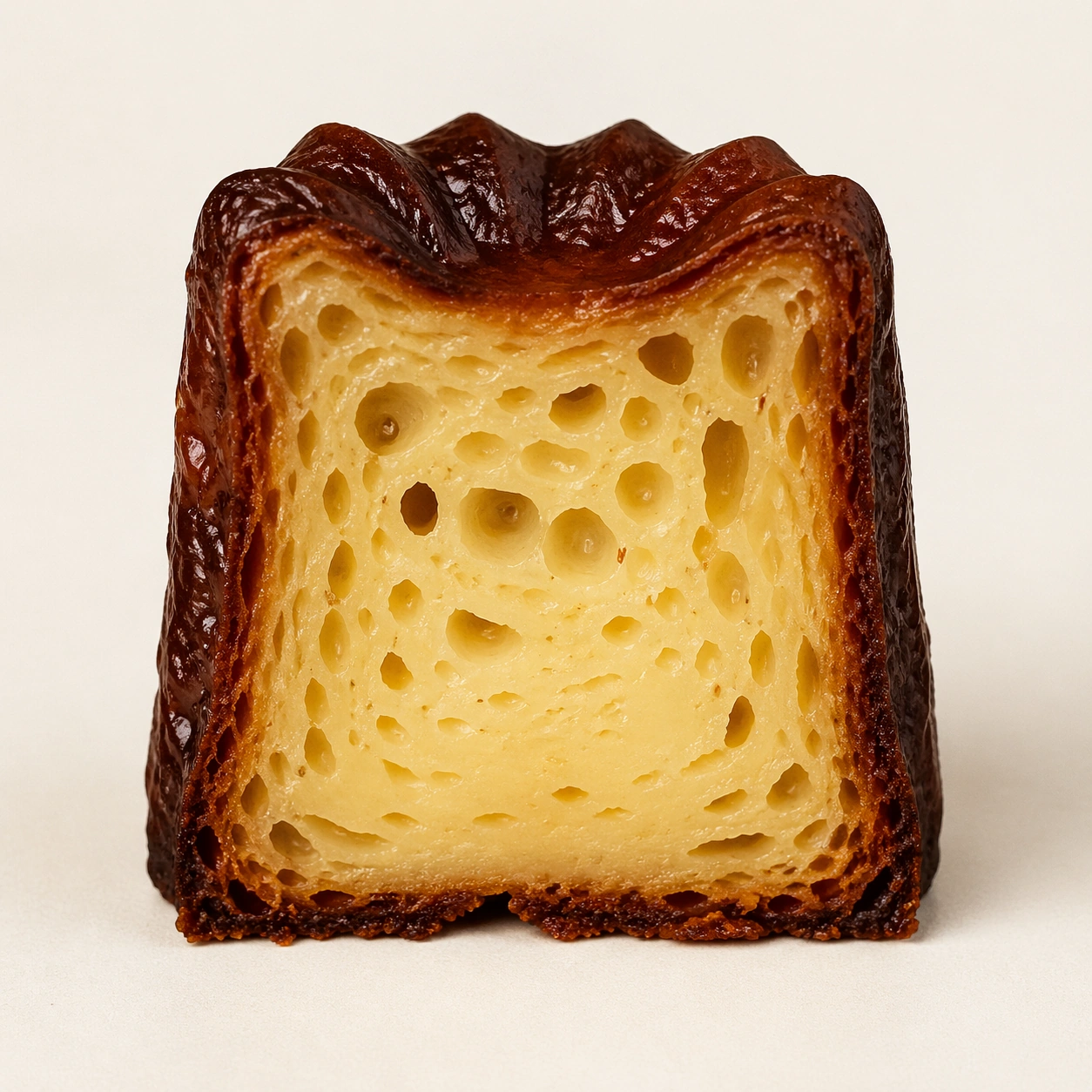
Create a square pastry documentation image on a seamless pale gray or warm ivory studio background with soft catalog lighting and almost no cast-shadow drama. The camera should feel orthographic or gently frontal so cross-sections remain easy to compare. Everything must read like a pastry atlas: clean, measured, and highly legible, with crumbs controlled and edges crisp. Create a square specimen photograph on warm ivory with soft side light that catches both the ridged dark exterior and the pale open crumb inside. The frame should feel austere and archival.

Subject:
Show one canele cut perfectly in half from top to base, with the interior facing forward and the exterior retaining its dark caramelized ridges. The crumb should show irregular alveoli and a moist custard-like core, while the shell remains thin, glossy, and deeply browned. The pastry must feel honest and tactile, not idealized into plastic perfection.

Important details:
Treat every cut face as the hero: laminated layers, cream density, air pockets, fruit cavities, glaze thickness, and crumb structure all need to be countable and believable. The studio language should stay consistent and understated so structural detail does the work. No element should feel collapsed, smeared, or over-stylized. The key contrast is between lacquered shell and tender interior: make both equally believable. Tiny pores, subtle moisture, and crisp outer ridges should all remain visible without making the dessert look wet or underbaked.

Use case:
Pastry cross-section atlas single study 9/9, capturing canele crust and crumb as one structural contrast.

Constraints:
No readable text, no watermark, no logos, preserve exact 1:1 aspect ratio, no bakery counter background, no casual napkins, no readable labels, no powdered sugar mess, no rustic knife marks, no syrup puddles, no cafe props, no over-dark burnt shell.
Verwendung
- Den vollständigen Original-Prompt einschließlich Parametern kopieren.
- Motiv, Text und Komposition an die eigenen Anforderungen anpassen.
- Ein kompatibles externes Werkzeug nutzen; Zugangsbedingungen und Ergebnis prüfen.
Vor dem Start
- Prüfen, ob ein Referenzbild nötig ist. Kompatibilität belegt nicht das tatsächlich verwendete Modell.
- Namen, Zahlen und Bildtexte prüfen; Modellversionen können andere Ergebnisse liefern.