Originaldokument
GPT Image 2 · zh
{
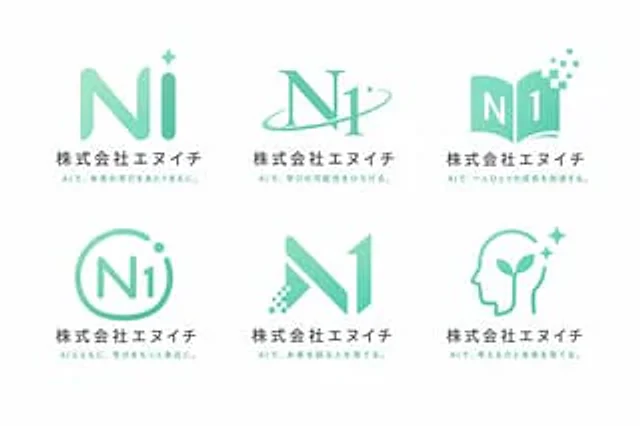
  "type": "Logo Concept Showcase",
  "theme": "{argument name=\"行业主题\" default=\"AI Education School\"}",
  "color_palette": "{argument name=\"主色调\" default=\"Mint Green\"} Gradient colors, dark gray text, white background",
  "layout": {
    "grid": "2 rows and 3 columns",
    "count": 6,
    "common_elements": [
      "graphic logo",
      "Main title:{argument name=\"公司名称\" default=\"N1 Co., Ltd.\"}",
      "Subtitle: A Unique Japanese Subtitle About AI and Learning"
    ],
    "variants": [
      {
        "position": "Top left",
        "mark": "The rounded \"Ni\" lettering with four star-like dots"
      },
      {
        "position": "Upper-middle",
        "mark": "The serif body \"N1\" intersected by the track ring."
      },
      {
        "position": "Top right",
        "mark": "An open book forming the shape of \"N1\", with scattered digital pixels."
      },
      {
        "position": "Bottom left",
        "mark": "The \"N1\" is marked with dots and enclosed in a circular outline."
      },
      {
        "position": "Middle to lower",
        "mark": "The left leg features a geometric shape \"N1\" with a digital dot matrix effect."
      },
      {
        "position": "Bottom right",
        "mark": "A human head silhouette featuring sprouting plants and starlight."
      }
    ]
  }
}
Verwendung
- Den vollständigen Original-Prompt einschließlich Parametern kopieren.
- Motiv, Text und Komposition an die eigenen Anforderungen anpassen.
- Ein kompatibles externes Werkzeug nutzen; Zugangsbedingungen und Ergebnis prüfen.
Vor dem Start
- Prüfen, ob ein Referenzbild nötig ist. Kompatibilität belegt nicht das tatsächlich verwendete Modell.
- Namen, Zahlen und Bildtexte prüfen; Modellversionen können andere Ergebnisse liefern.