Document original
GPT Image 2 · zh
{
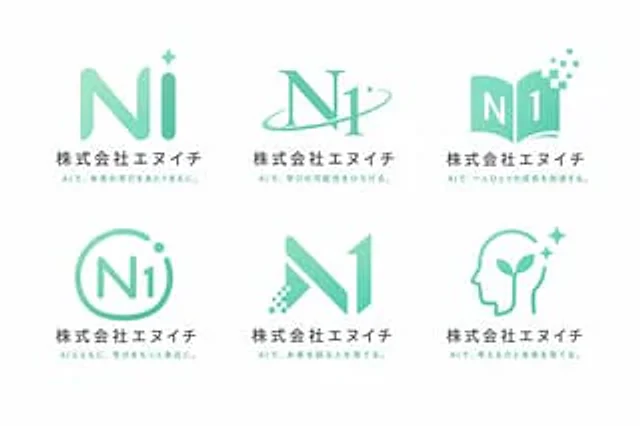
  "type": "Logo Concept Showcase",
  "theme": "{argument name=\"行业主题\" default=\"AI Education School\"}",
  "color_palette": "{argument name=\"主色调\" default=\"Mint Green\"} Gradient colors, dark gray text, white background",
  "layout": {
    "grid": "2 rows and 3 columns",
    "count": 6,
    "common_elements": [
      "graphic logo",
      "Main title:{argument name=\"公司名称\" default=\"N1 Co., Ltd.\"}",
      "Subtitle: A Unique Japanese Subtitle About AI and Learning"
    ],
    "variants": [
      {
        "position": "Top left",
        "mark": "The rounded \"Ni\" lettering with four star-like dots"
      },
      {
        "position": "Upper-middle",
        "mark": "The serif body \"N1\" intersected by the track ring."
      },
      {
        "position": "Top right",
        "mark": "An open book forming the shape of \"N1\", with scattered digital pixels."
      },
      {
        "position": "Bottom left",
        "mark": "The \"N1\" is marked with dots and enclosed in a circular outline."
      },
      {
        "position": "Middle to lower",
        "mark": "The left leg features a geometric shape \"N1\" with a digital dot matrix effect."
      },
      {
        "position": "Bottom right",
        "mark": "A human head silhouette featuring sprouting plants and starlight."
      }
    ]
  }
}
Mode d’emploi
- Copiez le prompt original complet, paramètres compris.
- Adaptez le sujet, le texte et la composition à vos besoins.
- Utilisez un outil externe compatible ; vérifiez l’accès et le résultat.
Avant de commencer
- Vérifiez si une image de référence est nécessaire. La compatibilité ne prouve pas le modèle utilisé pour cet exemple.
- Vérifiez noms, chiffres et textes ; les versions du modèle peuvent produire des résultats différents.