
Originaldokument
GPT Image 2.5 · en
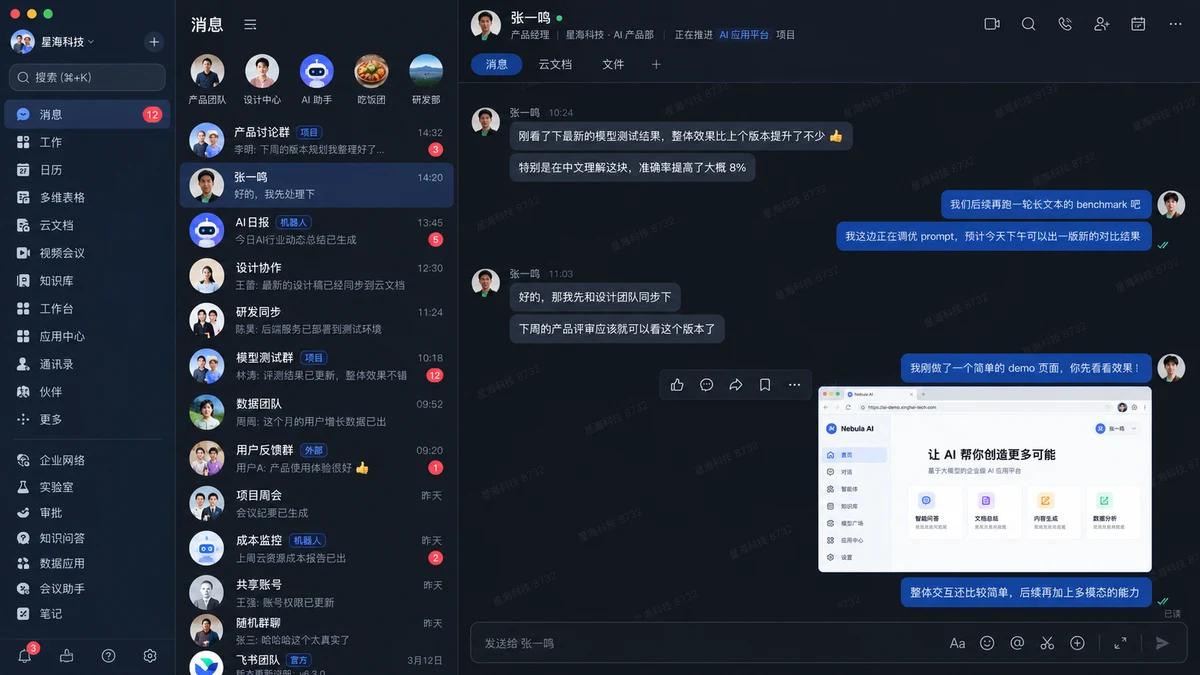
@创建图片 Create a highly realistic desktop screenshot of a Chinese enterprise collaboration and messaging app in dark mode, strongly inspired by the modern Feishu / Lark desktop interface.

Treat this as a UI reconstruction task, not an illustration or concept design. Prioritize component fidelity, information density, spacing, alignment, typography hierarchy, and authentic desktop-app composition.

Use a 16:9 landscape desktop screenshot with the full application window visible, macOS traffic-light controls, a narrow global navigation sidebar, a conversation list column, and a large active chat workspace. Use a dark navy and charcoal palette with muted blue selected states, deep-blue outgoing bubbles, gray incoming bubbles, red unread badges, and cyan or green status indicators.

Include Chinese navigation labels, realistic workplace conversations, a selected message thread, compact action icons, a tab bar for 消息 / 云文档 / 文件, a bottom message composer, and one large browser or internal-product screenshot attachment. Keep the hierarchy, three-column layout, spacing rhythm, message alignment, and information density stable. Render Chinese UI text cleanly and legibly.

No browser chrome, device mockup, perspective, glassmorphism, 3D, decorative illustration, oversized marketing typography, random logos, gibberish, or clutter. The final result must feel like a genuine production enterprise messaging application screenshot.
Verwendung
- Den vollständigen Original-Prompt einschließlich Parametern kopieren.
- Motiv, Text und Komposition an die eigenen Anforderungen anpassen.
- Ein kompatibles externes Werkzeug nutzen; Zugangsbedingungen und Ergebnis prüfen.
Vor dem Start
- Prüfen, ob ein Referenzbild nötig ist. Kompatibilität belegt nicht das tatsächlich verwendete Modell.
- Namen, Zahlen und Bildtexte prüfen; Modellversionen können andere Ergebnisse liefern.