Documento original
GPT Image 2 · en
Scene:
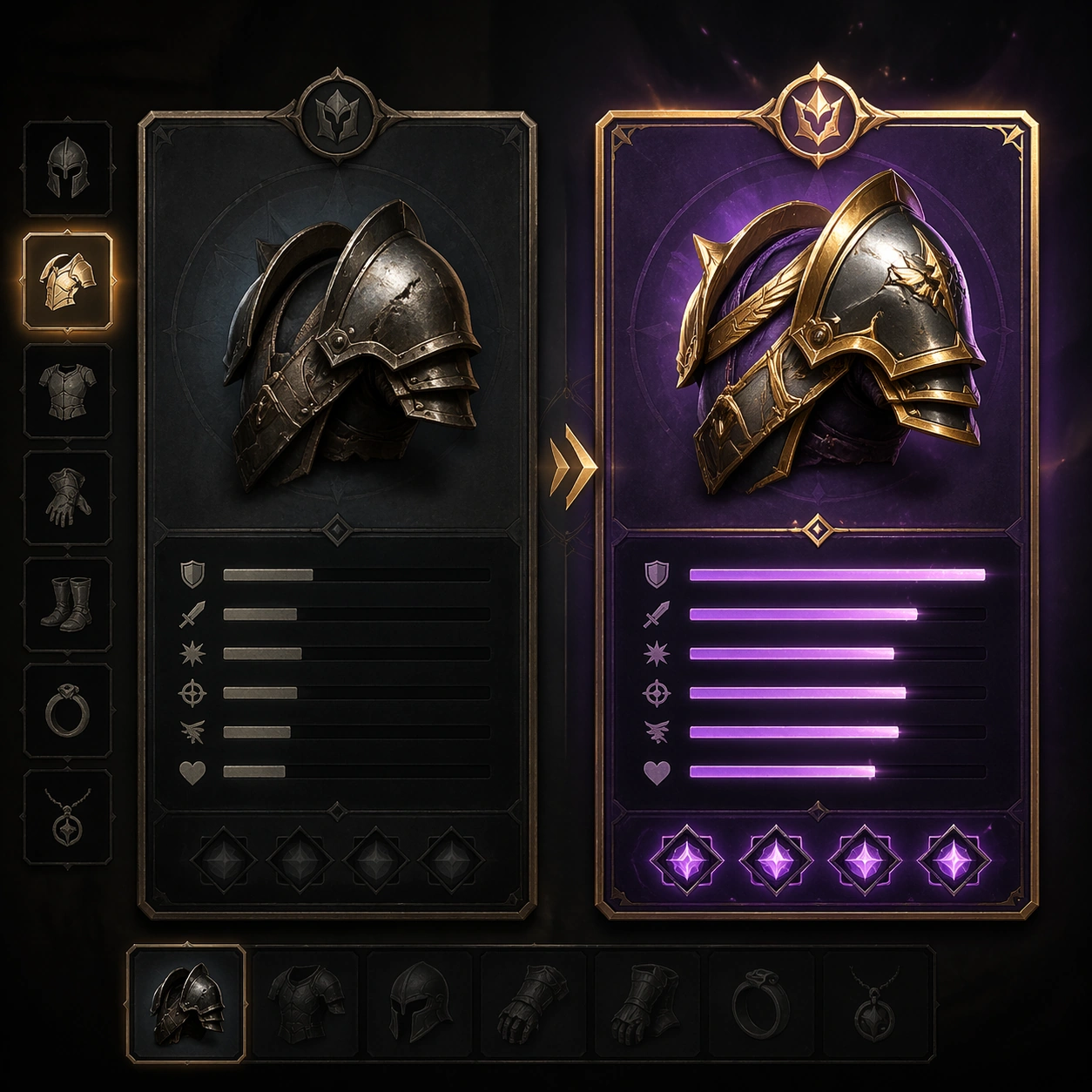
A square production-ready image designed for a game-art review wall and a commercial gallery at the same time. Frame a side-by-side old versus new gear comparison board with clear hierarchy and item desirability with disciplined lighting, clean edge separation, and enough surrounding context to prove how the asset would behave in a real product surface. The camera, crop, and tonal balance should feel intentional rather than generic, with high readability at first glance and convincing material response under closer inspection.

Subject:
Center the study on a side-by-side old versus new gear comparison board with clear hierarchy and item desirability. Translate the topic into a concrete, shippable visual statement instead of a loose mood board. Build layered object relationships, believable surface finish, and strong silhouette grouping so the image reads immediately as part of Inventory Tooltip Comparison Board. The subject should feel made for a live game pipeline: useful in store, UI, campaign, or art-review contexts, with visual hierarchy strong enough to survive aggressive cropping.

Important details:
the player’s upgrade decision should be obvious through shape, rarity framing, and stat-bar rhythm without legible text. Keep every supporting element subordinate to the main read, and make category separation obvious through form, color zoning, depth, and material logic rather than words. Where panels, cards, badges, or interface blocks appear, they must look professionally structured but remain unreadable. The visual language should feel premium, original, and coherent across this package, with no filler clutter and no accidental resemblance to a specific shipped game IP.

Use case:
Inventory Tooltip Comparison Board single study 1/9, focused on old vs new gear.

Constraints:
No readable text, no watermark, no logos, preserve exact 1:1 aspect ratio, no readable stats, no numbers, no broken hierarchy, no generic stock-photo staging, no accidental UI gibberish.
Cómo usar
- Copia el prompt original completo, incluidos los parámetros.
- Adapta el tema, el texto y la composición a tus necesidades.
- Usa una herramienta externa compatible; comprueba el acceso y el resultado.
Antes de empezar
- Comprueba si necesita una imagen de referencia. La compatibilidad no demuestra qué modelo generó el ejemplo.
- Revisa nombres, cifras y textos; el resultado puede variar entre versiones del modelo.