Document original
GPT Image 2 · en
{
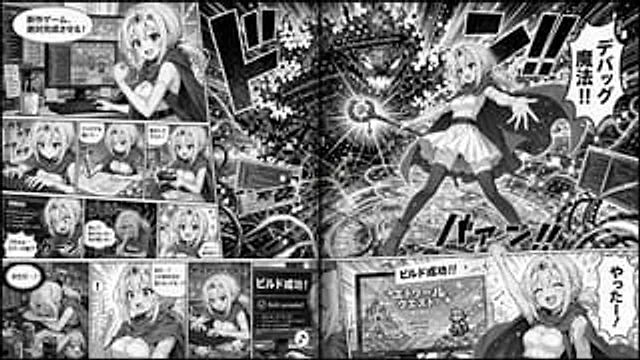
  "type": "2-page comic strip",
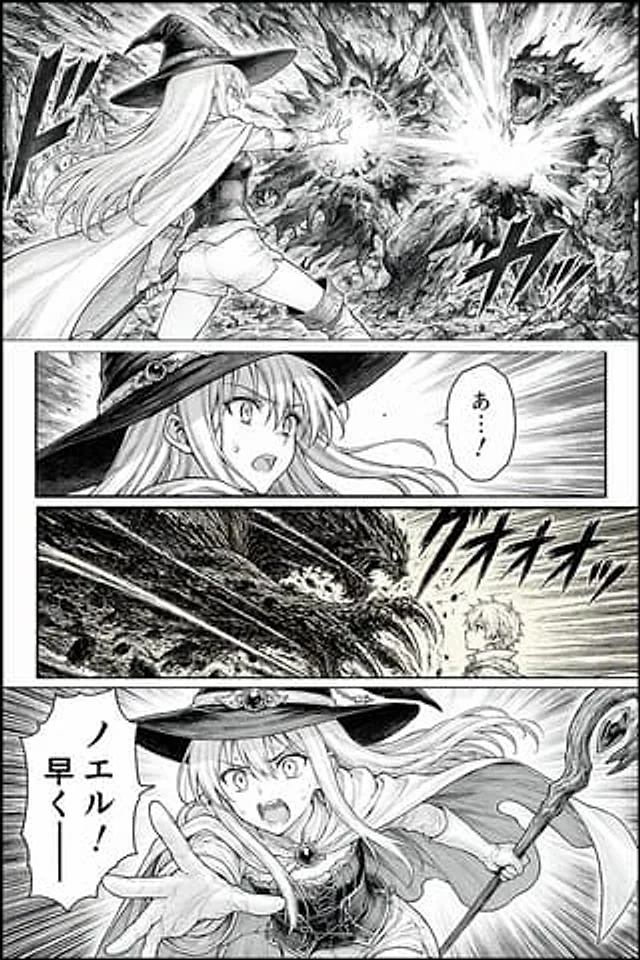
  "style": "Black and white anime comics, halftone paper effect",
  "theme": "{argument name=\"main action\" default=\"Fantasy Wizard is developing a video game\"}",
  "character": "{argument name=\"character appearance\" default=\"A blonde anime girl, wearing a crown, a cloak, a white dress, and over-the-knee socks.\"}",
  "layout": {
    "left_page": {
      "panel_count": 11,
      "rows": [
        {
          "panels": 1,
          "action": "With a determined expression, he stood before the dual-monitor desk, a speech bubble appearing: 'The new game is absolutely finished!'"
        },
        {
          "panels": 3,
          "action": "Typing, drawing on a graphics tablet, testing with a controller"
        },
        {
          "panels": 3,
          "action": "Shocked, frustrated, and determined by the error screen."
        },
        {
          "panels": 4,
          "action": "Exhausted, I suddenly had a flash of inspiration, started typing frantically, and the monitor displayed 'Build succeeded!'"
        }
      ]
    },
    "right_page": {
      "panel_count": 2,
      "panels": [
        {
          "type": "Large double-page spread",
          "action": "Cast spells from the glowing ring to attack those marked '{argument name=\"error text\" default=\"NullReferenceException\"} The code error monster. Dialogue bubble: '{argument name=\"spell text\" default=\"Debugging magic!!\"} '"
        },
        {
          "type": "Bottom Banner",
          "action": "Cheers in front of the RPG title screen. Dialogue bubble: '{argument name=\"success text\" default=\"やったー!\"} '"
        }
      ]
    }
  }
}
Mode d’emploi
- Copiez le prompt original complet, paramètres compris.
- Adaptez le sujet, le texte et la composition à vos besoins.
- Utilisez un outil externe compatible ; vérifiez l’accès et le résultat.
Avant de commencer
- Vérifiez si une image de référence est nécessaire. La compatibilité ne prouve pas le modèle utilisé pour cet exemple.
- Vérifiez noms, chiffres et textes ; les versions du modèle peuvent produire des résultats différents.