Oryginalny dokument
GPT Image 2 · en
{
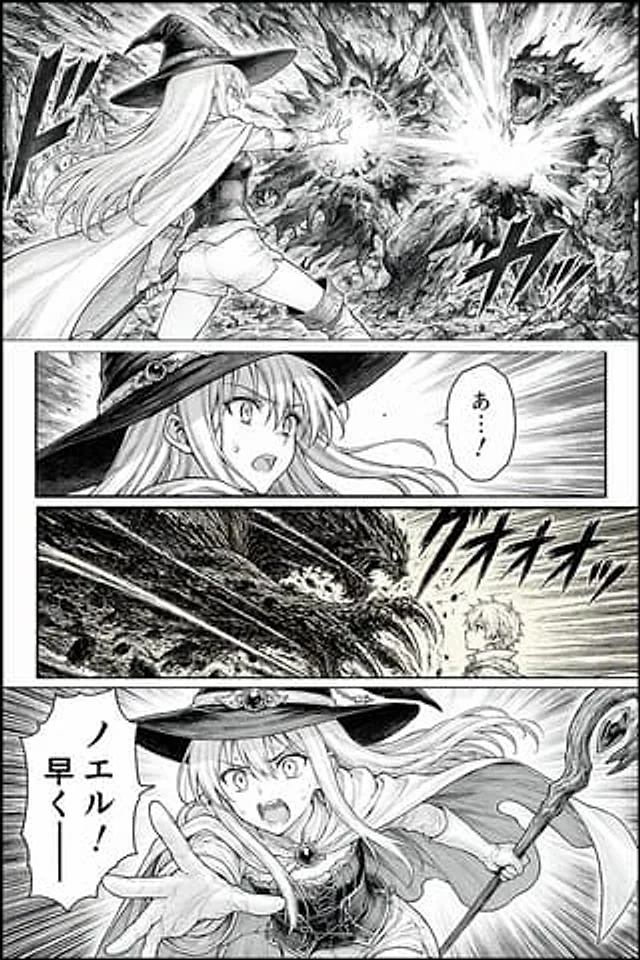
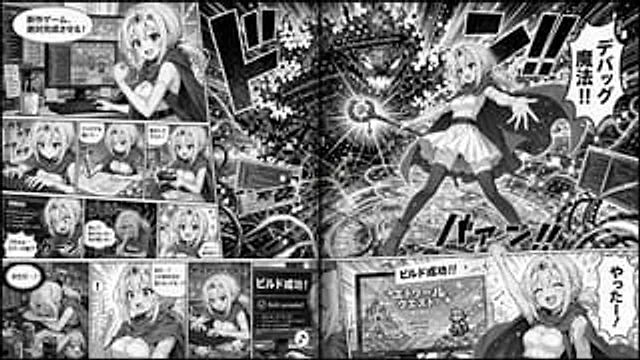
  "type": "2-page comic strip",
  "style": "Black and white anime comics, halftone paper effect",
  "theme": "{argument name=\"main action\" default=\"Fantasy Wizard is developing a video game\"}",
  "character": "{argument name=\"character appearance\" default=\"A blonde anime girl, wearing a crown, a cloak, a white dress, and over-the-knee socks.\"}",
  "layout": {
    "left_page": {
      "panel_count": 11,
      "rows": [
        {
          "panels": 1,
          "action": "With a determined expression, he stood before the dual-monitor desk, a speech bubble appearing: 'The new game is absolutely finished!'"
        },
        {
          "panels": 3,
          "action": "Typing, drawing on a graphics tablet, testing with a controller"
        },
        {
          "panels": 3,
          "action": "Shocked, frustrated, and determined by the error screen."
        },
        {
          "panels": 4,
          "action": "Exhausted, I suddenly had a flash of inspiration, started typing frantically, and the monitor displayed 'Build succeeded!'"
        }
      ]
    },
    "right_page": {
      "panel_count": 2,
      "panels": [
        {
          "type": "Large double-page spread",
          "action": "Cast spells from the glowing ring to attack those marked '{argument name=\"error text\" default=\"NullReferenceException\"} The code error monster. Dialogue bubble: '{argument name=\"spell text\" default=\"Debugging magic!!\"} '"
        },
        {
          "type": "Bottom Banner",
          "action": "Cheers in front of the RPG title screen. Dialogue bubble: '{argument name=\"success text\" default=\"やったー!\"} '"
        }
      ]
    }
  }
}
Jak używać
- Skopiuj cały oryginalny prompt wraz z parametrami.
- Dostosuj temat, tekst i kompozycję do swoich potrzeb.
- Użyj zgodnego narzędzia zewnętrznego; sprawdź warunki dostępu i wynik.
Przed rozpoczęciem
- Sprawdź, czy potrzebny jest obraz referencyjny. Zgodność nie potwierdza modelu użytego do przykładu.
- Sprawdź nazwy, liczby i napisy; wyniki zależą od wersji modelu.