Document original
GPT Image 2 · zh
{
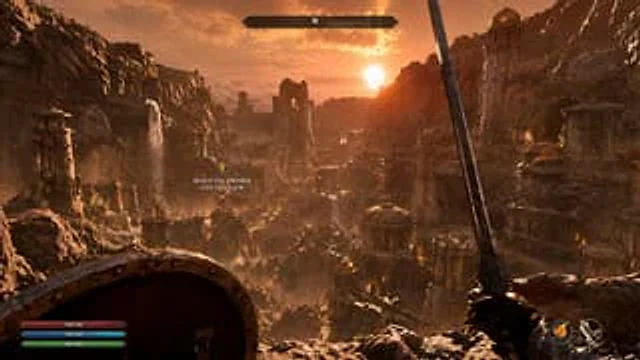
  "type": "First-person RPG game screenshots",
  "environment": "{argument name=\"场景描述\" default=\"An ancient ruined city nestled in a rocky canyon, featuring stone towers, brass domes, and waterfalls.\"}",
  "lighting": "{argument name=\"时间段\" default=\"Golden hour sunset with volumetric light and warm orange glow\"}",
  "first_person_view": {
    "left_hand": "{argument name=\"左手装备\" default=\"Round wooden metal shield\"}",
    "right_hand": "{argument name=\"右手武器\" default=\"An upward-tilted steel sword\"}"
  },
  "hud_elements": [
    {
      "position": "Top center",
      "description": "Horizontal compass bar with \"N\" and marking"
    },
    {
      "position": "Left middle",
      "description": "A floating yellow diamond-shaped task marker with the text \"{argument name=\"任务文本\" default=\"Heading to the city of Kaljor in Dwemer\"} \""
    },
    {
      "position": "bottom left corner",
      "description": "Three horizontal resource bars: red (236/236), blue (142/142), and green (183/183)."
    },
    {
      "position": "bottom right corner",
      "description": "Two circular action icons, one for fire magic and the other for archery."
    }
  ]
}
Mode d’emploi
- Copiez le prompt original complet, paramètres compris.
- Adaptez le sujet, le texte et la composition à vos besoins.
- Utilisez un outil externe compatible ; vérifiez l’accès et le résultat.
Avant de commencer
- Vérifiez si une image de référence est nécessaire. La compatibilité ne prouve pas le modèle utilisé pour cet exemple.
- Vérifiez noms, chiffres et textes ; les versions du modèle peuvent produire des résultats différents.