
Document original
GPT Image 2 · en
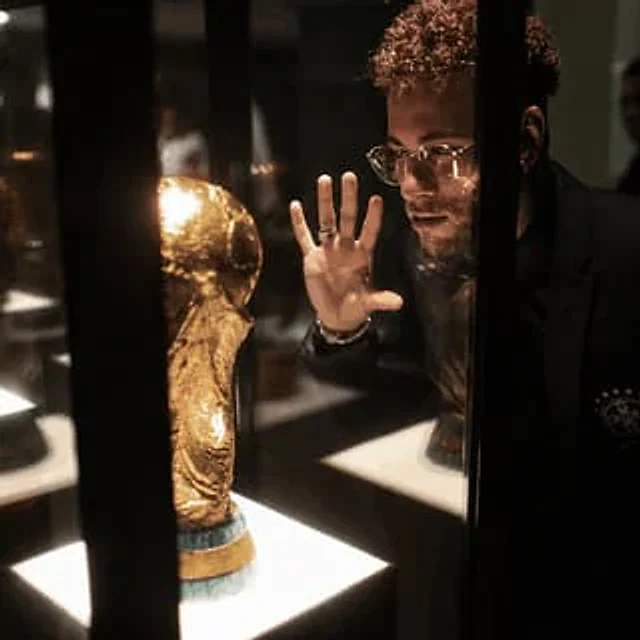
Using the provided reference image, enhance it into an ultra-premium cinematic 8K photo while preserving 100% of the original composition, pose, objects, lighting placement, and the face-obscuring censor block. Improve the image quality dramatically: recover sharp microdetails in the glass display case, the golden trophy, hair texture, hand, rings, clothing, reflections, and illuminated display bases. Make it photorealistic with studio-grade contrast, richer warm museum lighting, cleaner shadows, reduced blur and pixelation, crisp edges, realistic glass reflections, and a high-end editorial/cinema finish. Do not change the subject’s position, the trophy location, the black vertical display bars, or the overall framing. Use {argument name="output quality" default="ultra-premium 8K"}, {argument name="visual style" default="cinematic photorealism"}, {argument name="detail emphasis" default="sharp microdetails, realistic pores, hair, glass, and metal reflections"}, and {argument name="lighting mood" default="warm high-contrast museum display lighting"}.Mode d’emploi
- Copiez le prompt original complet, paramètres compris.
- Adaptez le sujet, le texte et la composition à vos besoins.
- Utilisez un outil externe compatible ; vérifiez l’accès et le résultat.
Avant de commencer
- Vérifiez si une image de référence est nécessaire. La compatibilité ne prouve pas le modèle utilisé pour cet exemple.
- Vérifiez noms, chiffres et textes ; les versions du modèle peuvent produire des résultats différents.