
Original document
GPT Image 2 · en
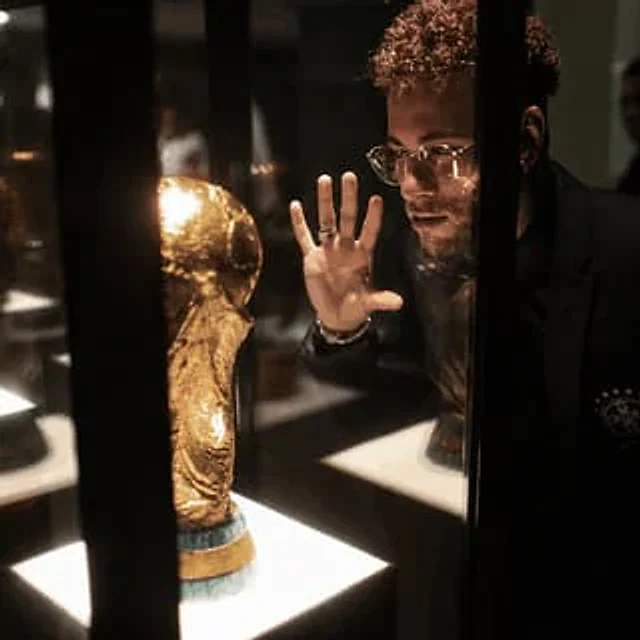
Using the provided reference image, enhance it into an ultra-premium cinematic 8K photo while preserving 100% of the original composition, pose, objects, lighting placement, and the face-obscuring censor block. Improve the image quality dramatically: recover sharp microdetails in the glass display case, the golden trophy, hair texture, hand, rings, clothing, reflections, and illuminated display bases. Make it photorealistic with studio-grade contrast, richer warm museum lighting, cleaner shadows, reduced blur and pixelation, crisp edges, realistic glass reflections, and a high-end editorial/cinema finish. Do not change the subject’s position, the trophy location, the black vertical display bars, or the overall framing. Use {argument name="output quality" default="ultra-premium 8K"}, {argument name="visual style" default="cinematic photorealism"}, {argument name="detail emphasis" default="sharp microdetails, realistic pores, hair, glass, and metal reflections"}, and {argument name="lighting mood" default="warm high-contrast museum display lighting"}.How to use
- Copy the complete original prompt, including any parameters.
- Replace the subject, text and composition with your own requirements.
- Use a compatible external tool; check its current access conditions and review the result.
Before you start
- Check whether a reference image is required. A compatible model label does not mean this example was generated with that model.
- Keep names, figures and visible text accurate; results can vary between model versions.