Document original
GPT Image 2 · en
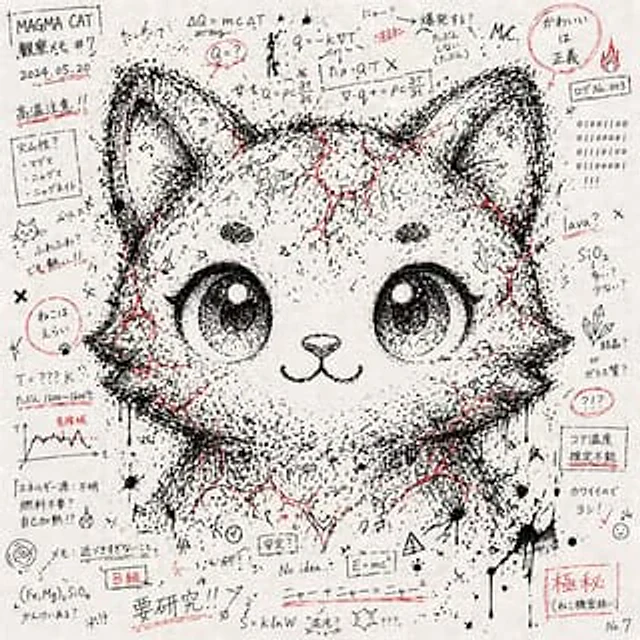
# An artwork depicting a character's facial features through a chaotic collection of notes and symbols --- ## Style - The paper is covered with notes, formulas, symbols, and random lines written in black ink. - The paper has a graffiti-like chaotic feel scattered throughout. - Use{argument name="accent color" default="Red ink"} (Lines, fills, and marker-like color blocks) are used as scattered embellishments. - It has a texture that simulates notebook doodles. --- ## Composition - Random notes and symbols cover the entire image. - The density of black ink lines and characters is concentrated on the "character's face." - Therefore, the facial contours and expressions of a given character vaguely emerge from the chaos. - The face is not realistic, but rather a collection of chaotic fragments. --- ## Tone - Primarily monochrome (black and white).{argument name="accent color" default="Red ink"} Scattered accents for emphasis. - Low saturation, emphasizing the texture of simulated paper and ink. --- ## Expression Elements - A mix of semi-readable Japanese, English, and numerical strings. - Mathematical symbols, arrows, dots, diagonal lines, crosses, and ink drops. - The outlines of the face, eyes, and hair emerge from the "negative space" and "shadows" of the symbol arrangement. --- ## Prohibited Items - Directly realistic portraiture. - Neat geometric patterns after digital processing. - Colorful or oversaturated expressions. - Logos, watermarks, or artificial CG aesthetics. --- ## Definition of DoD - The overall work presents itself as a "chaotic collection of notes and symbols." - The provided character's face emerges naturally from the chaotic density and arrangement. - Colors limited to monochrome +{argument name="accent color" default="Red accents"} - Preserve the hand-painted texture of the paper and ink.Mode d’emploi
- Copiez le prompt original complet, paramètres compris.
- Adaptez le sujet, le texte et la composition à vos besoins.
- Utilisez un outil externe compatible ; vérifiez l’accès et le résultat.
Avant de commencer
- Vérifiez si une image de référence est nécessaire. La compatibilité ne prouve pas le modèle utilisé pour cet exemple.
- Vérifiez noms, chiffres et textes ; les versions du modèle peuvent produire des résultats différents.