Original document
GPT Image 2 · en
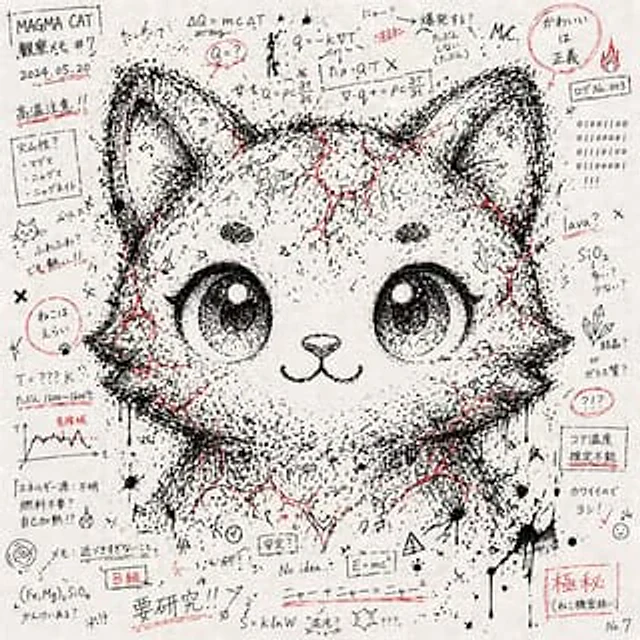
# An artwork depicting a character's facial features through a chaotic collection of notes and symbols --- ## Style - The paper is covered with notes, formulas, symbols, and random lines written in black ink. - The paper has a graffiti-like chaotic feel scattered throughout. - Use{argument name="accent color" default="Red ink"} (Lines, fills, and marker-like color blocks) are used as scattered embellishments. - It has a texture that simulates notebook doodles. --- ## Composition - Random notes and symbols cover the entire image. - The density of black ink lines and characters is concentrated on the "character's face." - Therefore, the facial contours and expressions of a given character vaguely emerge from the chaos. - The face is not realistic, but rather a collection of chaotic fragments. --- ## Tone - Primarily monochrome (black and white).{argument name="accent color" default="Red ink"} Scattered accents for emphasis. - Low saturation, emphasizing the texture of simulated paper and ink. --- ## Expression Elements - A mix of semi-readable Japanese, English, and numerical strings. - Mathematical symbols, arrows, dots, diagonal lines, crosses, and ink drops. - The outlines of the face, eyes, and hair emerge from the "negative space" and "shadows" of the symbol arrangement. --- ## Prohibited Items - Directly realistic portraiture. - Neat geometric patterns after digital processing. - Colorful or oversaturated expressions. - Logos, watermarks, or artificial CG aesthetics. --- ## Definition of DoD - The overall work presents itself as a "chaotic collection of notes and symbols." - The provided character's face emerges naturally from the chaotic density and arrangement. - Colors limited to monochrome +{argument name="accent color" default="Red accents"} - Preserve the hand-painted texture of the paper and ink.How to use
- Copy the complete original prompt, including any parameters.
- Replace the subject, text and composition with your own requirements.
- Use a compatible external tool; check its current access conditions and review the result.
Before you start
- Check whether a reference image is required. A compatible model label does not mean this example was generated with that model.
- Keep names, figures and visible text accurate; results can vary between model versions.