Document original
GPT Image 2 · en
{
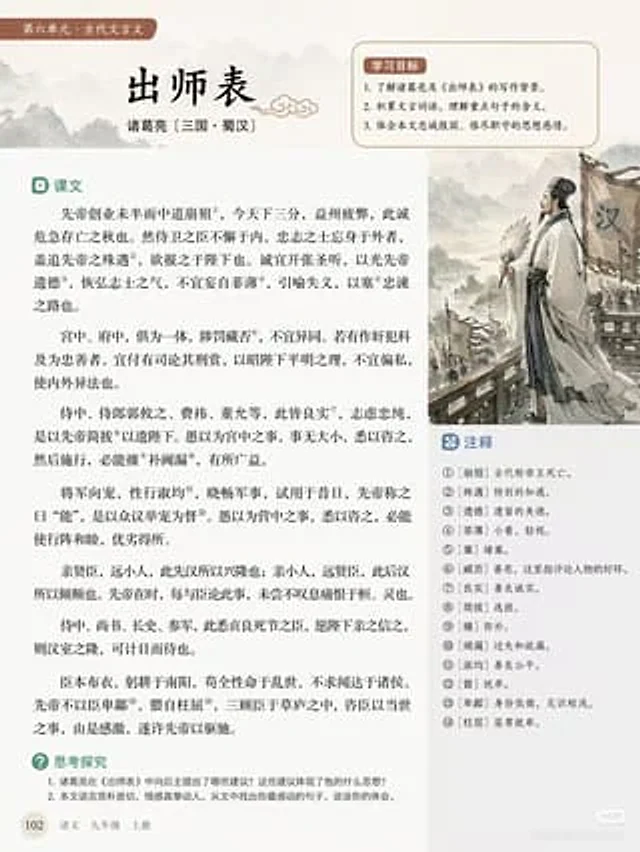
  "type": "Educational textbook page layout",
  "style": "Simple layout, traditional Chinese aesthetics, soft beige background",
  "header": {
    "tag": "Unit 6: Classical Chinese",
    "title": "{argument name=\"main title\" default=\"Memorial on Dispatching the Troops\"}",
    "author": "{argument name=\"author info\" default=\"Zhuge Liang (Three Kingdoms period, Shu Han)\"}"
  },
  "layout": {
    "sections": [
      {
        "title": "Learning Objectives",
        "position": "Top right corner box",
        "count": 3,
        "description": "Numbered learning objectives with a soft red background"
      },
      {
        "title": "text",
        "position": "Left sidebar",
        "count": 6,
        "description": "Classical Chinese passages containing 14 superscripted annotation numbers"
      },
      {
        "title": "Notes",
        "position": "Box below the illustration on the right",
        "count": 14,
        "description": "Explanation of the numbered words corresponding to the superscript in the text"
      },
      {
        "title": "Thinking and Exploring",
        "position": "bottom left corner",
        "count": 2,
        "description": "Numbered discussion questions"
      }
    ],
    "illustration": {
      "position": "Middle right",
      "description": "{argument name=\"illustration subject\" default=\"Zhuge Liang, holding a feather fan, stands before the Han army banner, in the style of a traditional Chinese ink painting.\"}"
    },
    "footer": {
      "page_number": "102",
      "book_info": "{argument name=\"textbook info\" default=\"Chinese Language Textbook for Ninth Grade, First Semester\"}"
    }
  }
}
Mode d’emploi
- Copiez le prompt original complet, paramètres compris.
- Adaptez le sujet, le texte et la composition à vos besoins.
- Utilisez un outil externe compatible ; vérifiez l’accès et le résultat.
Avant de commencer
- Vérifiez si une image de référence est nécessaire. La compatibilité ne prouve pas le modèle utilisé pour cet exemple.
- Vérifiez noms, chiffres et textes ; les versions du modèle peuvent produire des résultats différents.