
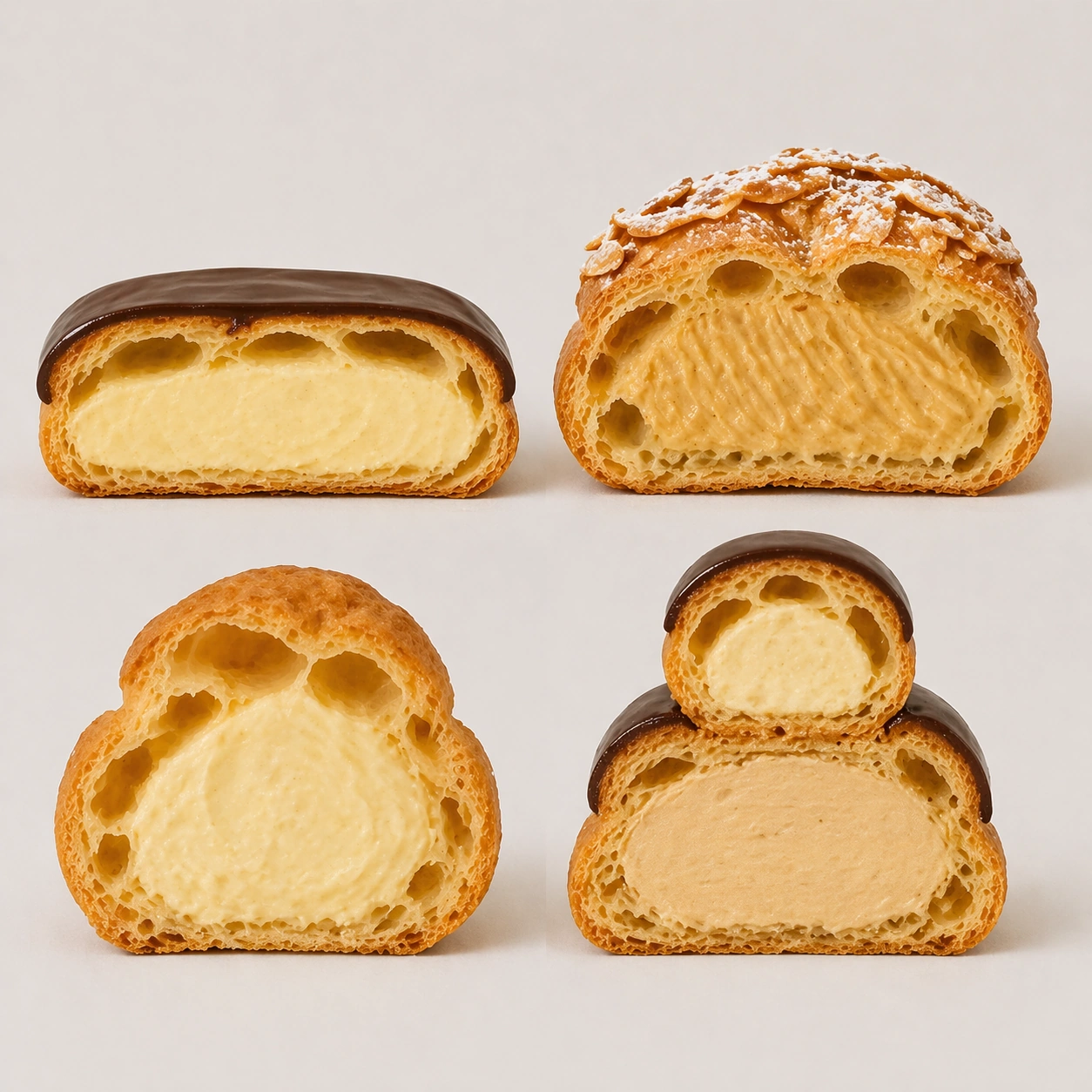
Documento originale
GPT Image 2 · en
Scene:
Create a square pastry documentation image on a seamless pale gray or warm ivory studio background with soft catalog lighting and almost no cast-shadow drama. The camera should feel orthographic or gently frontal so cross-sections remain easy to compare. Everything must read like a pastry atlas: clean, measured, and highly legible, with crumbs controlled and edges crisp. Keep the exact board spacing, camera angle, and neutral specimen-sheet lighting from the reference image so the series continuity stays obvious. The background should remain pale and seamless, with only the faintest controlled shadows under each piece.

Subject:
Present four choux-based specimens cut in half: eclair, Paris-Brest segment, cream puff, and religieuse stack section. Highlight their hollow shells, piped cream chambers, crisp baked crusts, and occasional glaze caps. The group should feel like a rigorous study of void, shell, and filling relationships across one pastry family.

Important details:
Treat every cut face as the hero: laminated layers, cream density, air pockets, fruit cavities, glaze thickness, and crumb structure all need to be countable and believable. The studio language should stay consistent and understated so structural detail does the work. No element should feel collapsed, smeared, or over-stylized. Preserve exact spacing, background tone, and front-facing cut logic from the reference model while changing only the pastry family. Cream should show piping ridges and weight, while shells need thin yet stable walls that do not look inflated or bread-like.

Use case:
Pastry cross-section atlas series study 3/9, mapping hollow-shell structure across choux pastry forms.

Constraints:
No readable text, no watermark, no logos, preserve exact 1:1 aspect ratio, no bakery counter background, no casual napkins, no readable labels, no powdered sugar mess, no rustic knife marks, no melting cream collapse, no cartoon puffs, no extra garnish dust.
Come usare
- Copia tutto il prompt originale, inclusi i parametri.
- Adatta soggetto, testo e composizione alle tue esigenze.
- Usa uno strumento esterno compatibile; verifica accesso e risultato.
Prima di iniziare
- Controlla se serve un’immagine di riferimento. La compatibilità non prova il modello usato per l’esempio.
- Verifica nomi, numeri e testi; i risultati cambiano con le versioni del modello.