
原始文档
GPT Image 2 · en
Scene:
Create a square pastry documentation image on a seamless pale gray or warm ivory studio background with soft catalog lighting and almost no cast-shadow drama. The camera should feel orthographic or gently frontal so cross-sections remain easy to compare. Everything must read like a pastry atlas: clean, measured, and highly legible, with crumbs controlled and edges crisp. Keep the exact board spacing, camera angle, and neutral specimen-sheet lighting from the reference image so the series continuity stays obvious. The background should remain pale and seamless, with only the faintest controlled shadows under each piece.

Subject:
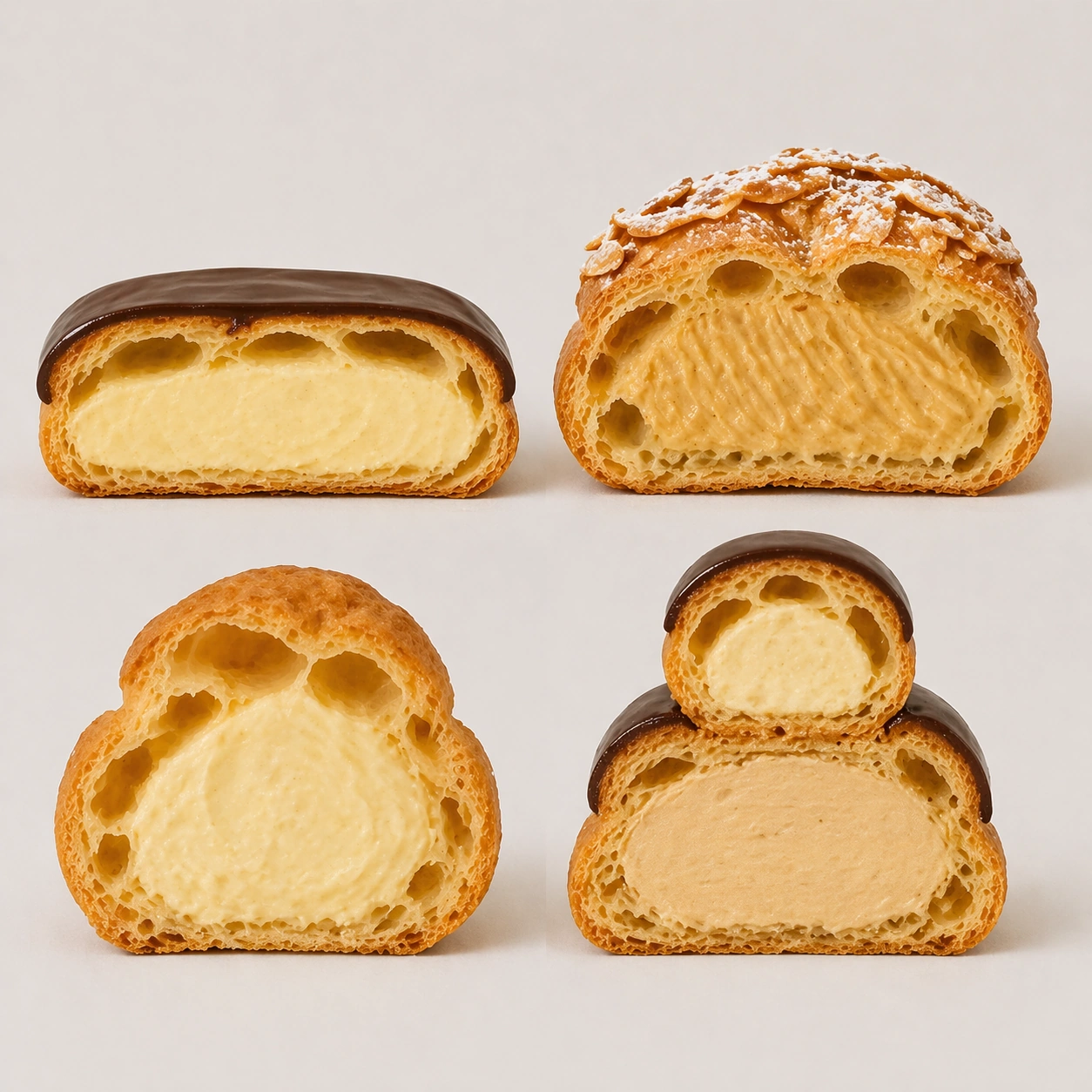
Present four choux-based specimens cut in half: eclair, Paris-Brest segment, cream puff, and religieuse stack section. Highlight their hollow shells, piped cream chambers, crisp baked crusts, and occasional glaze caps. The group should feel like a rigorous study of void, shell, and filling relationships across one pastry family.

Important details:
Treat every cut face as the hero: laminated layers, cream density, air pockets, fruit cavities, glaze thickness, and crumb structure all need to be countable and believable. The studio language should stay consistent and understated so structural detail does the work. No element should feel collapsed, smeared, or over-stylized. Preserve exact spacing, background tone, and front-facing cut logic from the reference model while changing only the pastry family. Cream should show piping ridges and weight, while shells need thin yet stable walls that do not look inflated or bread-like.

Use case:
Pastry cross-section atlas series study 3/9, mapping hollow-shell structure across choux pastry forms.

Constraints:
No readable text, no watermark, no logos, preserve exact 1:1 aspect ratio, no bakery counter background, no casual napkins, no readable labels, no powdered sugar mess, no rustic knife marks, no melting cream collapse, no cartoon puffs, no extra garnish dust.
使用方法
- 复制完整原始提示词,并保留其中的参数。
- 按需求替换主体、文字和构图要求。
- 在兼容的外部工具中使用,核对当前使用条件并检查结果。
开始前需了解
- 先确认是否需要参考图。标注兼容模型,不代表该示例由这个模型生成。
- 核对名称、数字与画面文字;不同模型版本的结果可能不同。