
Documento originale
GPT Image 2 · en
Scene:
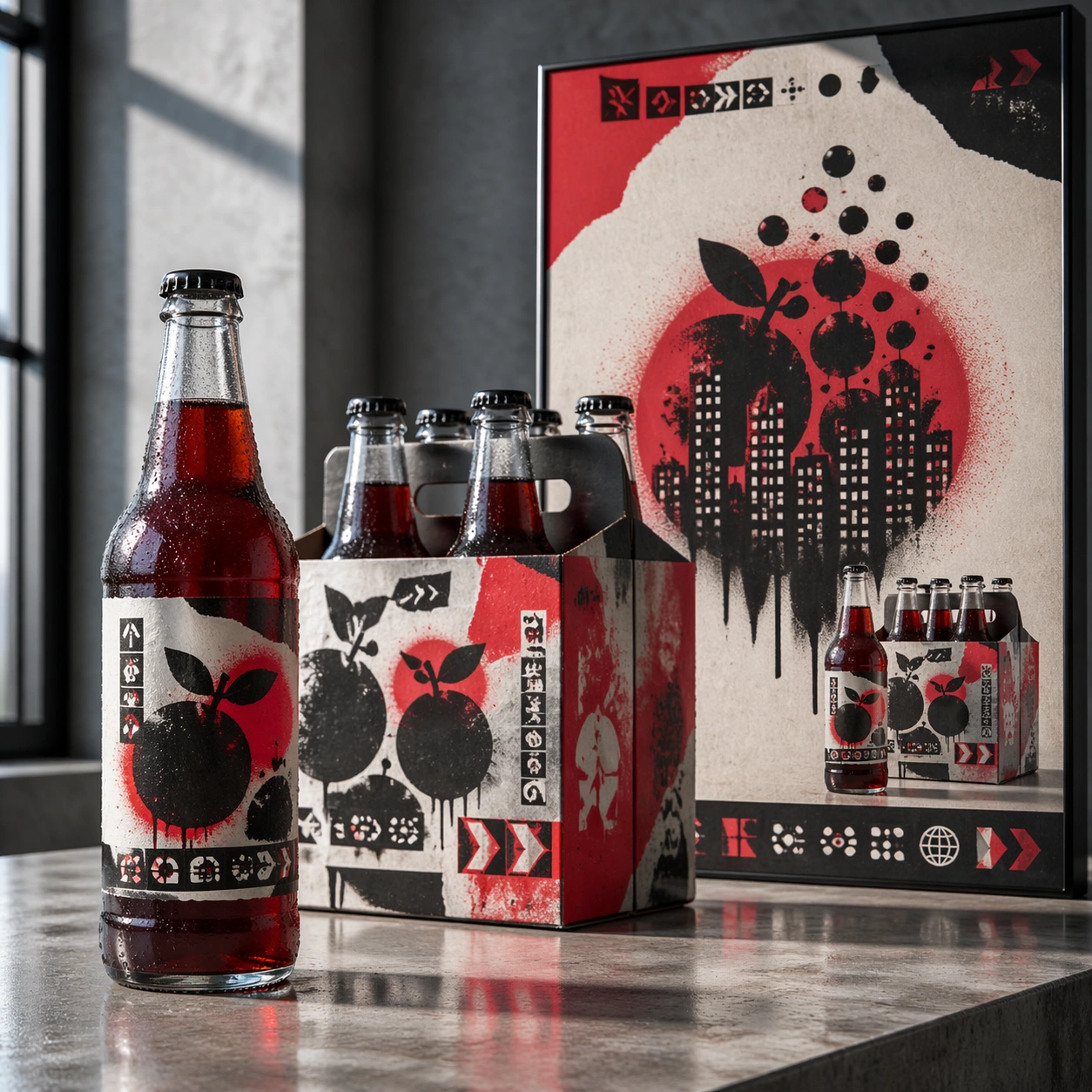
A square advertising mockup set on a polished concrete presentation table, lit like a late-afternoon creative agency review. The layout is a balanced commercial board with a glass beverage bottle in the foreground, a six-pack carton slightly behind it, and a vertical street-poster panel rising at the back. The color temperature is cool daylight with selective red highlights, sharp focus, and realistic reflections on glass and varnished cardboard.

Subject:
A fictional soda label collaboration with an anonymous street-stencil muralist language. The bottle is tall and transparent with deep crimson liquid, a torn-paper label shape, sprayed stencil fruit silhouettes, and small abstract warning-label glyph blocks. The carton uses repeated spray-mask shapes, overprinted arrows, and layered sticker textures. The poster shows a dramatic stencil composition of bubbles becoming city windows, with a bold but unreadable headline zone and a clear product packshot area.

Important details:
The art direction should fuse polished beverage marketing with controlled street-art roughness. Keep the same stencil motifs across bottle, carton, and poster so the collaboration reads instantly as one campaign. Make the glass thickness, bottle cap ridges, condensation beads, carton folds, matte spray paint, and pasted-paper edges physically convincing. Layout hierarchy must be clear: product first, packaging second, campaign poster third. Use abstract glyph rows only; no readable copy.

Use case:
Brand Artist Collab Mockup single study 2/8, focused on a beverage launch kit with street-stencil campaign language.

Constraints:
No readable text, no watermark, no logos, preserve exact 1:1 aspect ratio, no existing soda identity, no real street artist signature, no messy graffiti wall, no illegal poster clutter, no warped bottle label, no floating objects.
Come usare
- Copia tutto il prompt originale, inclusi i parametri.
- Adatta soggetto, testo e composizione alle tue esigenze.
- Usa uno strumento esterno compatibile; verifica accesso e risultato.
Prima di iniziare
- Controlla se serve un’immagine di riferimento. La compatibilità non prova il modello usato per l’esempio.
- Verifica nomi, numeri e testi; i risultati cambiano con le versioni del modello.