
원본 문서
GPT Image 2 · en
Scene:
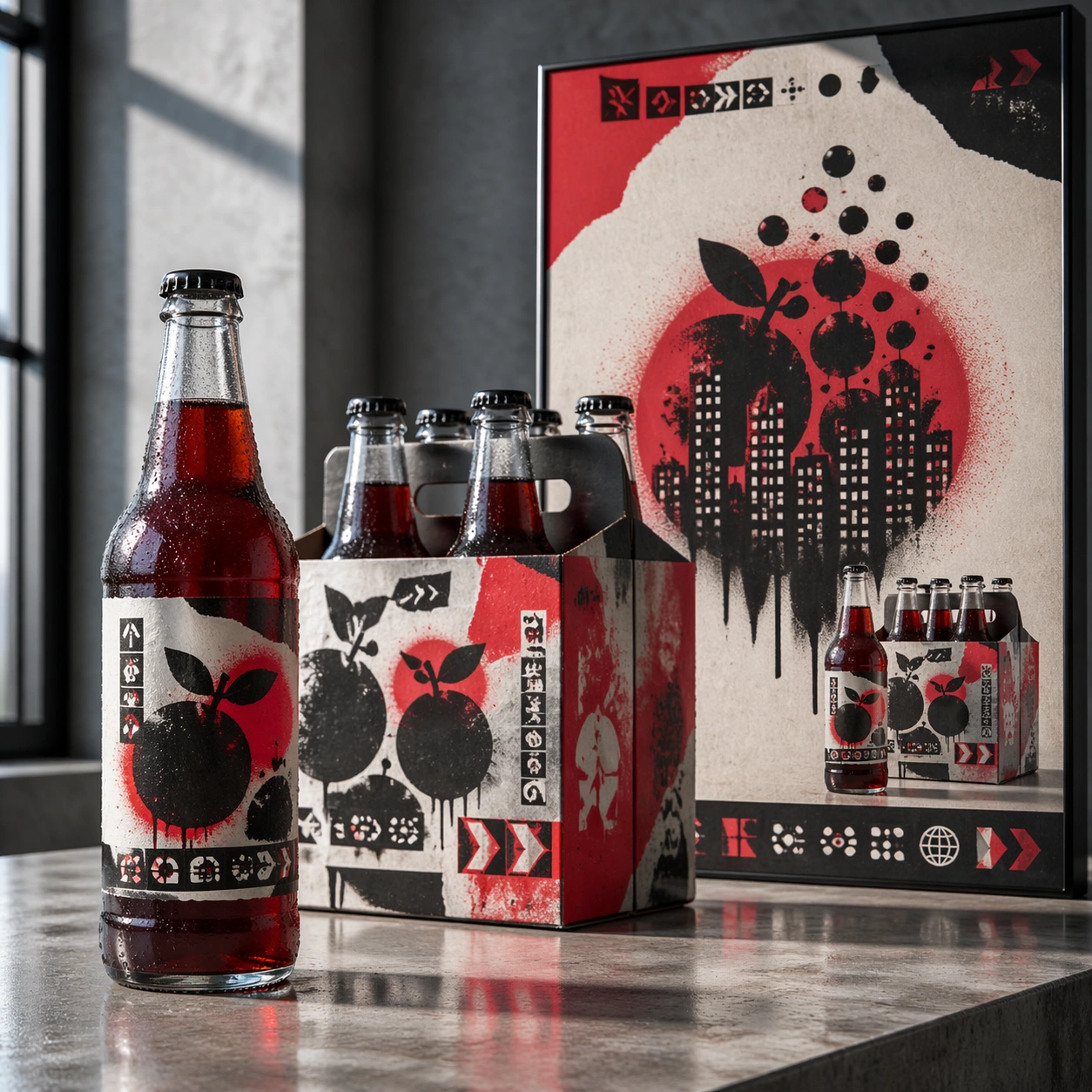
A square advertising mockup set on a polished concrete presentation table, lit like a late-afternoon creative agency review. The layout is a balanced commercial board with a glass beverage bottle in the foreground, a six-pack carton slightly behind it, and a vertical street-poster panel rising at the back. The color temperature is cool daylight with selective red highlights, sharp focus, and realistic reflections on glass and varnished cardboard.

Subject:
A fictional soda label collaboration with an anonymous street-stencil muralist language. The bottle is tall and transparent with deep crimson liquid, a torn-paper label shape, sprayed stencil fruit silhouettes, and small abstract warning-label glyph blocks. The carton uses repeated spray-mask shapes, overprinted arrows, and layered sticker textures. The poster shows a dramatic stencil composition of bubbles becoming city windows, with a bold but unreadable headline zone and a clear product packshot area.

Important details:
The art direction should fuse polished beverage marketing with controlled street-art roughness. Keep the same stencil motifs across bottle, carton, and poster so the collaboration reads instantly as one campaign. Make the glass thickness, bottle cap ridges, condensation beads, carton folds, matte spray paint, and pasted-paper edges physically convincing. Layout hierarchy must be clear: product first, packaging second, campaign poster third. Use abstract glyph rows only; no readable copy.

Use case:
Brand Artist Collab Mockup single study 2/8, focused on a beverage launch kit with street-stencil campaign language.

Constraints:
No readable text, no watermark, no logos, preserve exact 1:1 aspect ratio, no existing soda identity, no real street artist signature, no messy graffiti wall, no illegal poster clutter, no warped bottle label, no floating objects.
사용 방법
- 매개변수를 포함한 전체 원본 프롬프트를 복사하세요.
- 주제, 문구, 구도를 자신의 요구에 맞게 바꾸세요.
- 호환되는 외부 도구에서 사용하고 이용 조건과 결과를 확인하세요.
시작 전 확인
- 참조 이미지가 필요한지 확인하세요. 호환 표시는 해당 모델로 이 예시를 생성했다는 뜻이 아닙니다.
- 이름, 수치, 이미지 속 문구를 확인하세요. 모델 버전에 따라 결과가 다를 수 있습니다.